HP 81110/04A Quick Start Introduction 41
Introduction
Quick Access of Menus and Parameters
Overprogramming
With + it is possible to exceed specified parame-
ter ranges to utilize the instrument to its limits.
NOTE: Proper operation of the instrument outside of the specified ranges
is not guaranteed. It is recommended to have the outputs switched
on when overprogramming, to have the internal error check sytem
activated, which warnsyou about impossible settings.
Display Modes
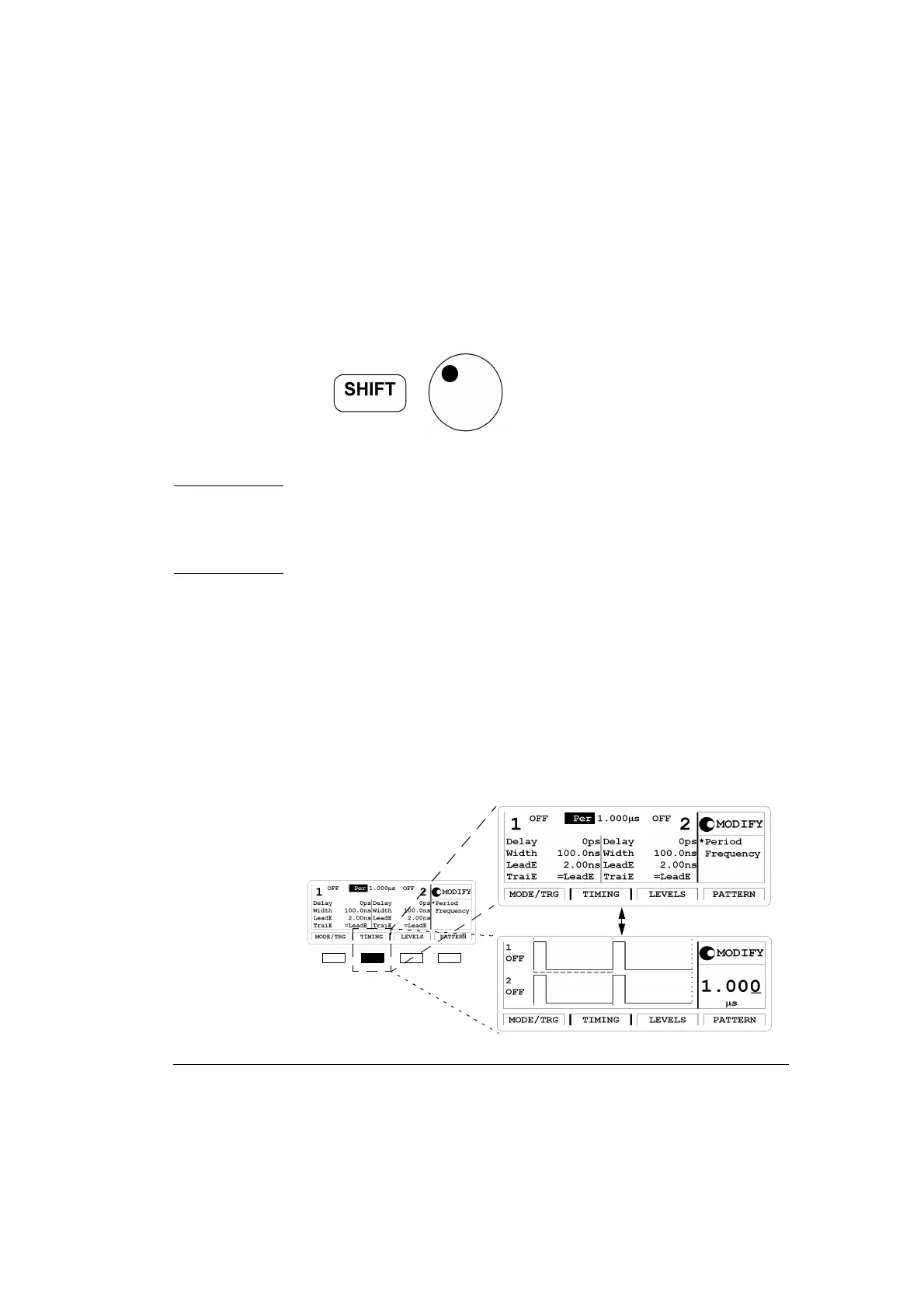
In the following figure the results of pressing a softkey are displayed. In
this case it is possible to toggle between textual and graphical screens.
The toggle mode is available for the
|TIMING|, |LEVELS| and |PAT-
TERN|
softkeys. It is possible to alternate between a textual display and
waveform display by pressing the softkey as required.
Figure 9 Toggling Display Mode



 To Next Page