6. In the screen in Figure 61, do the following:
a. In the Target Install ID field, enter the Install ID of the controller to which you want to
transfer the license.
b. In each Uninstall field, enter a license uninstall key. (For more on acquiring uninstall
keys, see Section .)
NOTE: In order for the transfer process to succeed, you must enter an Uninstall
value for every registered license.
c. Click the Transfer button in the lower-right corner of the screen.
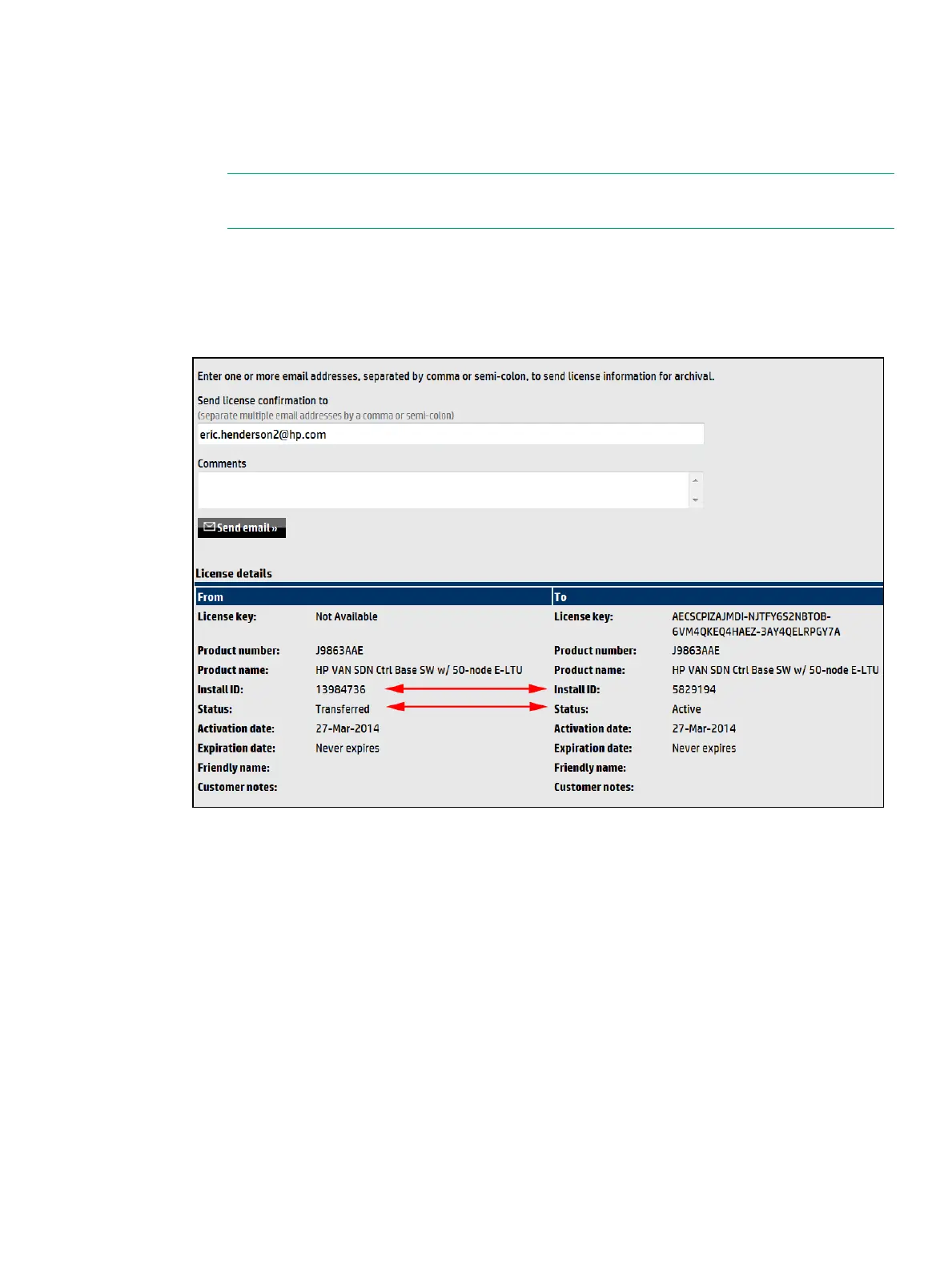
New license registration information displays on the license transfer confirmation screen
and license details screen, as shown in Figure 62.
Figure 62 Viewing license transfer confirmation and details screens
7. Review the confirmation screen details.
8. For each license you are transferring, record the new license key so that it will be available
when you add and activate the license on the new controller.
9. Optional: To e-mail transferred license details:
a. Enter one or more e-mail addresses, separated by a comma or semi-colon in the field
provided.
b. Optional: Enter Comments about this license transfer.
c. Click Send email.
The license screen displays the status of the original licenses as Transferred, and the new Install
IDs as Active, as shown in Figure 63.
Managing licenses 97



 To Next Page