HSD
5801H0056 ______________________________________________________________ 162/181
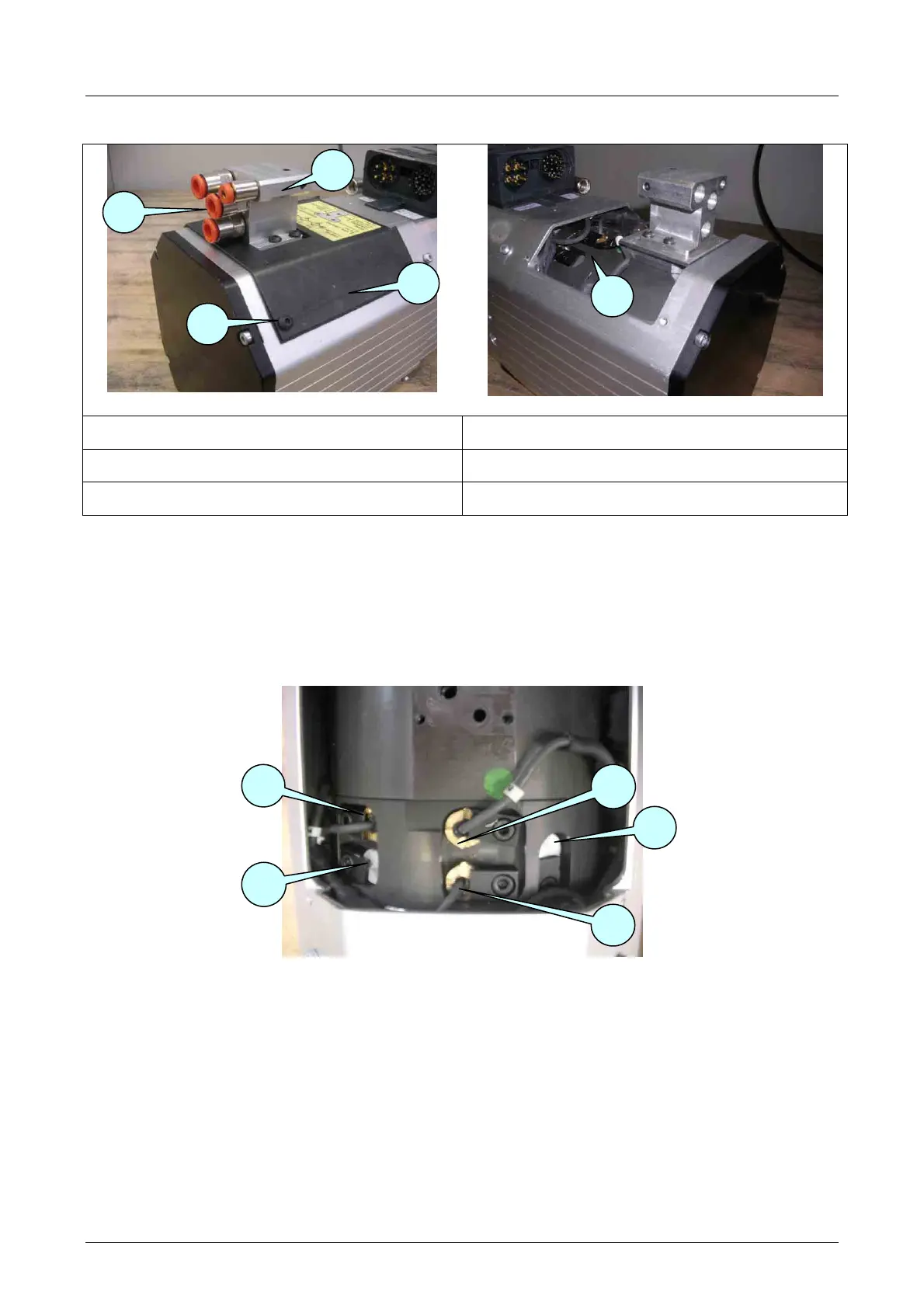
8.8.8 Accessing the ES939 sensors
Figure 8.9
Figure 8.10
1
Quick connectors
4
Sensor area cover
2
Pneumatic block
5
Sensor area
3
Sensor cover screws
• Disconnect the quick connectors 1 from the tubes;
• Loosen the four 4 connectors 1 from the pneumatic block 2
• Loosen the four screws 3 to free the cover 4.
• Lift up the cover 4 to access the area 5, being careful not to damage the interposed gasket.
8.8.9 Position of the ES939 sensors
Figure 8.11 identification of the sensors
S1
S2
S4
S3
S5
5
1
4
3
2



 To Next Page