● Cables with high rigidity, such as armored cables, are not recommended as DC
input power cables, because poor contact may be caused by the bending of the
cables.
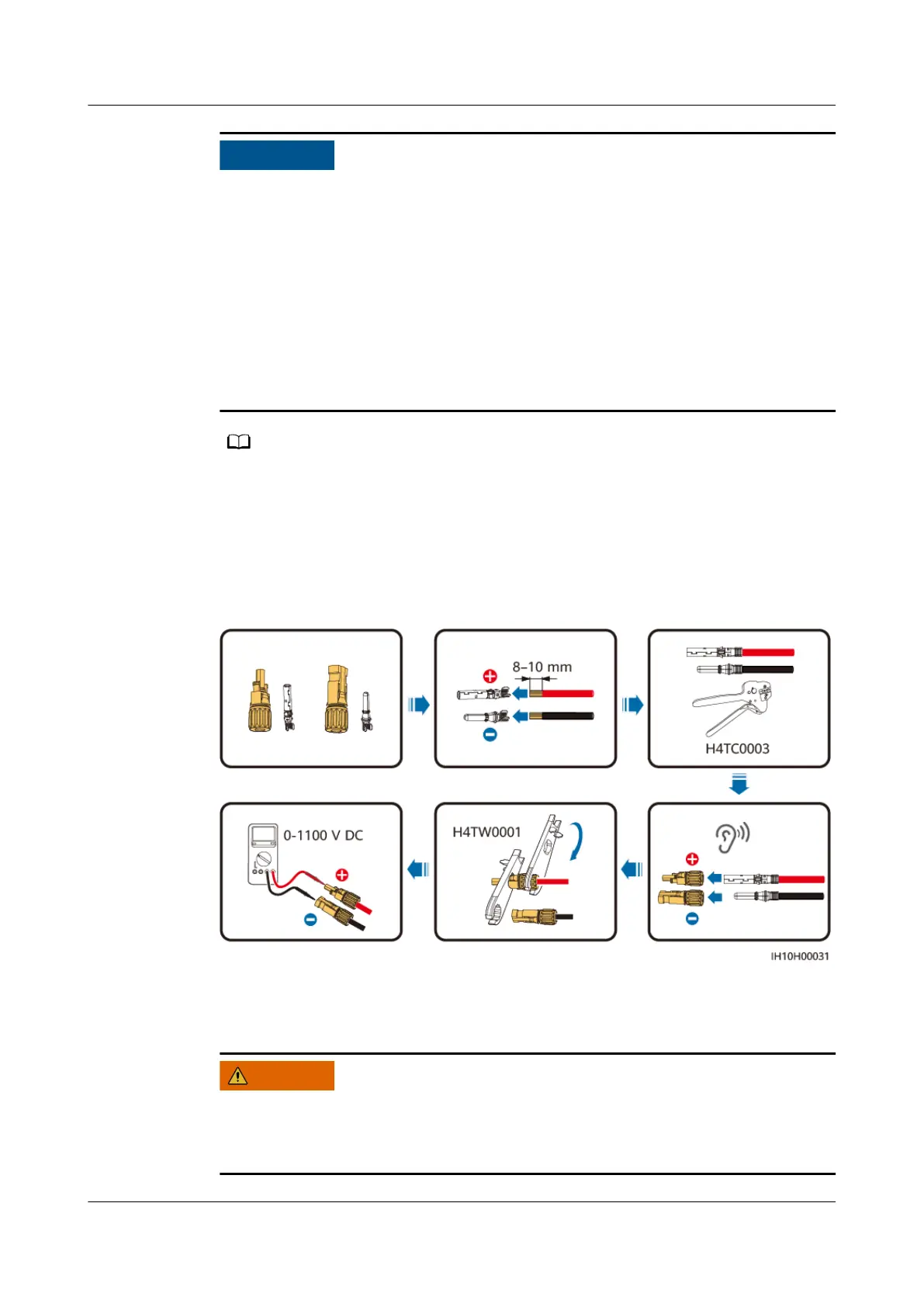
● Before assembling DC connectors, label the cable polarities correctly to ensure
correct cable connections.
● After crimping the positive and negative metal terminals, pull the DC input
power cables back to ensure that they are connected securely.
● Insert the crimped metal terminals of the positive and negative power cables
into the appropriate positive and negative connectors. Then pull back the DC
input power cables to ensure that they are connected securely.
● The multimeter must have a DC voltage range of at least 1100 V. If the voltage is a
negative value, the DC input polarity is incorrect. Rectify the connection. If the voltage is
greater than 1100 V, too many PV modules are connected to the same string. Remove
some PV modules.
● If PV strings are congured with optimizers, check the cable polarities by referring to the
Smart PV Optimizer Quick Guide
.
Figure 5-9 Assembling DC connectors
Step 2 Insert the positive and negative connectors into corresponding DC input terminals
on the inverter.
Before inserting the positive and negative connectors into the positive and
negative DC input terminals of the inverter, ensure that the DC SWITCH is set to
OFF.
SUN2000-(5K-12K)-MAP0 Series
User Manual 5 Electrical Connections
Issue 01 (2024-05-13) Copyright © Huawei Digital Power Technologies Co., Ltd. 52












 To Next Page