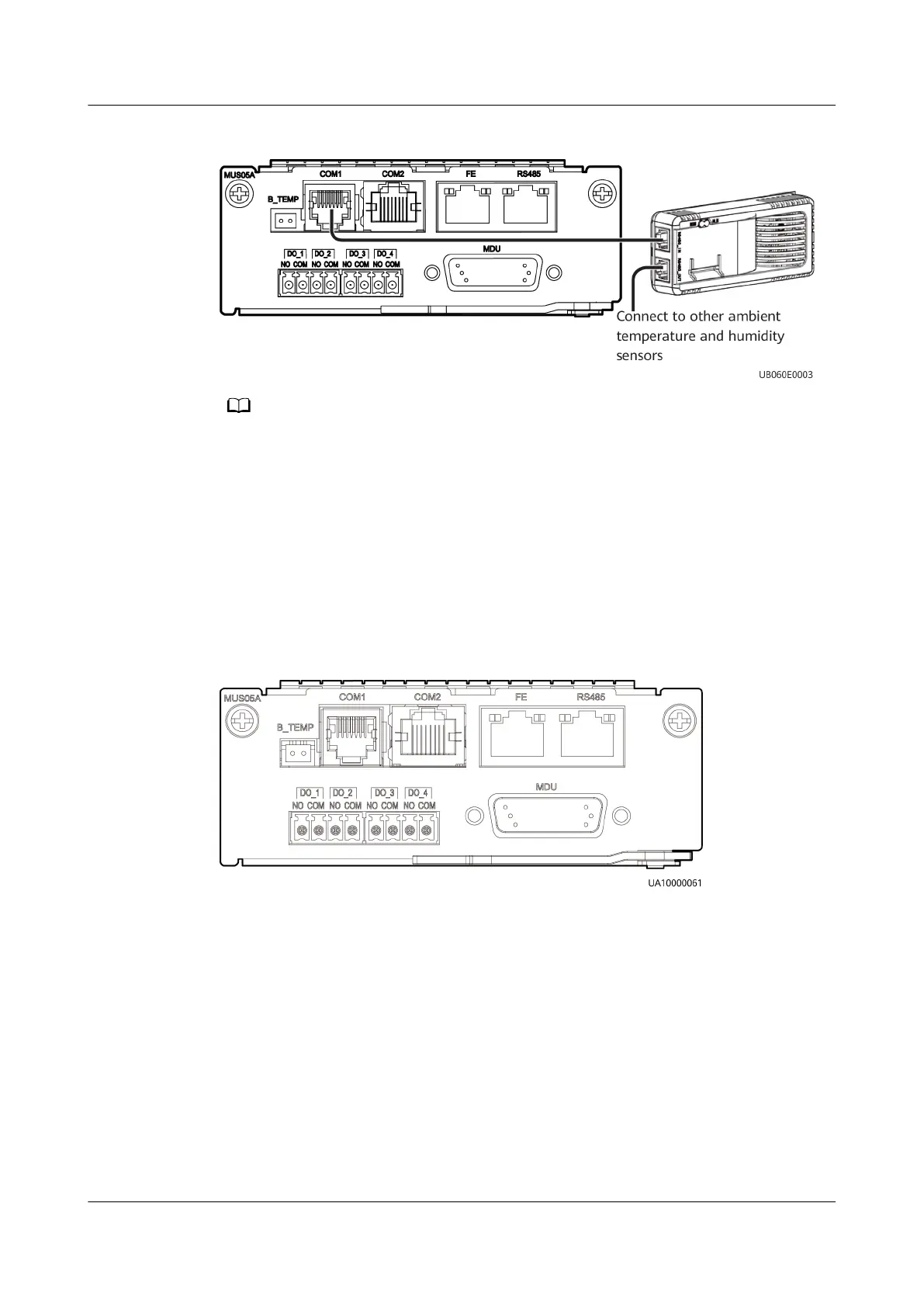
Figure 3-18 Connecting a UPS and an ambient T/H sensor
The ambient T/H sensor can be used as a battery temperature sensor.
----End
3.3.3.3 Connecting the iBAT
Procedure
Step 1 Connect the COM_OUT port on the CIM of the iBAT to the COM2 port on the
monitoring interface card.
Figure 3-19 COM2 port
----End
3.3.3.4 Installing a Battery Grounding Failure Detector
Procedure
Step 1 Install a battery grounding failure detector. For the installation method, see
UPS5000 Battery Grounding Failure Detector User Manual
.
UPS5000-E-(30 kVA–120 kVA)-FM
User Manual 3 Installation
Issue 03 (2022-01-30) Copyright © Huawei Technologies Co., Ltd. 62


 To Next Page