Connect for Communication
152 810060 Instruction Manual XPR170
How to connect to the plasma power supply with discrete
You must use serial RS-422 or the XPR Web Interface with discrete to
operate the cutting system.
To use arc voltage control (AVC) with a discrete cutting system, you must
install an additional PCB inside the plasma power supply. For information
about how to install this board, refer to VDC3 board installation (for AVC
with RS-422 and discrete-only) on page 156.
For an example of a system diagram, refer to Discrete multi-system interface (Sheet 18 of
22) on page 424.
For information on signals and protocols, refer to XPR discrete communication in the CNC
Communication Protocol for the XPR Cutting System (809810).
1. Remove the rear panel of the plasma power supply. Refer to Remove the external panels from
the system components on page 92.
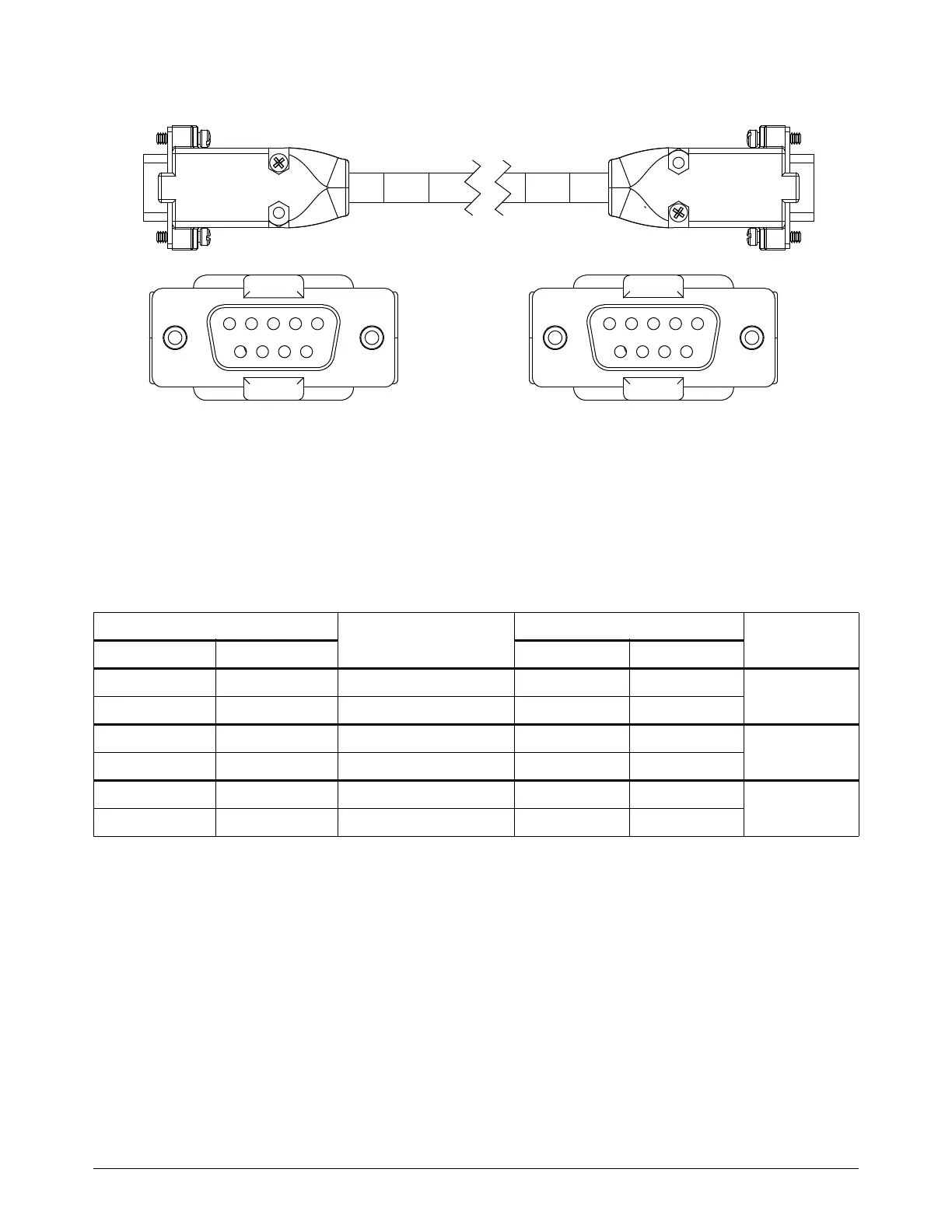
2. Put End A (Figure 42) of the discrete cable through the hole in the bottom of the rear
compartment in the plasma power supply. Refer to Figure 43 on page 155.
3. Connect J14 and J19 to their respective connectors on the control board in the plasma power
supply.
4. Connect the End B (Figure 42) of the cable to the CNC. Refer to Table 25 on page 153 and
Table 26 on page 154 for pinouts.
Figure 42 – Discrete cable
For lengths, refer to Discrete CNC interface cable on page 387 in the
Parts List.
End B
To the CNC
End A
To the plasma power supply














 To Next Page