12
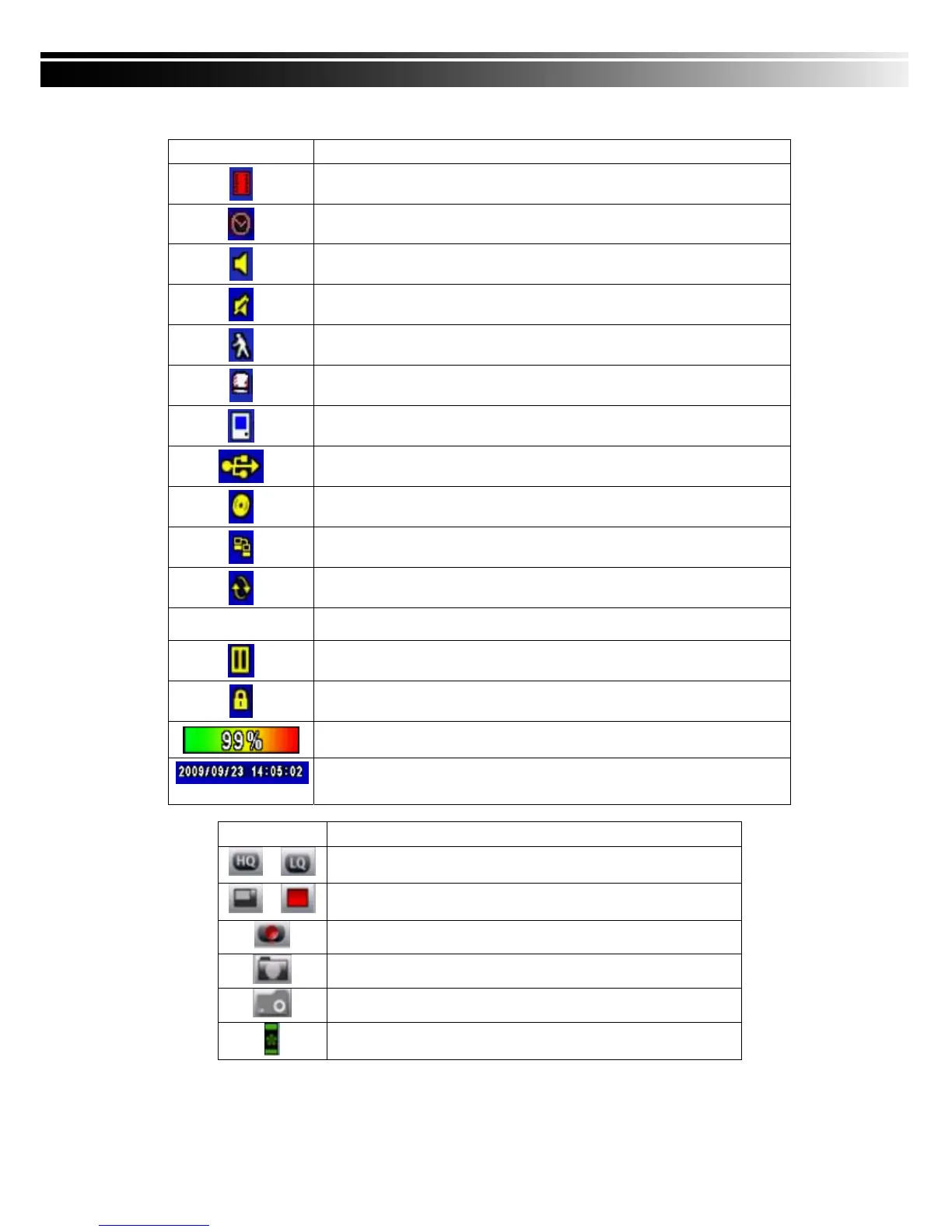
Table 3-1.3 Description of on screen graphical icons in LIVE mode
Icon Description
Recording is on
Schedule Recording is on
Live Audio is on
Live Audio is off
Motion detected on the channel
Sensor triggered on the channel
Video loss detected on the channel
USB device detected
DVD burner is detected
Connected to the LAN cable.
AUTO-seq is on
2X
2X zoom in is on
Freeze is on, screen is frozen
LOCK is on
Shows the current hard disk space has been used
(99% mean used 99%, remain 1%)
Lower right of each CH will show the current time
Icon Description
/
Image quality (High/Low)
/
Full screen
Record
Snap shot (Photo time in accordance with computer-based)
Record and snap shot file saving path setup
Enable/Disable shortcut toolbar



 To Next Page