32
7
SELCALL OPERATION
■ When receiving a call
D Receiving an individual call
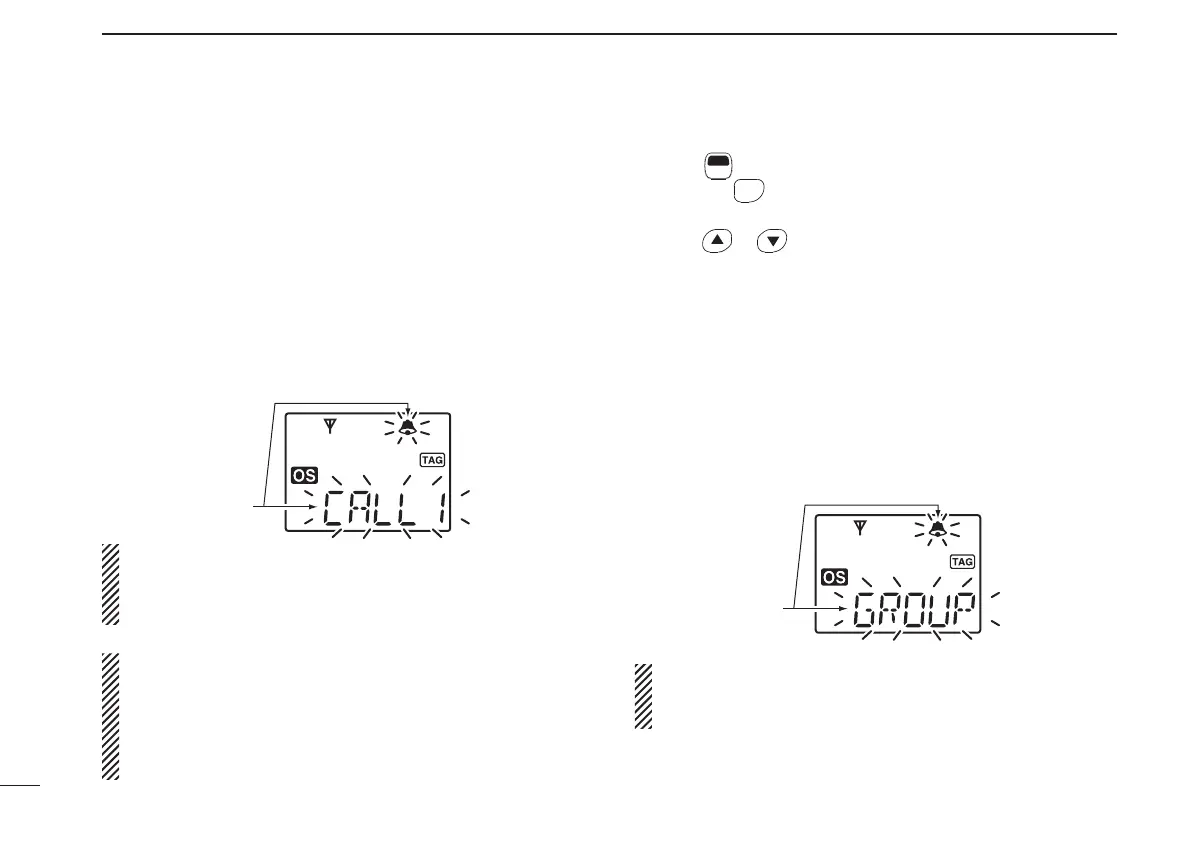
q When receiving a RX code (default setting);
• “PiRo” beeps sound.
• The received code channel name is displayed, if programmed.
• “ë” and the displayed channel name* blink, and the SelCall
mute is released when the quiet mode is activated.
* “ë” and the channel number blink when the channel name is
not programmed.
w While pushing and holding [PTT], speak into the micro-
phone at a normal voice level.
NOTE: When the ID decode function is turned ON, the re-
ceived ID code is displayed instead of the channel name, and
memorised into the transceiver. The ID decode function can
be turned ON using the optional CS-440 CLONING SOFTWARE.
• RX code means the Receiving SelCall code. Max. 8 in-
dividual call channels can be pre-programmed into the
transceiver using the CS-440.
• You can set the transceiver’s condition when receiving
an individual call using the CS-440. See the help fi le for
setting details.
Recall the memorised received ID code:
q Push
F
SET
(Function) to enter the function mode, then push
and hold
OGP
RS
(ID-MR) for 2 sec. to display the memorised
received ID code.
w
Push or to select the desired received ID code.
e Push [PTT] to transmit the code on the selected channel.
D Receiving a group call
q When receiving a group call (default setting);
• “PiPi” beep sounds.
• “ë” and “GROUP” blink, and the SelCall mute is released when
the quiet mode is activated.
w While pushing and holding [PTT], speak into the micro-
phone at a normal voice level if necessary.
You can set the transceiver’s condition when receiving a
group call with the CS-440. See the help file for setting
details.
Blink
Blink
IC-440-1.indd32IC-440-1.indd32 2008/06/2515:59:402008/06/2515:59:40


 To Next Page