33
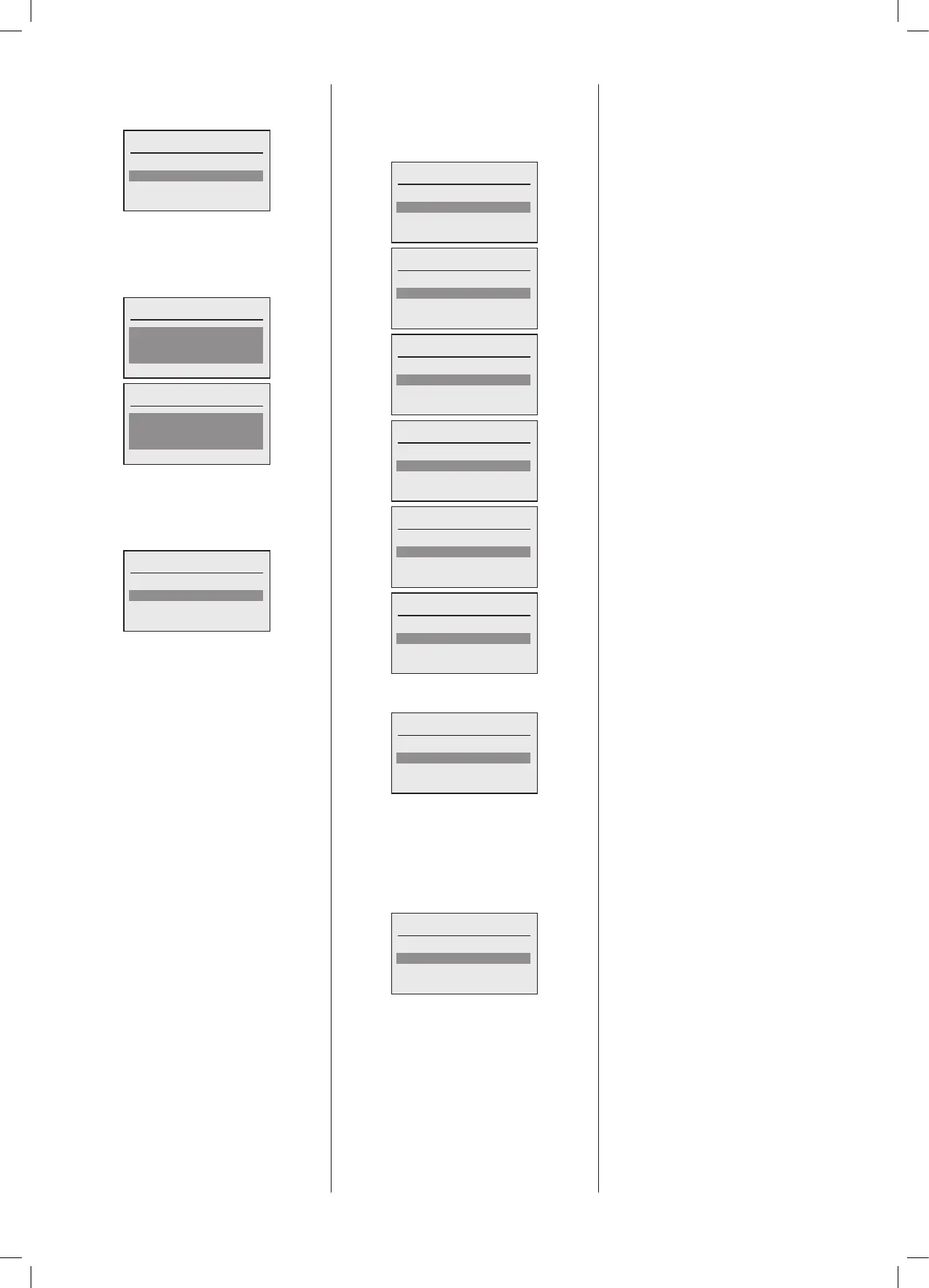
The next step is to configure the pump
protectionfunctionforthisspecicheating
circuit.
Congure pump protection?
No
Yes
If Pump protection is selected then an
associated period can be set, the time
durationbetweenprotectioncyclesandthe
timepointatwhichthefunctionshouldstart
tooperatethepump.
Pump protection interval
1day(s)
Done
Pump protection time point
12:00
Done
ThenextstepistoselectifanyDHWcircuit
demandconguredinthesystemhaspriority
over this specic heating circuit. If ‘Yes’ is
selectedthananyDHWcircuitdemandwill
interrupttheHeatingCircuitfunction.
DHW priority?
No
Yes
The next step is to set the initial mode
of operation for this Heating Circuit. By
selecting the highlighted eld the choices
are shown in the following screens. Once
selectedthenselect‘Done’.
Operating mode
Standby
Done
Operating mode
Time clock single day
Done
Operating mode
Time clock multiple days
Done
Operating mode
Day
Done
Operating mode
Night
Done
Operating mode
Day
Done
Once completed the following screen will
be displayed:
Select HC to congure
HC1 Boiler 1.1
HC2 Boiler 2.1
HC3 Boiler 2.2
Note:TheHeatingCircuitthathasjustbeen
congured will now have a ‘’ next to its
designation.
The next allocated Heating Circuit to
congurecannowbeselected.Theprocess
above is then repeated for all Heating
Circuitsinthecascade.
Select HC to congure
HC3 Boiler 2.2
Done
After all Heating Circuits have been
congured,select‘Done’.





 To Next Page