7
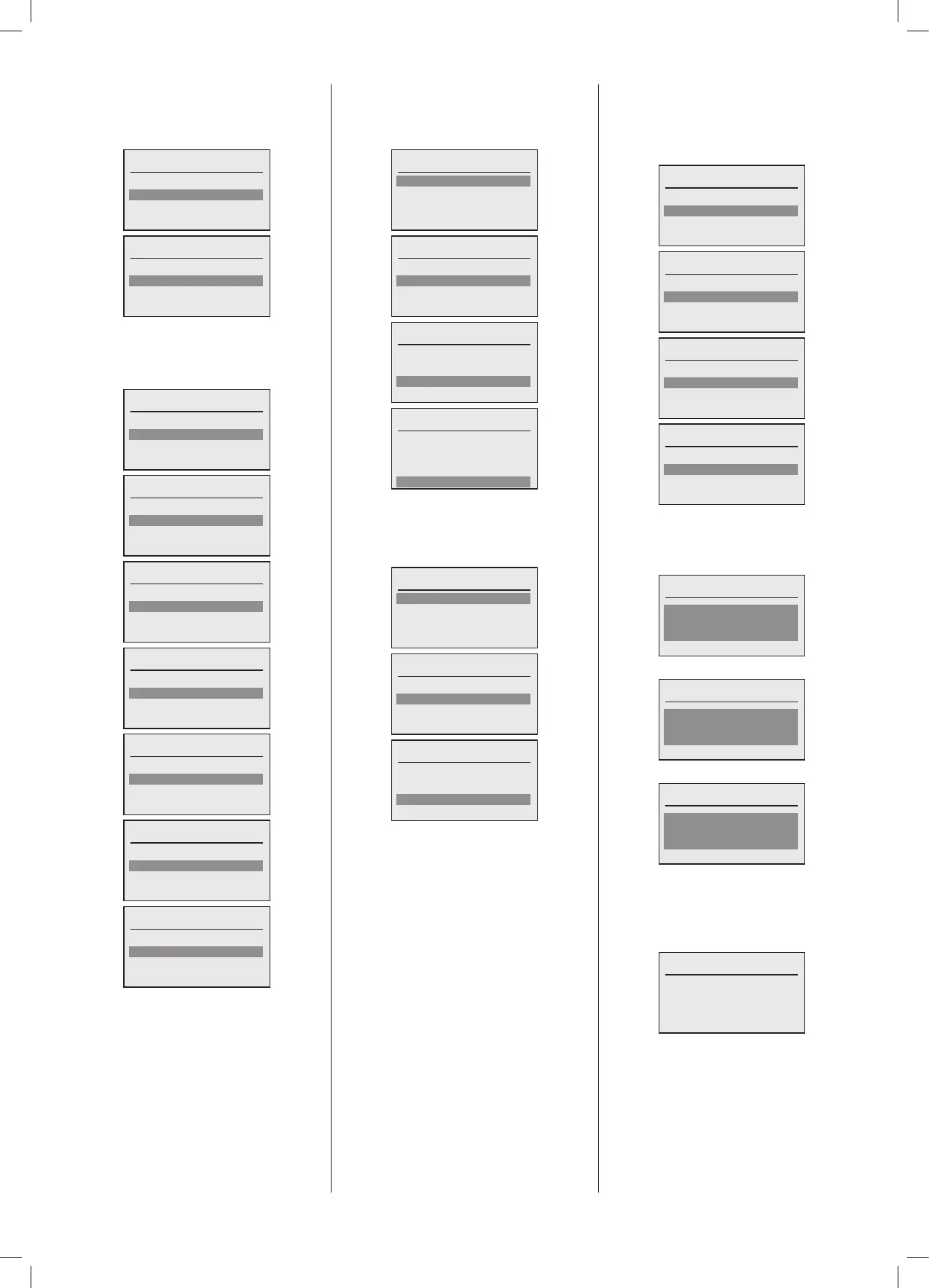
3.4.2 Menu - Conguration - General
- Language
The language menu has the following
options:
Language
Local language
System language
Language
Local language
System language
Note:OnlytheMasterboilerhasanoption
tosettheSystemlanguage.
TheoptionsareidenticalforSystemorLocal
Languageoption.
Local language
English
Francais
Nederlands
Local language
English
Francais
Nederlands
Italiano
Local language
Francais
Nederlands
Italiano
Espanol
Local language
Nederlands
Italiano
Espanol
Turkce
Local language
Italiano
Espanol
Turkce
Deutsch
Local language
Espanol
Turkce
Deutsch
Polsky
Local language
Turkce
Deutsch
Polsky
Cesky
Once the language is selected, the Local
boilerorcompleteSystem will recongure
itselftothe chosen language.The display
will change immediately to the selected
language.
3.4.3 Menu – Conguration – General
- Date
TheDatescreenisthendisplayedandeach
itemcanbeselectedandchanged:
Date
Year: 2019
Month: 7
Day: 4
Done
Date
Year: 2019
Month: 7
Day: 4
Done
Date
Year: 2019
Month: 7
Day: 4
Done
Date
Year: 2019
Month: 7
Day: 4
Done
3.4.4 Menu – Conguration – General
- Time
TheTimescreenisthendisplayedandeach
itemcanbeselectedandchanged:
Time
Hour: 9
Minute: 11
Auto su/wi time:
Time
Hour: 9
Minute: 11
Auto su/wi time:
Time
Hour: 9
Minute: 11
Auto su/wi time:
Oncethesettingismadethenthescreenis
leftbypressingthebackbutton.
3.4.5 Menu – Conguration – General
– Access level
TheAccesslevelscreen isthen displayed
and each item can be selected and the
defaultaccesslevelcodecanbechanged:
Access level
Advanced user
Installer 1
Installer 2
Access level
Advanced user
Installer 1
Installer 2
Expert
Access level
Installer 1
Installer 2
Expert
Access level
Installer 2
Expert
Onceanaccesslevelisselected thenthe
display will allow the current access level
codetobeentered.Eachaccesslevelhas
itsowninitialcode:
Advanced user
####
Defaultcode2222
Installer 1
####
Defaultcode3333
Installer 2
####
Defaultcode4444
Once the correct code has been entered
the following conrmation screen will be
displayedforashortperiod,dependingupon
whichaccesslevelwasselected:
Installer 1
Installer 1
Conrm





 To Next Page