5
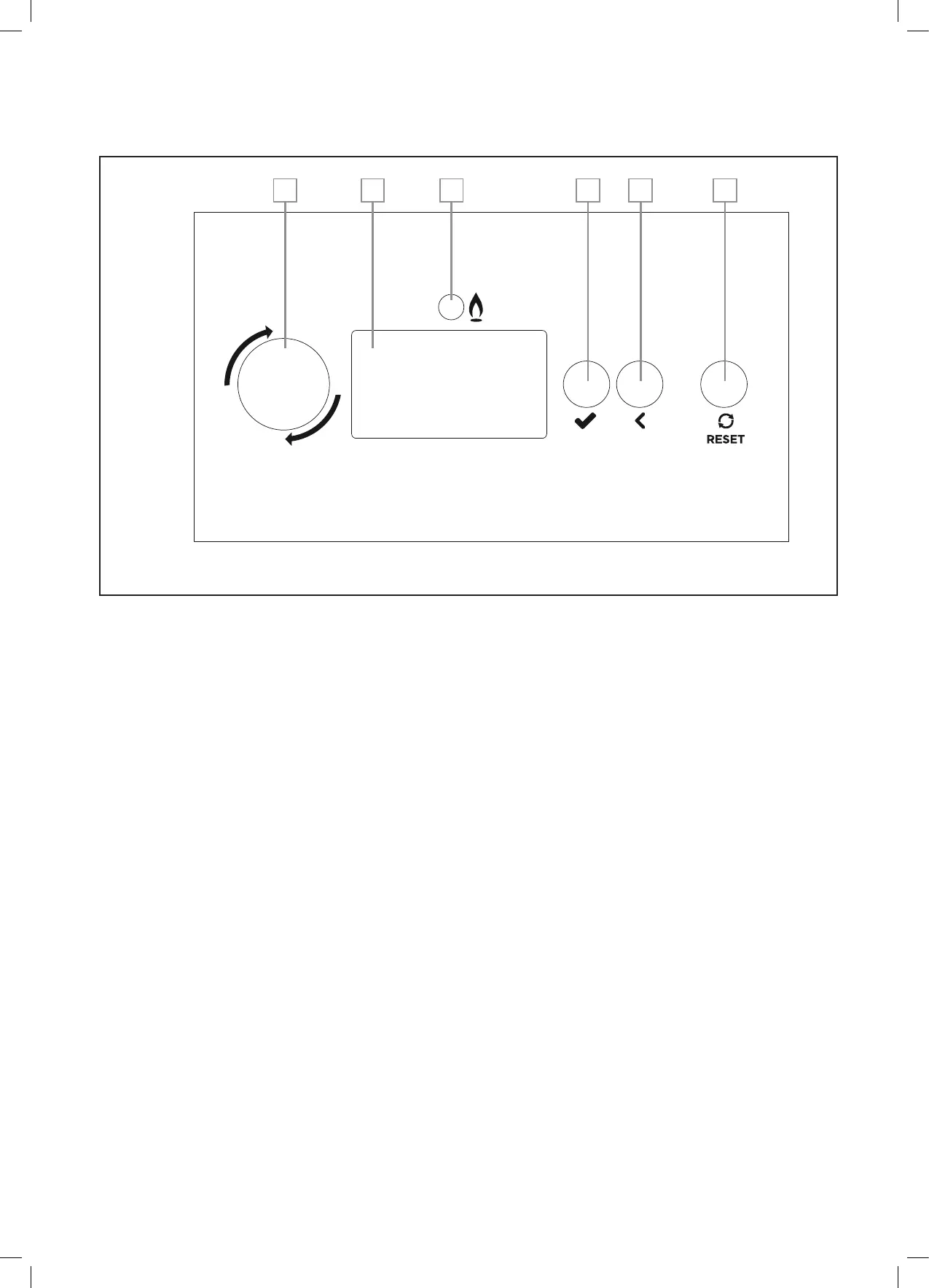
A. Rotary Knob
• Enteramenu,ifinthenormaloperationscreen,andhighlighttherstmenuitem.
•
Scrollup(anti-clockwise)ordown(clockwise)inamenu
• Changethevalueinparametersetting.
• Ifanerrorisshowinginthetitlebar,scrolltotheassociatederrorscreen(s),andreturn.
B. LCD Display Screen
• Menu and status display.
C. Burner LED
• Willbeoniftheburnerislit.
D. Select button
• Enteramenu,ifinthenormaloperationscreen,andhighlighttherstmenuitem.
• Enterthehighlightedmenu(submenuorparameter),ifinamenuorsubmenu.
• Ifinaparametersetting,selectaparameterwhichwillthenashforadjustment,onceadjustedusingtherotary
knobpressagaintostoreandmoveon.
E. Back button
• Inamenu,returntothepreviousmenulayer.
• Inparametersetting,exittheparameterwithoutstoringthevalue.
• Inaguidedassistant,gobacktothepreviousscreen.
F. Reset button
• Resettheassociatedboilermoduleerror,ifaresettable(lockout)errorisactive.
• Returntothenormaloperationscreen.
BACK
OK
A B C D E F
3 OPERATING GUIDE
Figure 1 SYSTeM MANAger iNTerFACe





 To Next Page