8
3.4.6 Menu - Conguration
Allmenusandsettingwillnowbeavailable
for that particular access level. There will
now also be the chance to reconfigure
differentfunctionswithinthesystem:
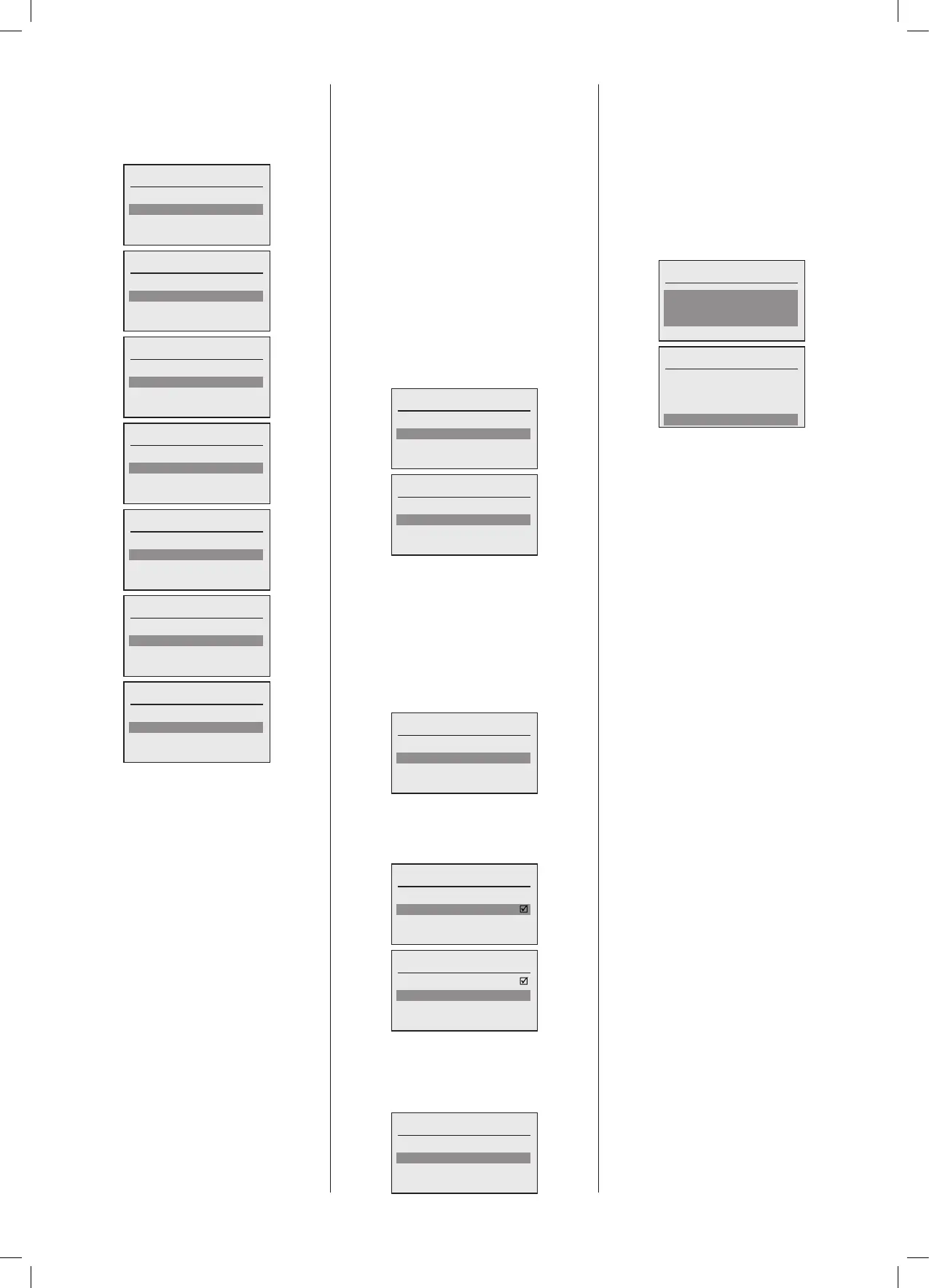
Conguration
General
Recommission system
Recommission Plant
Conguration
General
Recommission System
Recommission Plant
Recommission Boiler
Conguration
Recommission System
Recommission Plant
Recommission Boiler
Recommission HC
Conguration
Recommission Plant
Recommission Boiler
Recommission HC
Recommission DHW
Conguration
Recommission Boiler
Recommission HC
Recommission DHW
Fault Management
Conguration
Recommission HC
Recommission DHW
Fault management
Conguration
Recommission DHW
Fault management
Depending upon the access level, not all
congurationoptionswillbeavailable.
Once selected, refer to the Conguration
sectionbelowforguidance.
3.4.6.1 Fault Management
The management section relates to the
installedsystemtoolsratherthantheboiler
oraccessories.Itallowsfortheabilitytoset
uprealtimedataloggingofsystemvariables
inordertoallowspecicsiterelatedissues
tobeidentiedandsystemadjustmentsto
bemadetooptimisetheperformanceofthe
iCCS system.
It also allows forthe backup conguration
letobeupdatedasamaintenancefunction
whenarecommissionstephasbeencarried
outcausingachangeinanyofthefunctional
modules in the system, Plant, Boiler, HC,
DHW.Afull recommission system always
offersabackup.
Backupisonlypossibleinboilercascades
of2ormoreboilerswhereaslavesystem
managerisavailable.
Fault management
Logging
Store backup on dev. no.
Fault management
Logging
Store backup on dev. no.
3.4.6.1.1 Data Logging
Data logging can be activated and de-
activated.Theloggingdatalecanalsobe
cleared.Itis a First-In First-Outlewitha
xedloggingintervalof5minutes.
The data file can then be downloaded
using the VariSoft utility to a Windows
Personal Computer for analysis as a Comma
SeparatedVariable(.CSV)leType.
Logging
Enable
Reset
Logging can be enabled by setting a ag
usingtheselectkey,atickwillthenappear
in the box showing that logging has been
enabled.
Enable
On/Off
Done
Enable
On/Off
Done
Oncealoggingperiodhasbeencompleted
theenablecanberesetinthesameway,
thenthedatadownloaded,andthestore
cleared.
Logging
Enable
Reset
3.4.6.1.2 Backup Storage, Post
Conguration
Abackupofallcongurationparametersin
acascadetooneormorenominatedslave
boilers (System managers) can be made
post conguration to reect any changes
made.
Thisallowsthesystemtoberestoredeasily
to the original or nal saved conguration
at any point, particularlyif a master boiler
systemmanagerhashadtobereplaced.
Store backup on dev. no.
2
Done
Store backup on dev. no.
2
Done





 To Next Page