11
UK
5: Programming
button
[ENTER]
Selection of the parameters and acknowledgement of the
parameter values
6: Programming
button
"up"
Setting of the parameter values (scrolling by holding pressed,
incremental by pressing briefly)�
7: Programming
button
"down"
Setting of the parameter values (scrolling by holding pressed,
incremental by pressing briefly)�
8: 3-digit
alphanumeric
display
Indication of the measured distance or reflectivity, the
parameters and parameter values�
7.1 Meaning of the display colours
7.1.1 Use of the display colours in the menu
Menu level Green Red
0 X X
1 X
2 X
The colours indicate the logic state of the sensor�
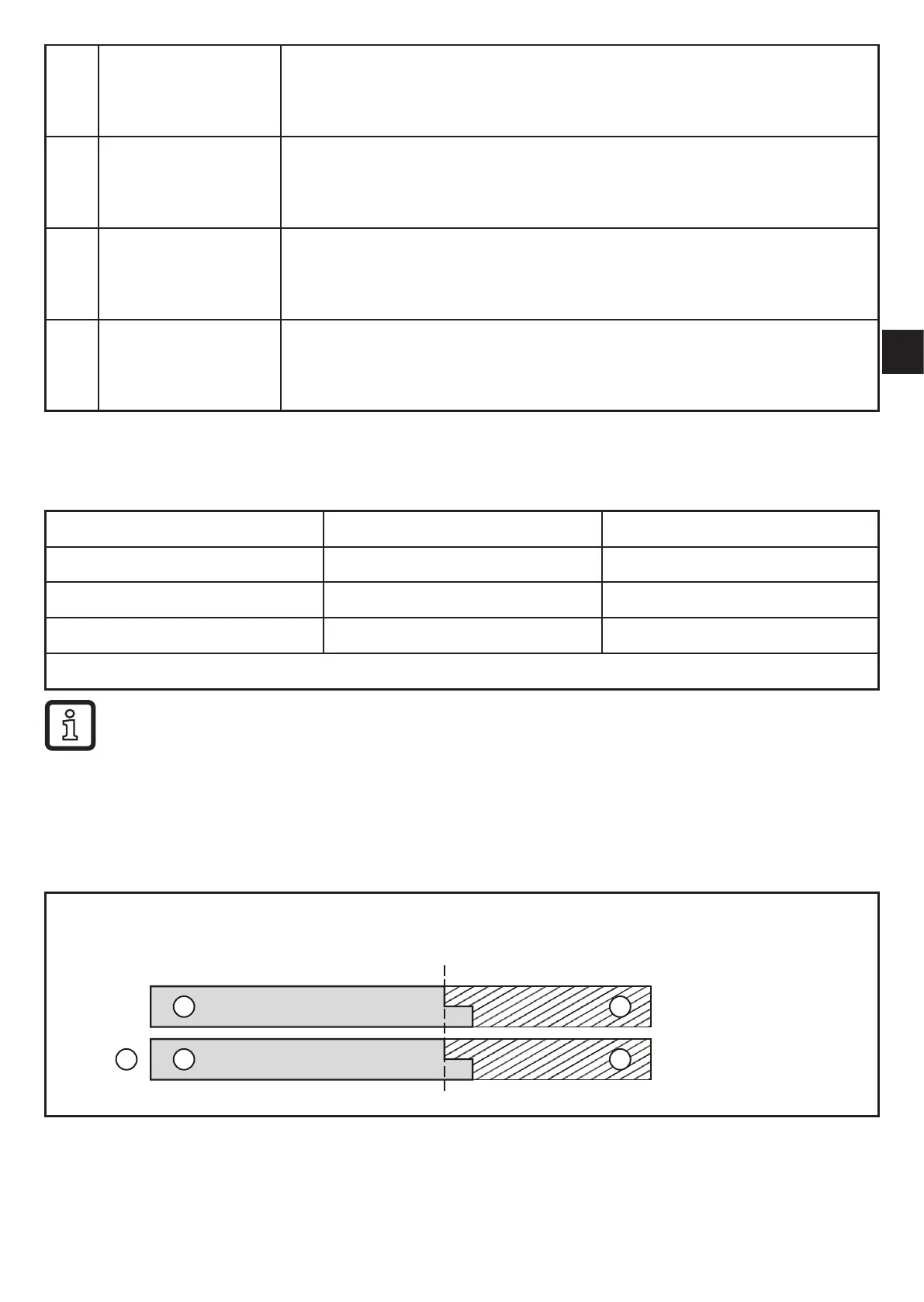
The green display colour indicates that there is an object in the monitored
distance range, regardless of the setting of the switching outputs�
Example Fig. 1 (setting OUT1 = hno)
Display is green if:
• measured value ≤ SP1
Fig� 1
OUT1
1
2
3
SP1
4
5
1: Display
colour
2: High
3: Low
4: Green
5: Red



 To Next Page