23
UK
10.2.6 Window function for OUT1
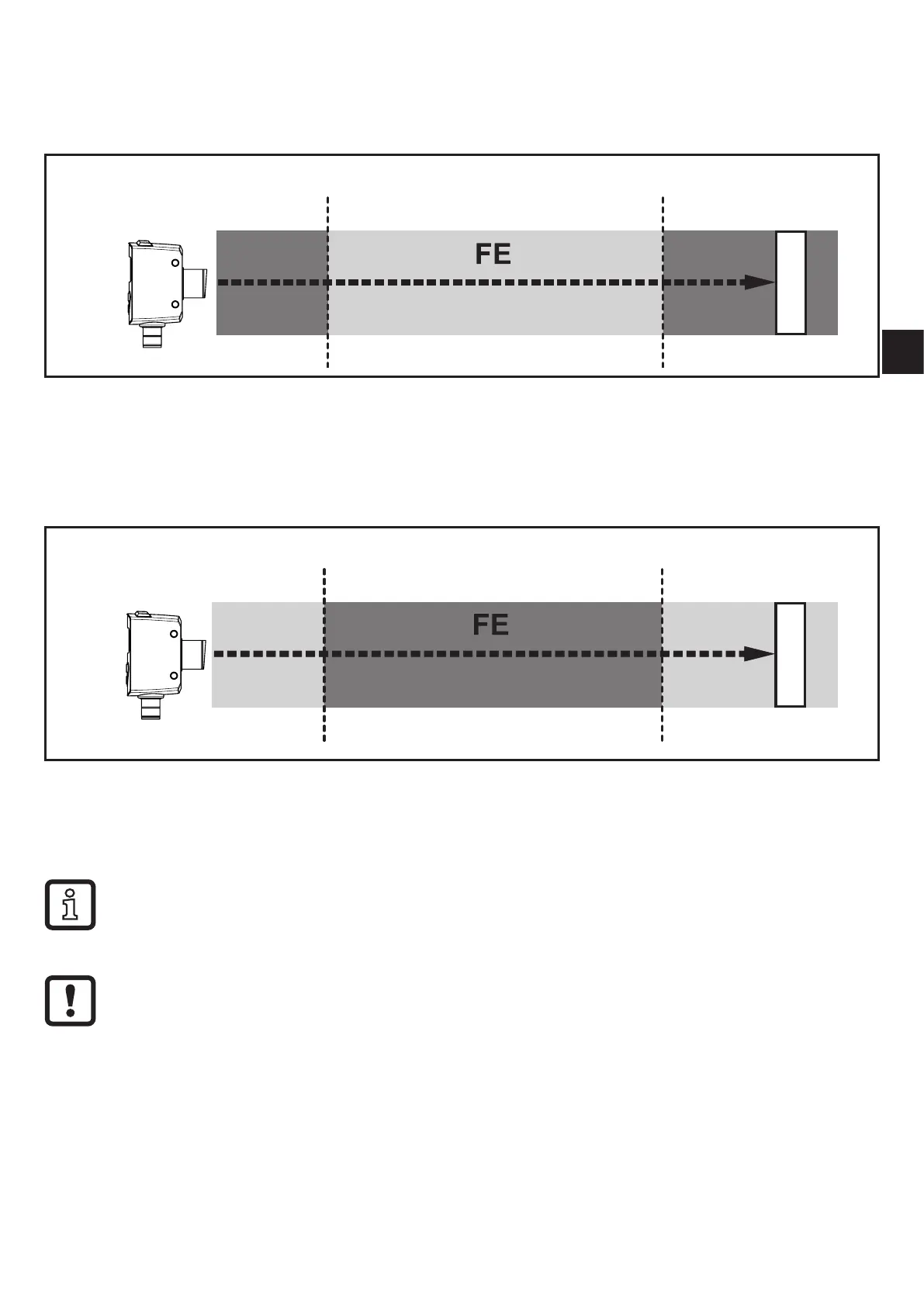
It is possible to define a window for the object recognition for output (OUT1)�
Switches when the object is detected
[Fno]
[nP1] [FP1]
[nP1] =
switch point
"
near
"; [FP1] =
switch point
"
far
"; FE = window
If the measured value is between the switch point "near" [nP1] and the switch
point "far" [FP1], the output is switched on (when [OU1] = [Fno])�
Switches off when the object is detected
[Fnc]
[nP1] [FP1]
[nP1] =
switch point
"
near
"; [FP1] =
switch point
"
far
"; FE = window
If the measured value is between the switch point "near" [nP1] and the switch
point "far" [FP1], the output is switched off (when [OU1] = [Fnc])�
The parameters [nP1] and [FP1] can also be set via the teach function�
The reset points are set dynamically by the sensor → 10.2.3 Dynamic
hysteresis�
The minimum distance between [nP1] and [FP1] is 1 mm�
Condition: nP1 < FP1
e�g� teaching of nP1 > FP1 is not adopted by the sensor�



 To Next Page