18
2
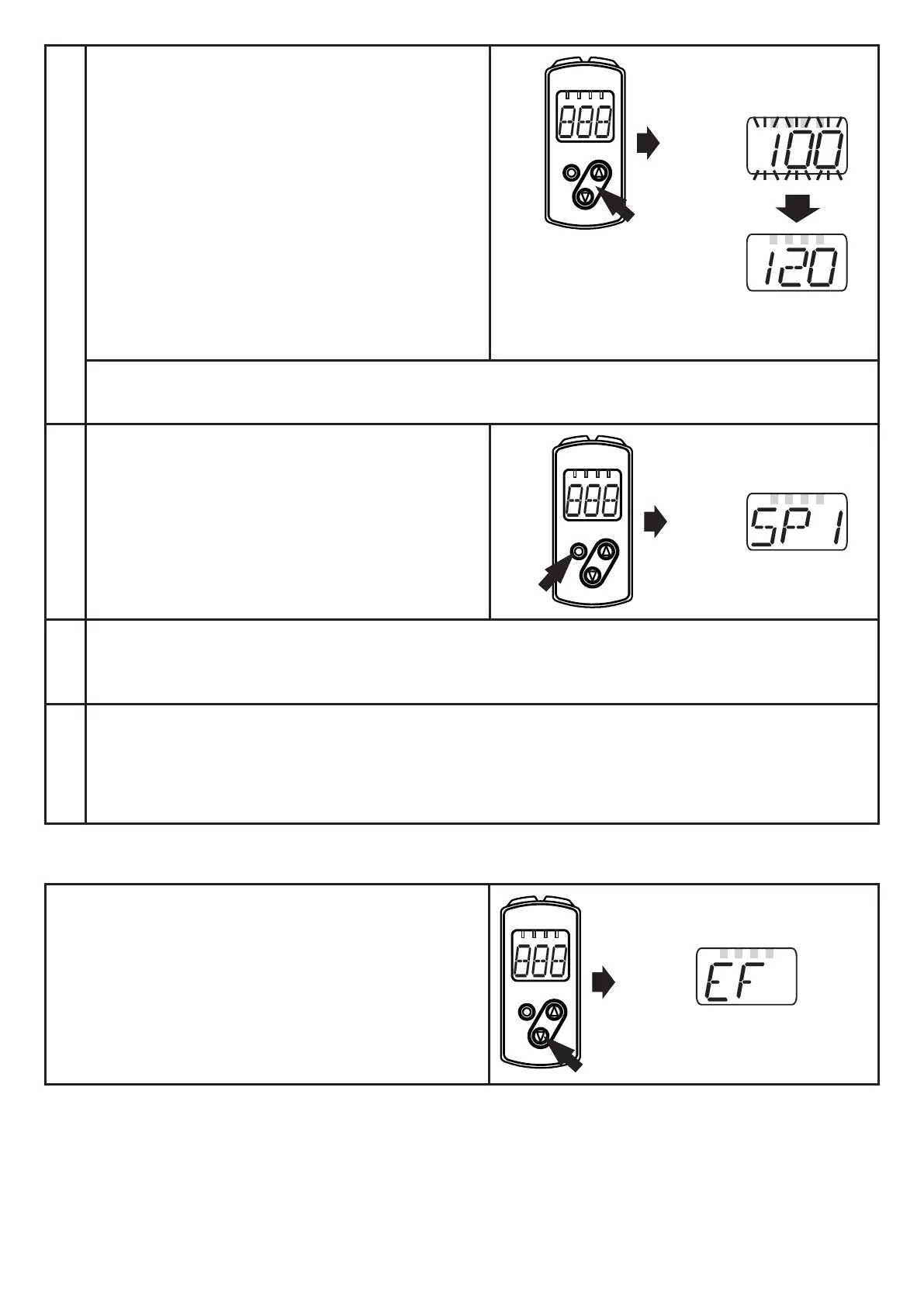
Set parameter value
► Briefly press [ENTER]�
> The current parameter value is
displayed�
► Press the "up" or "down" button and
keep it pressed�
> The current parameter value flashes
for 3 s�
► Increase the setting value step by
step by pressing the button once or
continuously by holding it down�
Decrease the value: let the display move to the maximum setting value� Then the
cycle starts again at the minimum setting value�
3
Confirmation of the parameter
value
► Briefly press [Enter]�
> Back to menu level 1
> The parameter is displayed again; the
new parameter value is effective�
4
Set other parameters
► Select a parameter as described in step 1 and continue with step 2�
5
Finish parameter setting
► Wait for 15 s or press the "up" and "down" button�
► If necessary, repeat several times to access menu level 0�
> The current measured value is displayed�
10.1.2 Change from menu level 1 to menu level 2
► Press the "down" button until [EF] is
displayed.



 To Next Page