The StellarMate Plus Manual
116 / 341
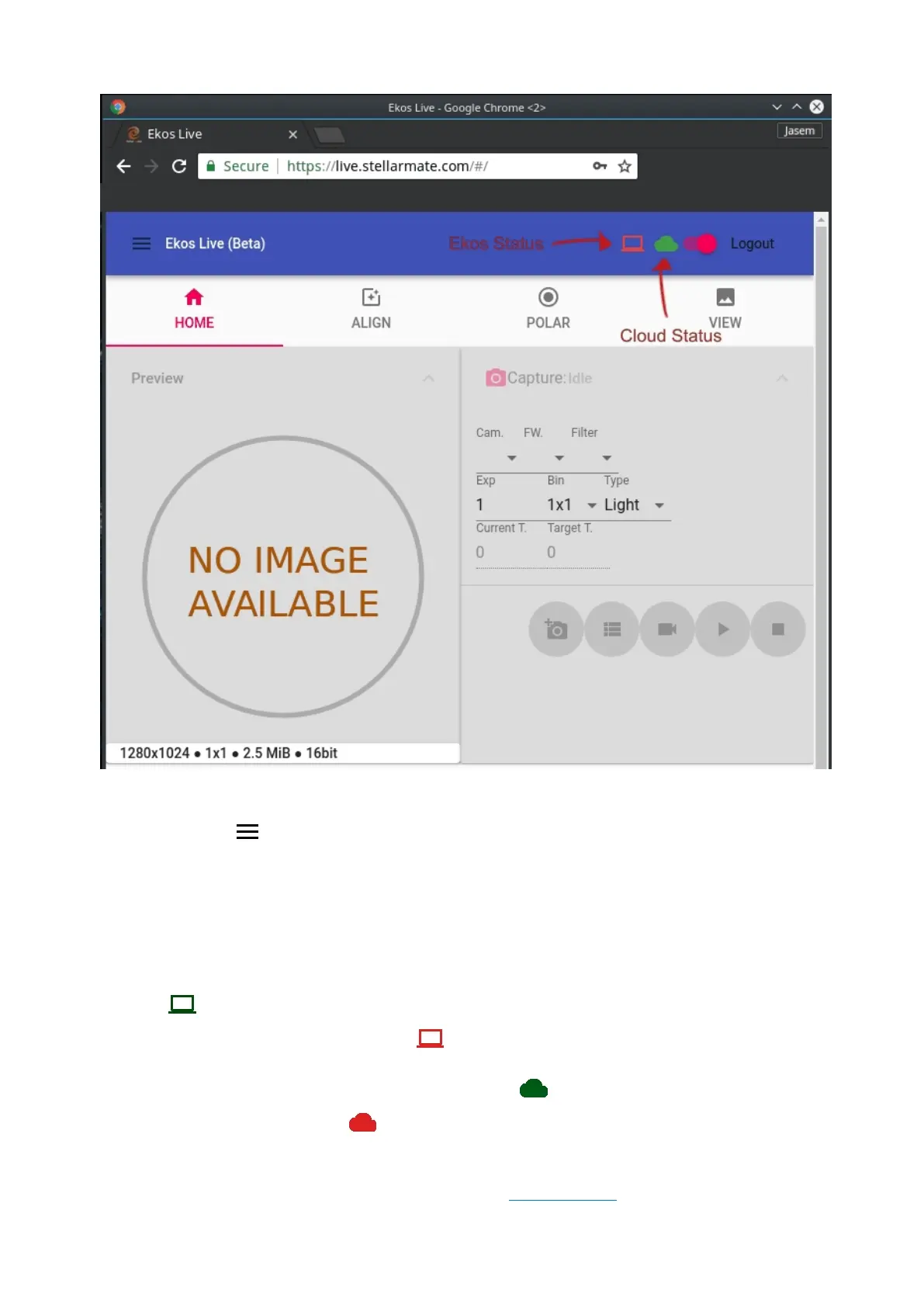
In the main toolbar, the following controls/icons are visible:
· Main Menu : Click here to access the following:
o Profiles: Start/Stop Ekos Profiles
o Settings: Change EkosLive Settings such as notifications, sounds, and
theme.
· Ekos Status Icon: When Ekos is connected to your equipment, this icon should
turn . When no profile is active and Ekos is not connected to your
equipment, this icon should turn .
· Cloud Status Icon: This icon should remain as long as you are connected
to the internet. If it turns , check your internet connection.
If no Ekos Profile was started before connecting to EkosLive, the Ekos Status
Icon should be Red. You can either start the Ekos Profile directly in Ekos, or by



 To Next Page