The StellarMate Plus Manual
202 / 341
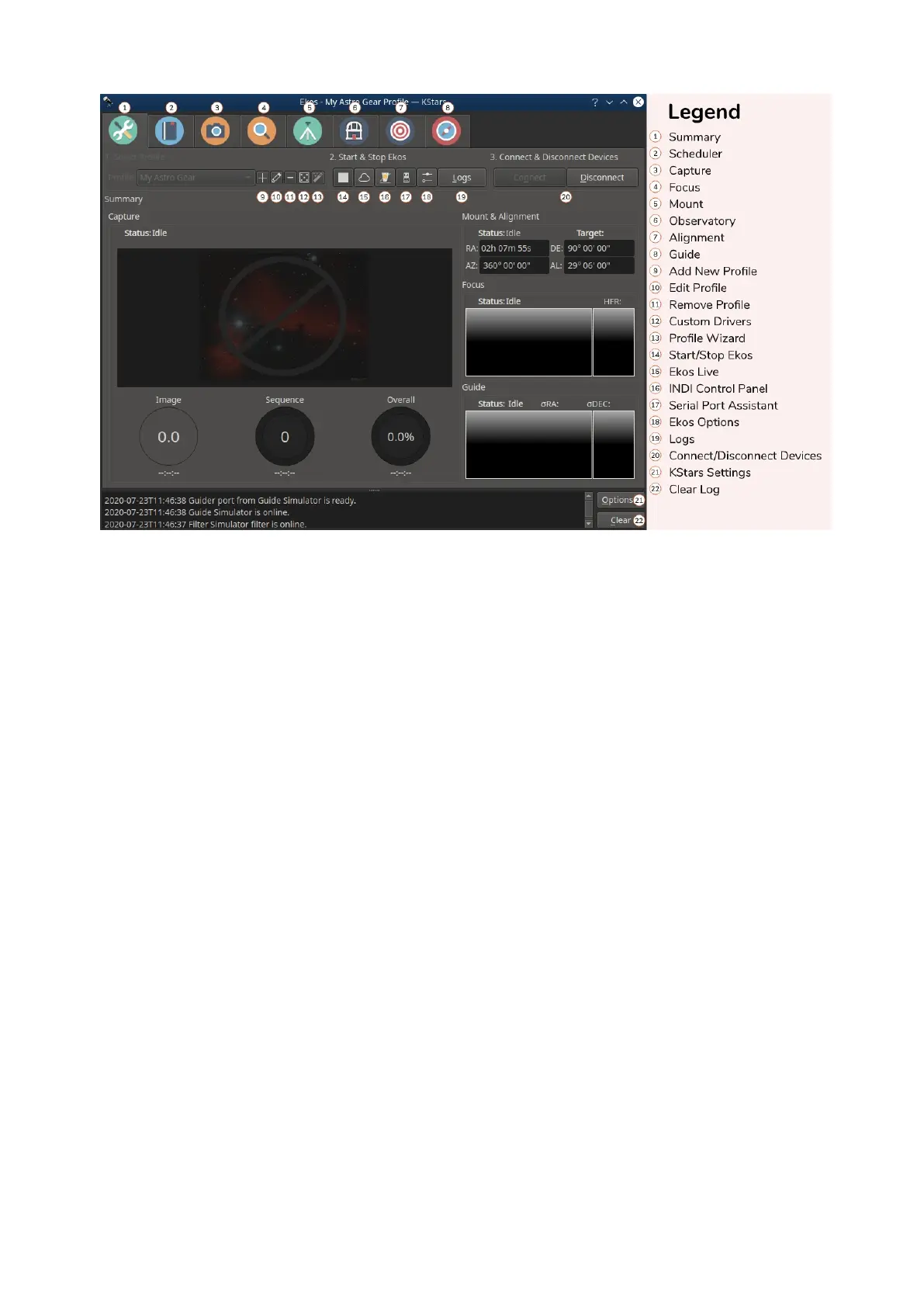
Summary & Setup Module
As its name suggests, this is where you will create and manage your equipment
profile, and connect to your devices. It also provides a summary view where the
capture progress along with the focus & guide operations is displayed in a
compact format to convey the most important information relevant to the user.
Scheduler Module
After mastering Ekos, users are encouraged to learn how to use the Scheduler
module since it facilitates the complete observation process greatly. It enables
you to select multiple targets, specify which conditions and requirements to be
met, and what frames are required for capture. Afterwards the scheduler
intelligently calculates the best observation time for each object and then
proceed to control the complete observatory from startup to shutdown.
Capture Module
This is the primary module for camera & filter wheel control. Create imaging
sequences, capture previews, and watch video streams. It supports rotator
control and can automatically capture flat frames in a number of scenarios.
Focus Module
Measure the sharpness of your images in the focus module by calculating Half-
Flux-Radius. The lower the HFR, the sharper the image becomes. You can run the
focus module with or without a focuser. With an electronic focuser, you can run
an autofocus operation where Ekos iterates and calculates the optical focus
position.
Guide Module
To achieve long exposure astrophotography, guiding is necessary to ensure the
image is locked and stabilized for the complete duration of the exposure
duration. Deviations from the frame with time can lead to blurry images and star



 To Next Page