A20733 B0 115
Adjustment and replacement procedures
2 Replacement procedures
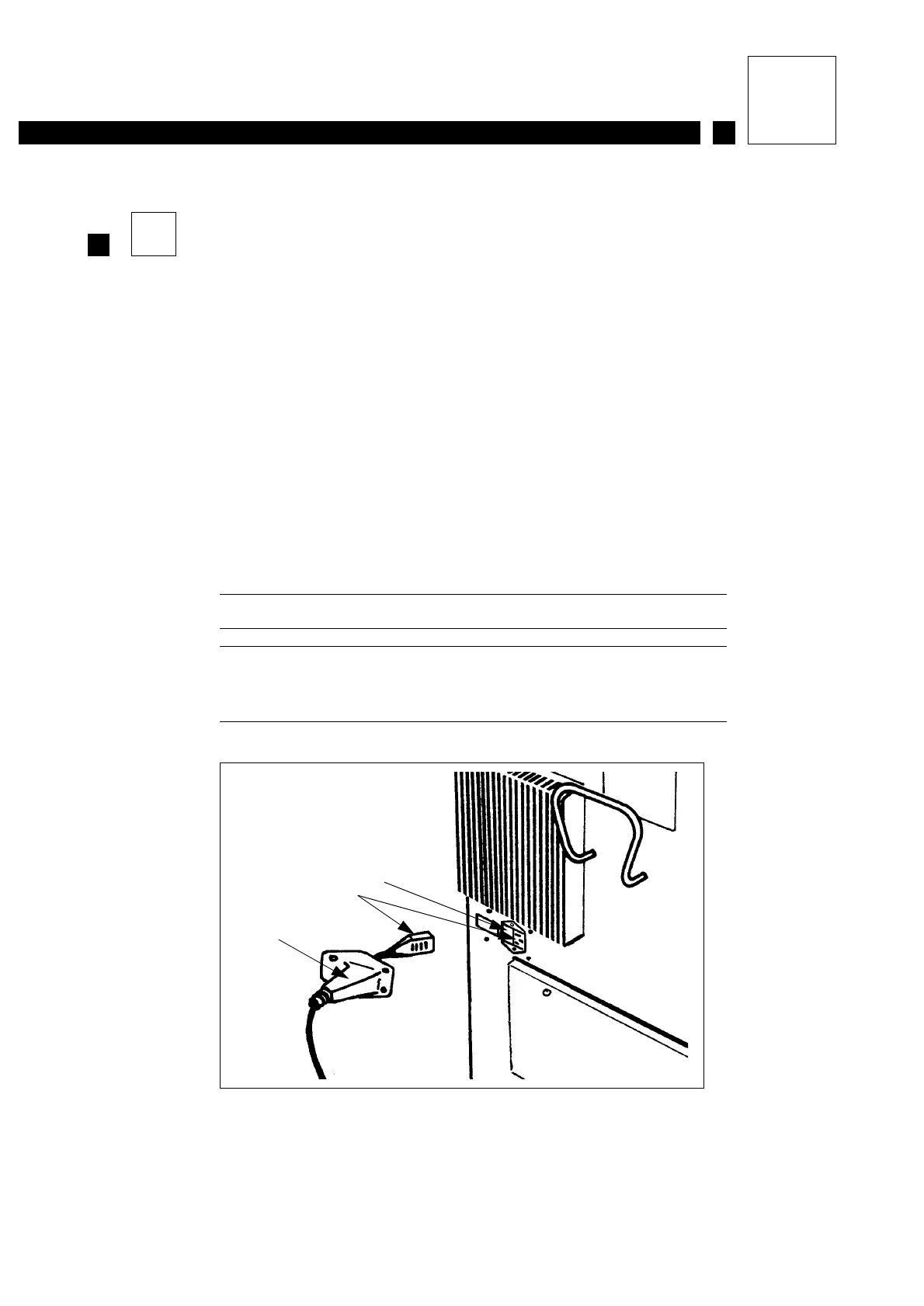
2.1 Replacing the mains fuse (4 A delayed-action fuse)
With the printer stopped and unplugged.
1- Unscrew the mains lead protective sleeve.
2- Remove the mains lead from the printer.
3- Use a screwdriver to remove the fuse holder from adjacent to the mains plug.
4- Change the fuse and replace the fuse holder.
5- Plug the mains lead back into the printer.
6- Replace the protective sleeve.
7- Connect the printer to the mains and start it up.
Figure 1: Fuse location
1 Fuse holder location
2 Mains plug
3 Protective sleeve
3
2
1
Figure 1



 To Next Page