118 A20733 B0
Adjustment and replacement procedures
2.4 Replacing the pressurization air filter
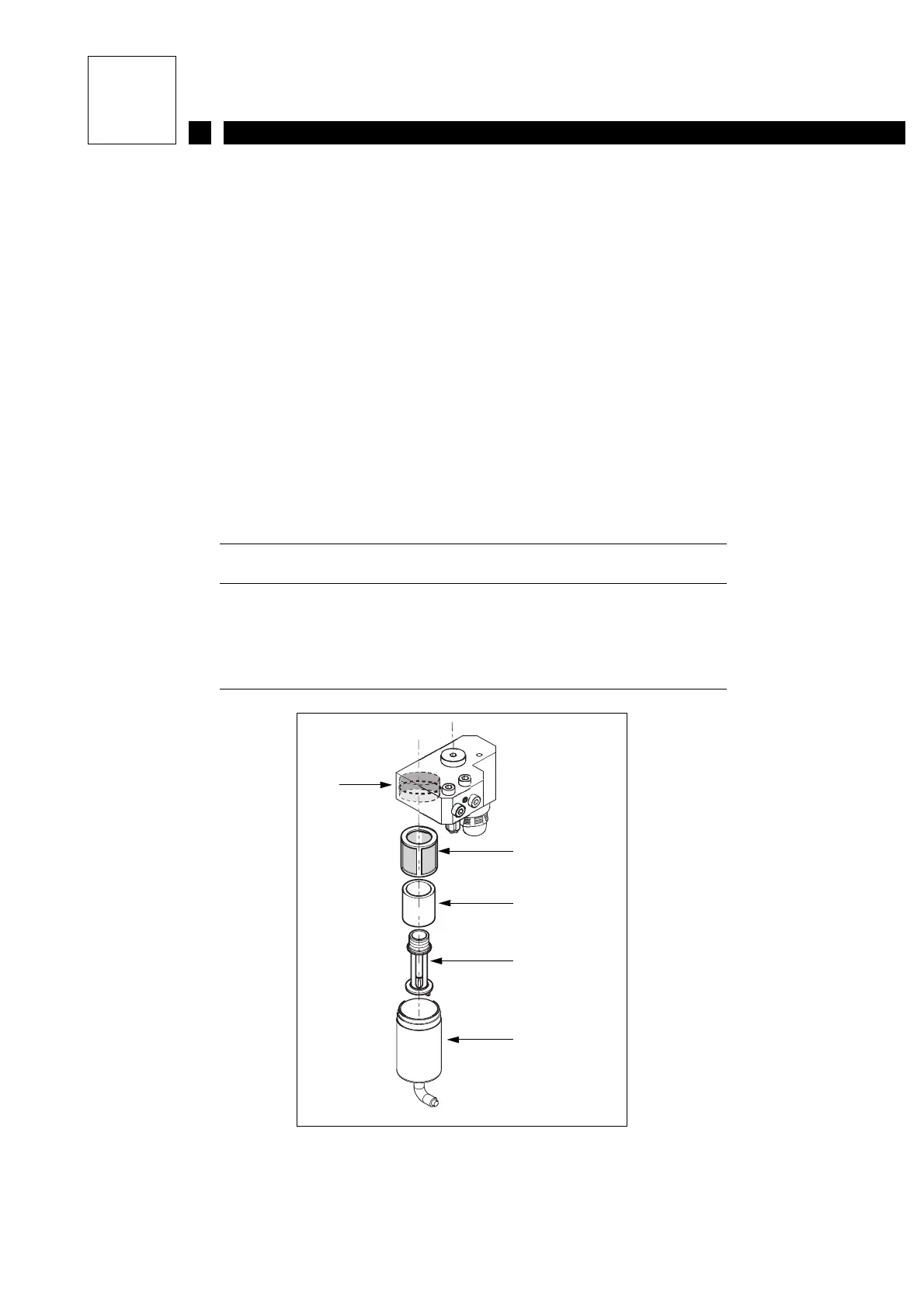
The filter is located on the air treatment unit, in the rear compartment.
1) Stop the printer and unplug it from the mains.
2) Disconnect the air inlet or close the valve.
3) Pull out the air treatment unit.
4) Unscrew the air filter housing and pull it downwards.
5) Unscrew the filter.
6) Clean the grid
7) Replace the filter and the seal.
8) Refit.
Figure 1: Air treatment unit
1 Seal
2 Grid
3 Filtering cartridge
4 Filter care
5 Tank
2
3
1
4
5



 To Next Page