96 A20733 B0
Troubleshooting
2.1 Appearance of ink circuit
• Stop the printer and unplug it from the mains.
• Withdraw the ink circuit until it reaches the stops.
• Press the left and right stops simultaneously and pull.
• Remove the ink circuit and place it at the base of the console, taking care not to damage the
electrical and hydraulic connections.
After the checks are complete, replace the ink circuit module in the console:
• Place the ink circuit module guides opposite the corresponding guides in the console.
• Press the left and right stops and push the module to the back of the console.
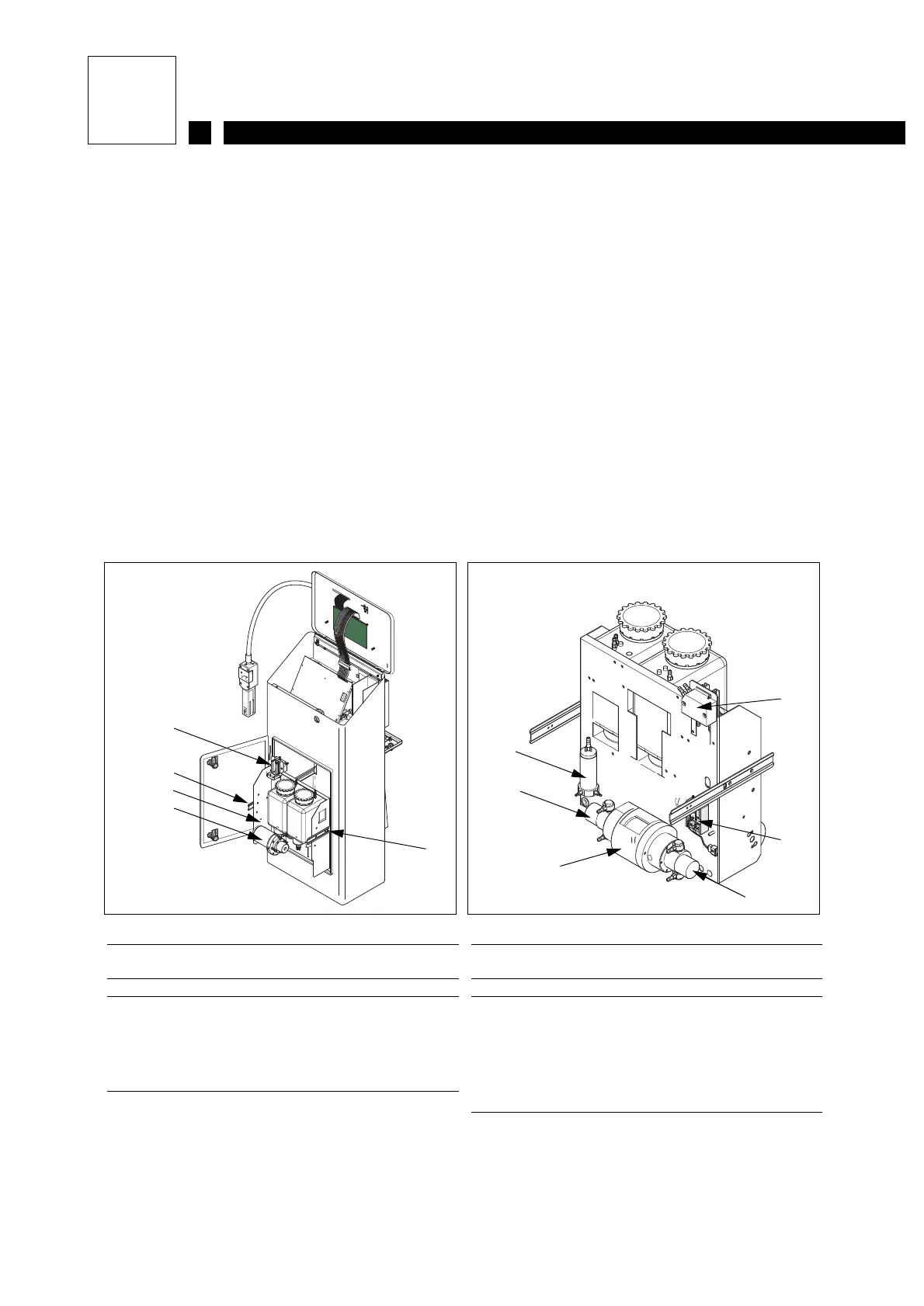
2.1.1 Ink circuit: S8 Classic
Figure 1: Front view of circuit
1 Condenser fan
2 Left and right stops
3 Nozzle rinsing electrovalves
4 Filter
Figure 2: Rear view of circuit
1 Viscometer
2 Pumps
3 Motor
4 Viscometer drain and additive electrovalves
5 Condenser (option)
1
2
4
2
3
2
4
5
1
2
3



 To Next Page