116 A20733 B0
Adjustment and replacement procedures
2.2 Changing the ink
Special tools:
- 3 mm Allen wrench.
- Recovery tray.
- Protective equipment (latex gloves, goggles, cloths).
Frequency:
See ink technical data sheet.
Take great care to avoid spilling any ink onto your clothes or the floor.
WITH THE PRINTER SWITCHED OFF:
1- Open the front door of the console.
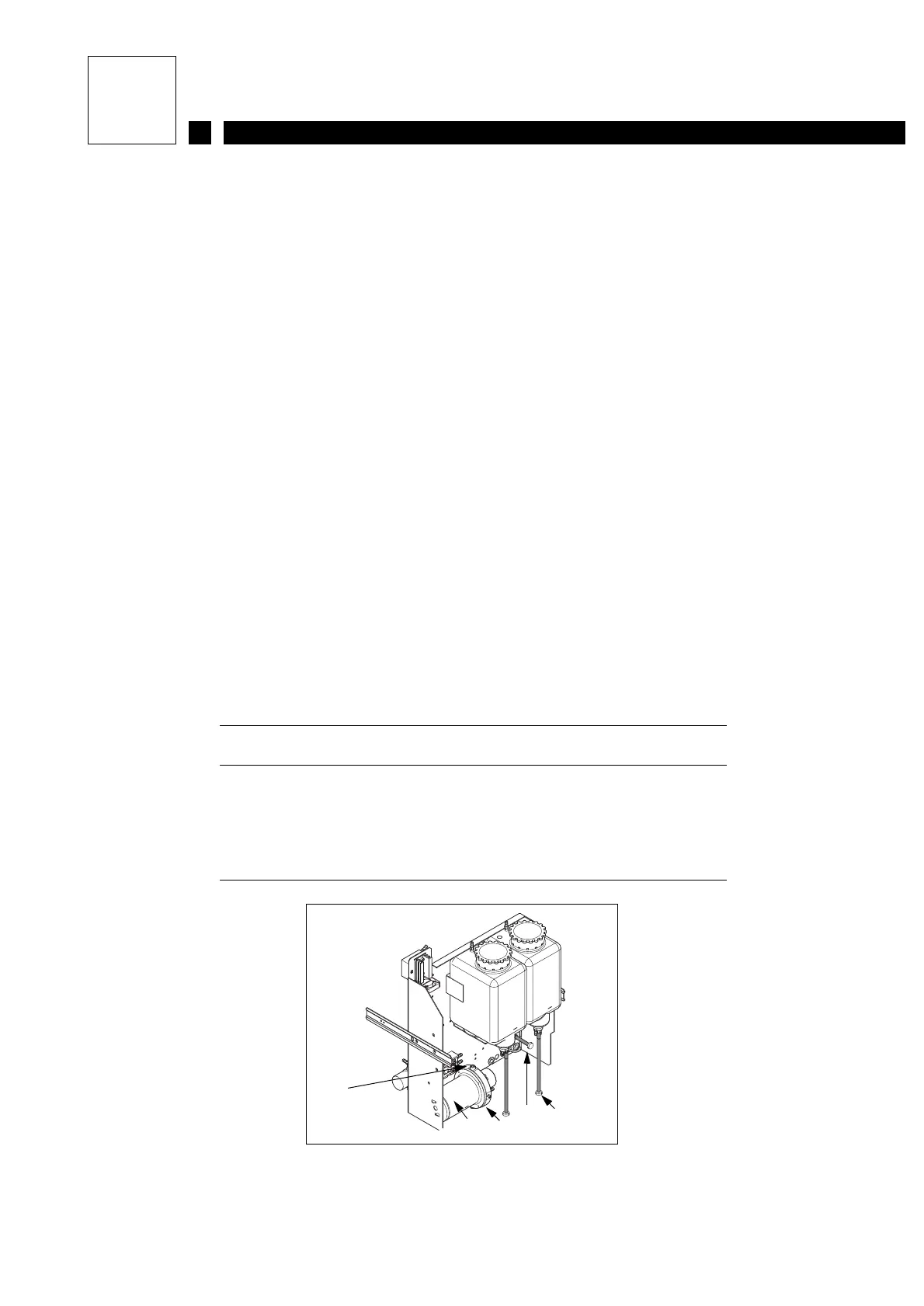
2- Place the recovery tray under the ink tank and drain it (with the drain pipe, see Figure 1).
Replace the drain plug.
3- Drain the viscometer in the same way.
4- Place the recovery tray under the main filter. Using the 3 mm Allenwrench, unscrewthe lower
screw then the upper screw holding the main filter and drain it. Take care with the O-rings
around the screws. Wait until the filter is completely empty (see Figure 1). Replace the upper
screw then the lower screw (remember to fit the O-rings).
Theoldinkmustbestoredinaclosedcontainer.
Figure 1:
1 Upper screw
2 Main filter
3 Lower screw
4 Viscometer draining pipe
5 Ink tank draining pipe
2
1
5
4
3



 To Next Page