80
INSTALLER
USERMAINTENANCE TECHNICIAN
TECHNICAL DATA
2.6 INFORMATION MENU
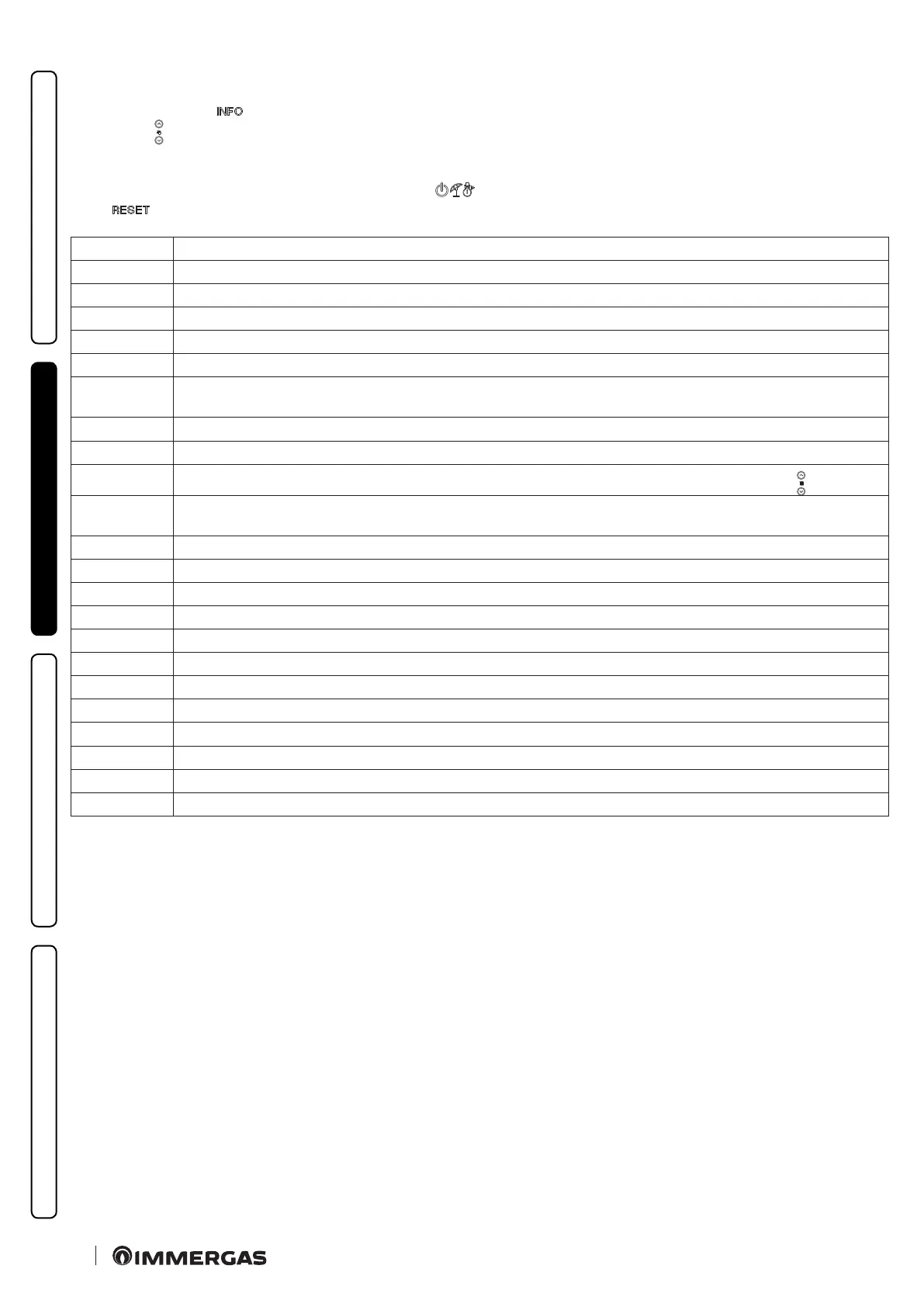
By pressing the button “ ”, the “Information menu” is activated for at least 1 second, displaying some boiler operating parameters.
Press buttons
to scroll through the various parameters.
With the menu active on the indicator (Fig. 52) the parameter via the letter “d” plus the number of the parameter that is being displayed
will alternately show.
To view the parameter value, select it by pressing the button “ ”.
Press “
” or wait 15 minutes to go back to the previous screen or exit the menu.
Parameter ID Description
d 0.0 Not used
d 0.1 Displays the ame signal
d 0.2 Displays the primary heat exchanger outlet instant CH ow temperature (°C)
d 0.3 Not used
d 0.4 Displays the values set for central heating set
d 0.6
Displays the external environment temperature (°C) (if optional external probe present). If the temperature is below zero, the
value is displayed ashing.
d 0.7 Displays the temperature of the storage tank unit (°C) (when paired to a storage tank unit)
d 0.8 Displays the system return water temperature (°C)
d 0.9
Displays the list of the last eight faults (to scroll the list press the “central heating temperature regulation” buttons
)
d 1.0
Anomaly list reset. Once “d 10” is displayed, press Stand-by; the display shows “--”. en press the Stand-by key again for at least 3
seconds; deletion is conrmed via the “88” symbols ashing for two seconds.
d 1.1 Not used
d 1.2 Displays the pump operating speed
d 1.3 Not used
d 1.4 Displays the pump ow rate (l/h)
d 1.5 Displays the fan operating speed (rpm)
d 1.6 Displays the temperature read on the ue probe (°C)
d 1.7 Displays the calculated ow temperature (°C)
d 1.8 At the end of the screed heater function, displays for how many hours the ow temperature remained at “Top set”
d 1.9 Toggles between the safety soware version and the functional soware version
d 2.0 Displays the ow temperature of zone two (°C) (optional)
d 2.1 Displays the ow temperature of zone three (°C) (optional)
d 2.2 Not used






 To Next Page