93
INSTALLER
USERMAINTENANCE TECHNICIAN
TECHNICAL DATA
3.10 CHECKS FOLLOWING CONVERSION TO ANOTHER TYPE OF GAS
Aer making sure that conversion was carried out with a nozzle of suitable diameter for the type of gas used and the settings are made at
the correct pressure, check that the burner ame is not too high or low and is stable (does not detach from burner).
Maintenance operations must be carried out by an authorised company (e.g. Authorised Aer-Sales Technical Assistance Cen-
tre).
3.11 P.C.B. PROGRAMMING
e device is prepared for possible programming of several operation parameters.
By modifying these parameters as described below, the device can be adapted according to specic needs.
57
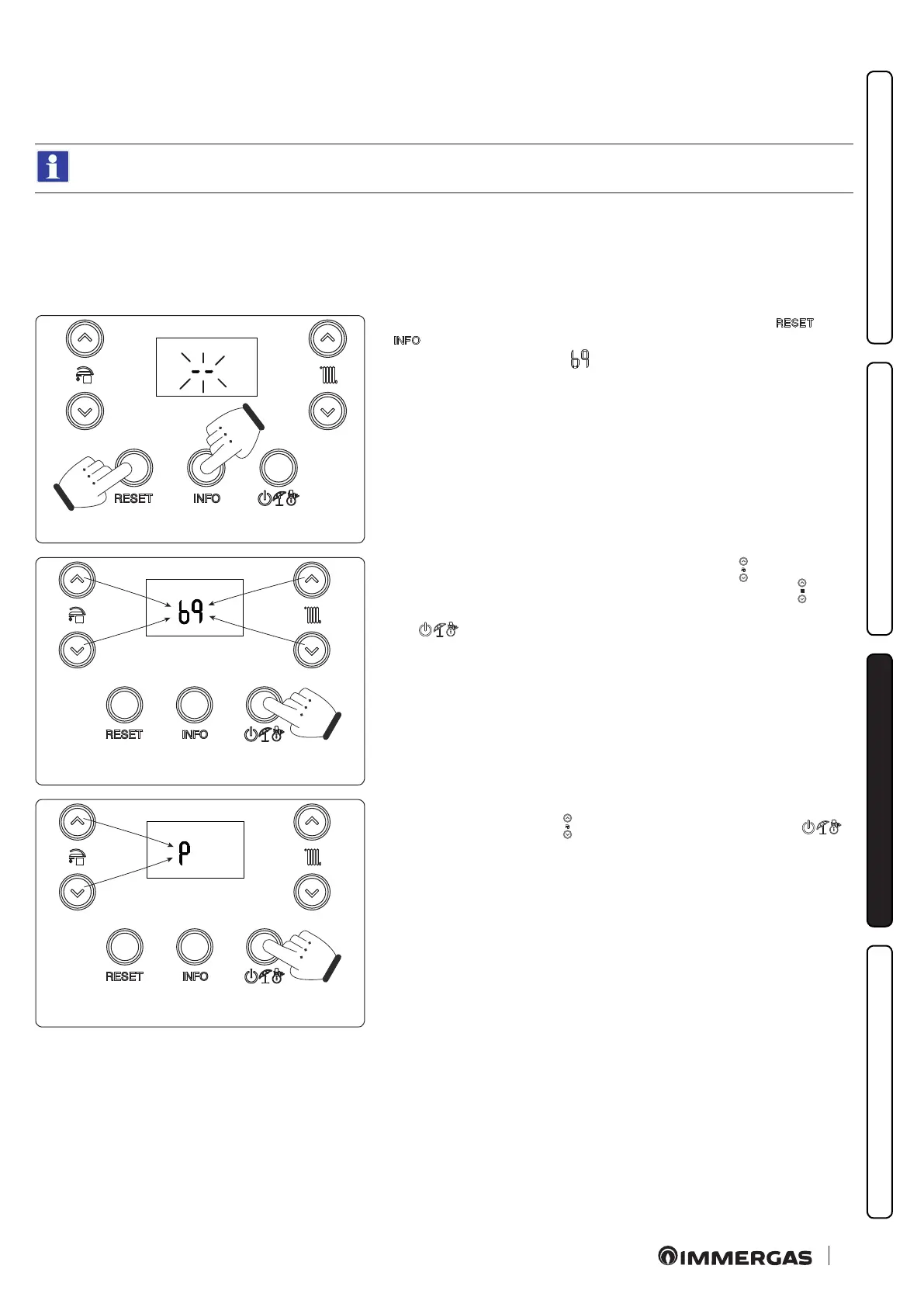
To access the programming phase, press and hold the buttons "
" and "
" for more than 5 seconds; the display shows two dashes "--" ashing and
you must enter the password ( ) to access the programming menus.
58
To enter the rst digit use the buttons to adjust the DHW “
”, to enter the sec-
ond digit use the buttons to adjust the central heating temperature “
”.
To conrm the password and access the menu, press the operating mode but-
ton " "
59
Once in the menu, you can cyclically scroll the four submenus (P, t, A, S) by
pressing the DHW buttons “
”, to access the menu press the button “ ”.






 To Next Page