29
4 PROGRAMMING
4.1 Initial Communication With the OPTImizer2
To initialize communications with an OPTImizer
2
, use the provided “crossover” cable to connect the Ethernet port on the
OPTImizer
2
to the Ethernet port on a computer. Power-up the OPTImizer
2
and computer, then set the computer’s IP
address to “192.12.27.2”
Conguring IP Properties for Communication
Before attempting to modify any computer settings, contact the Information Technologies department of your business, if
available. Some computer accounts may have restricted permissions to overcome before any changes are allowed to be
made to TCP / IP settings. At the PC:
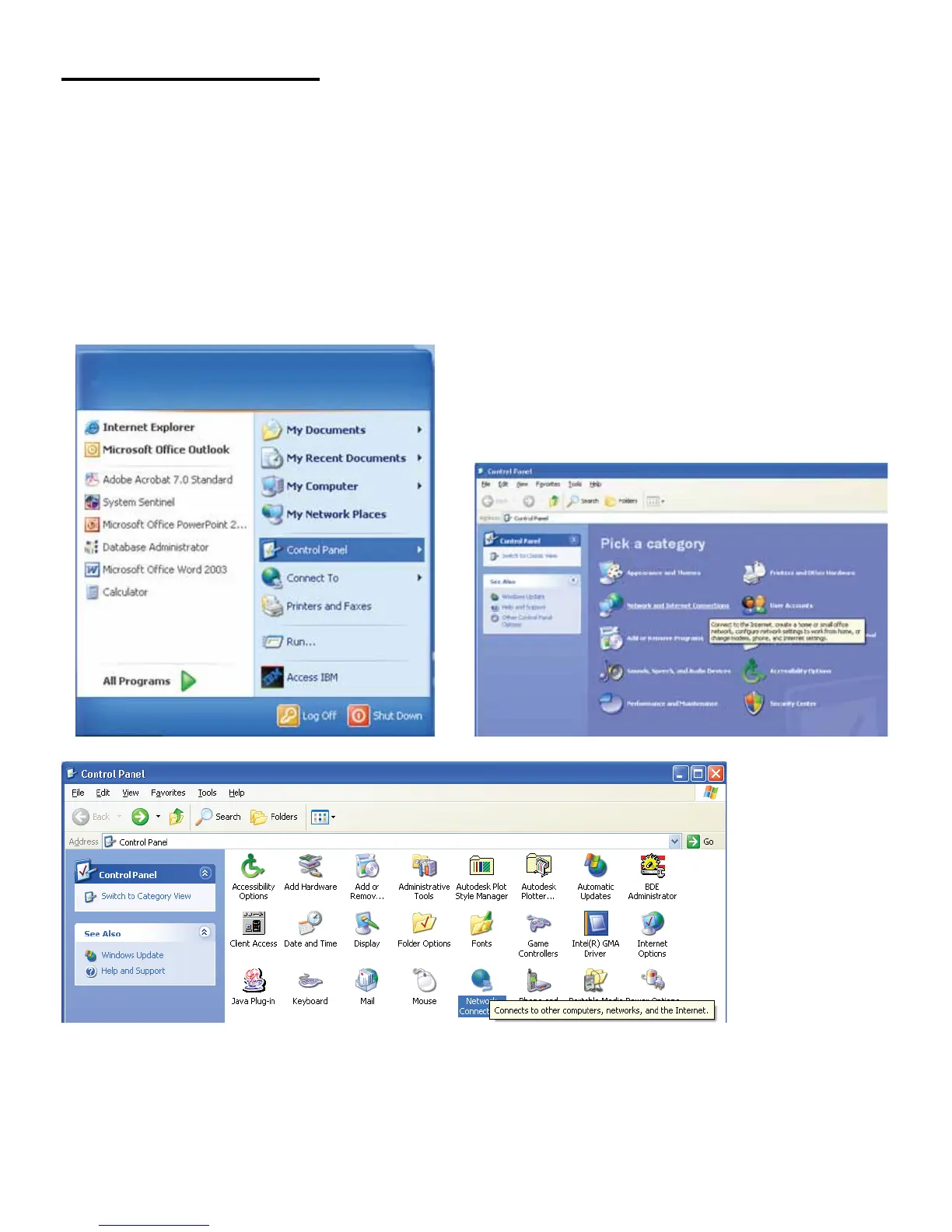
Windows XP™
1. Log into your PC with Windows™ operating system.
2. Click on Start, then select Control Panel.
• In Classic View, click on Network Connections.
4. Right-click on Local Area Connection and select Properties.
• In Classic View, click on Network Connections.



 To Next Page