45
SCREEN menu
Item Description
MESSAGE
Using the ▲/▼ buttons turns on/off the message function.
ON
ó
OFF
When the ON is selected, the following message function works.
“AUTO IN PROGRESS” while automatically adjusting
“NO INPUT IS DETECTED”
“SYNC IS OUT OF RANGE”
“INVALID SCAN FREQ”
“Searching….” while searching for the input
“Detecting….” while an input signal is detected
The input signal which was just selected
The aspect ratio which was just selected
The PICTURE MODE which was just selected
The ACTIVE IRIS mode which was just selected
The MY MEMORY mode which was just selected
The “FREEZE” and “II” when the FREEZE button has been
pressed.
• When the OFF is selected, please remember if the picture is
frozen. Do not mistake freezing for a malfunction (
25
).
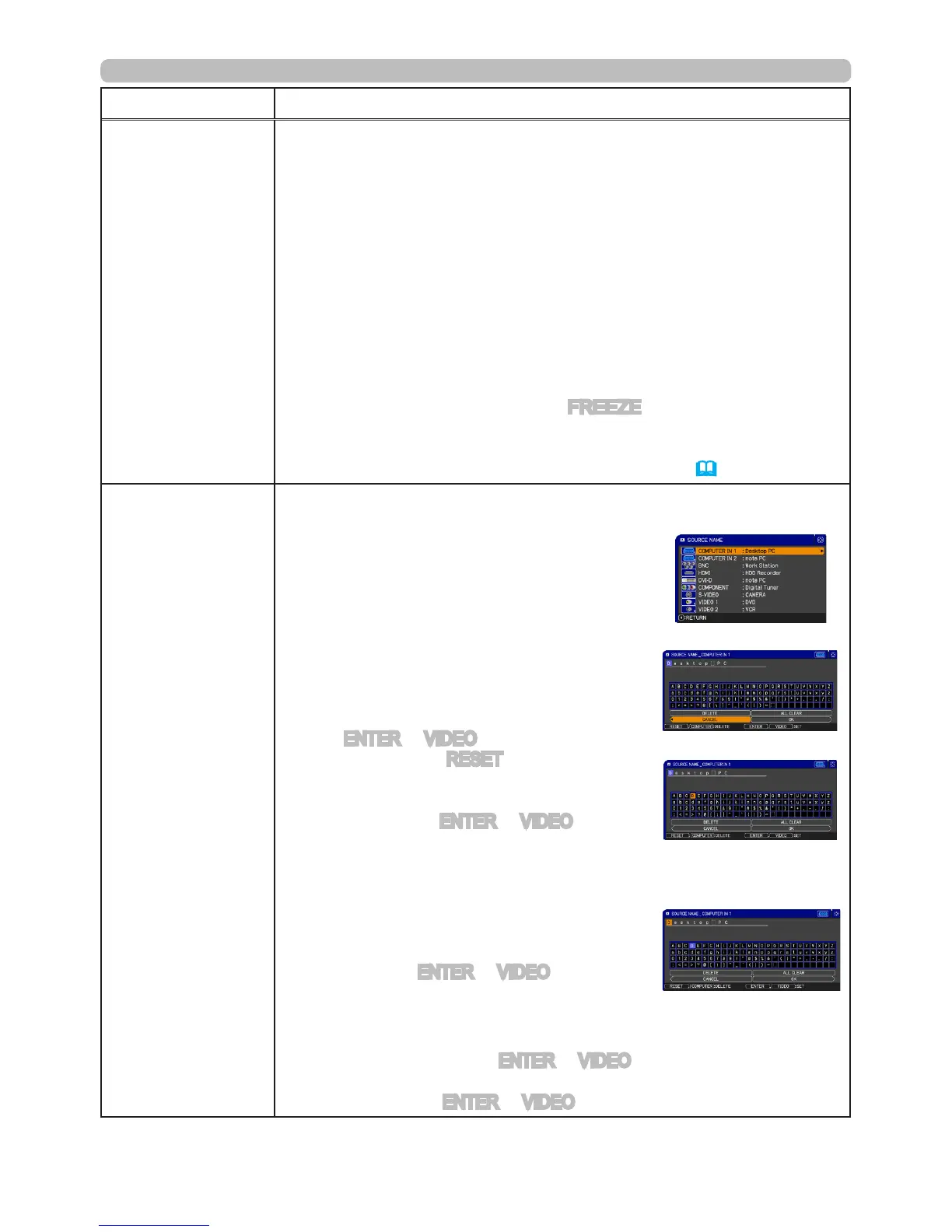
SOURCE NAME
Each input port for this projector can have a name applied to it.
(1) Use the
▲/▼
buttons on the SCREEN menu to
select SOURCE NAME and press the
►
button.
The SOURCE NAME menu will be displayed.
(2) Use the ▲/▼ buttons on the SOURCE
NAME menu to select the port to be named
and press the ► button. Right side of the
menu is blank until a name is specied.
The SOURCE NAME dialog will be displayed.
(3) The current name will be displayed on
the rst line. Use the
▲/▼/◄/►
buttons
and the ENTER or VIDEO button to select and
enter characters. The RESET button can be
used to erase 1 character at a time. Also if you
move the cursor to DELETE or ALL CLEAR on
screen and push the ENTER or VIDEO button,
1 character or all characters will be erased. The
name can be a maximum of 16 characters.
(4) To change an already inserted character,
press the
▲
button to move the cursor to the
rst line, and use the
◄/►
buttons to move
the cursor on the character to be changed.
After pressing the ENTER or
VIDEO
button, the
character is selected. Then, follow the same
procedure as described at the item (3) above.
(5) To nish entering text, move the cursor to the
OK on screen and press the ENTER or
VIDEO
button. To revert to the
previous name without saving changes, move the cursor to the CANCEL on
screen and press the ENTER or
VIDEO
button.
(continued on next page)



 To Next Page