User Manual for the Thermographic System VarioCAM
®
high resolution
6. Quick Start
User Manual © InfraTec GmbH 2013 13
initialisation, the Operating LED, initially flashing green, subsequently turning to permanent green,
signals that the VarioCAM
®
hr is ready for operation in the live mode.
6.3 Display
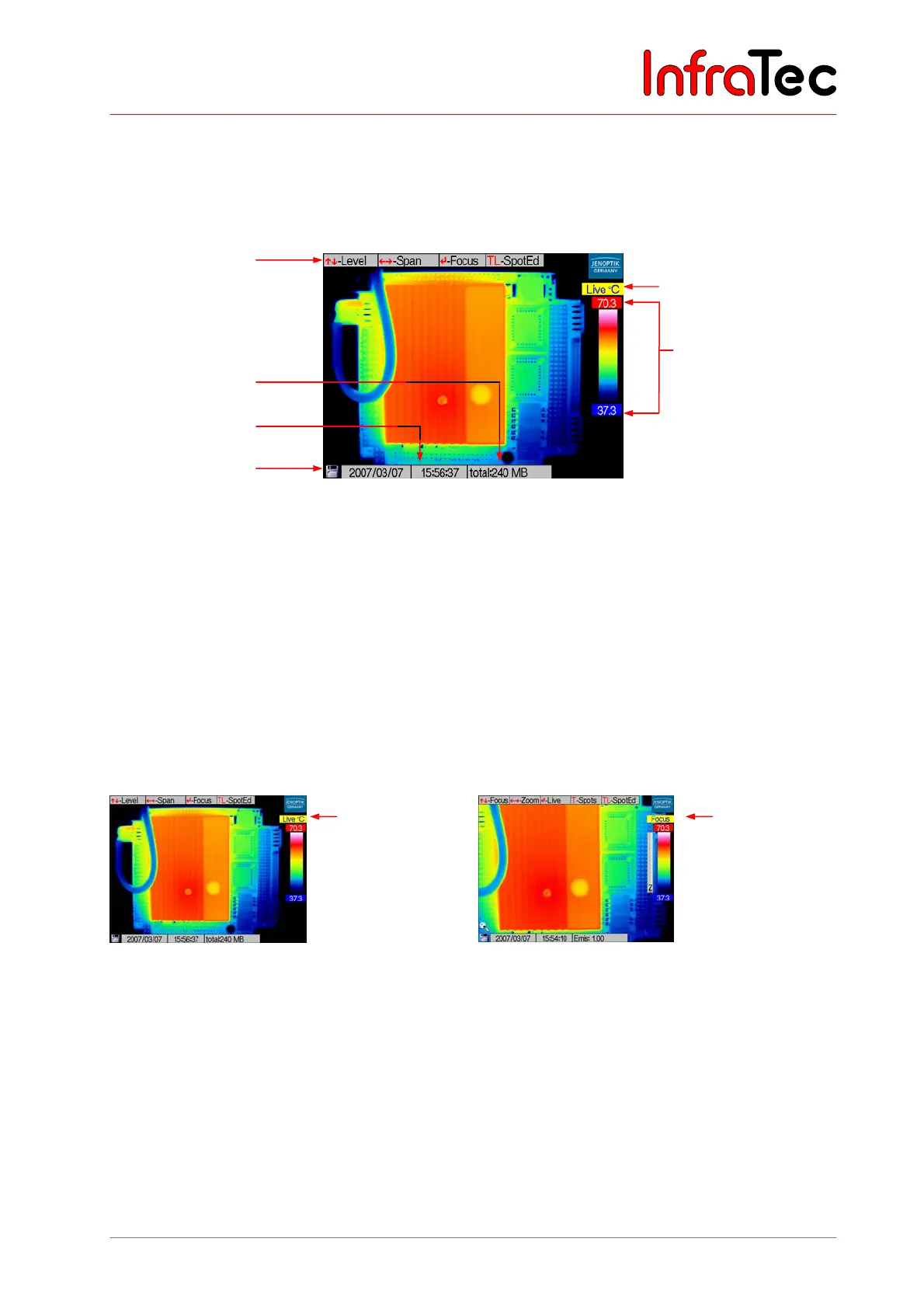
Fig. 4 Camera menu in live mode
■ At first, select to view a scene rich in contrast (e.g. an active electrical device) and focus the
VarioCAM
®
hr onto it.
■ Adjust the viewfinder to your eye by means of dioptric adjustment. For that purpose, turn the plastic
ring on the viewfinder. For optimal adjustment, relate to the sharpness of the lettering.
6.4 Image Optimisation
■ Press the button AL. The thermographic system automatically focuses and the temperature scaling of
the false-colour image is automatically optimised according to the current scene.
Fig. 5 Camera menu in live mode Fig. 6 Camera menu in focus mode
■ In the live mode, joystick movements , change the selected temperature level and joystick
movements , change the selected temperature range.
■ Pressing the Enter button switches between the live mode and the focus mode.
■ In the focus mode, joystick movements , focus over larger or shorter distances to the object.
Help line
Information field
Date/time
SD card symbol
Status
Colour scale with
upper and lower limit
of displayed
temperature range
Live mode
Focus mode



 To Next Page