User Manual for the Thermographic System VarioCAM
®
high resolution
6. Quick Start
User Manual © InfraTec GmbH 2013 15
6.8 Data Transfer to the Computer
■ The most frequently used method for data transfer is reading out the SD card with the help of an SD
card reader.
■ For data transfer via the optional FireWire (IEEE 1394) interface with the help of IRBIS
®
remote/online, this software (which comes included if rewquested for) should at first be installed
following the description in the respective manual.
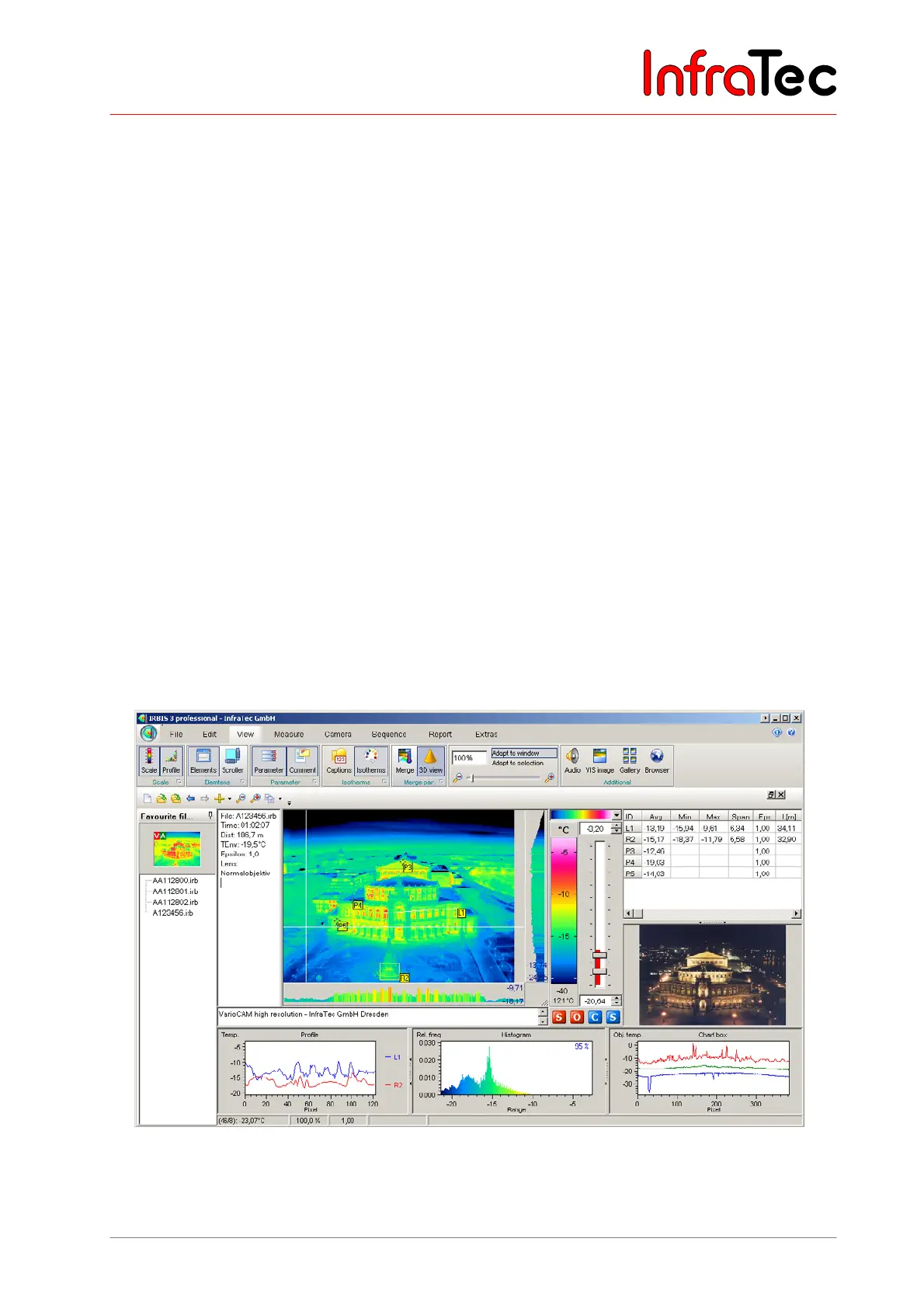
6.9 Evaluation with Analysing Software IRBIS
®
3
■ Install the analysing software IRBIS
®
3 on the computer and start it.
■ From menu "File", select submenu "Open file" and open the desired thermograms (*.irb files).
■ Select the desired colour palette via the "Scale", which is located on the right-hand of the
thermogram.
■ Via menu "View", you can display further image elements, measurement data, annotations and
parameters in addition to the thermogram.
■ By pressing the right mouse key on the colour scale, the dialogue "Level/Range", where the
temperature level and range can be adjusted as desired by moving the scroll bar. The adjustment is
also adopted for subsequent thermal images.
■ With the help of the respective functional buttons on the symbol bar, points of measurement, areas,
etc. as well as the display of temperature maximum and minimum can be activated.
■ For inserting the analysed thermal images into your reports, select the menu "Report".
Fig. 9 IRBIS
®
Software



 To Next Page