User Manual for the Thermographic System VarioCAM
®
high resolution
10. Operating Software IRBIS® remote 3.0*
82 © InfraTec GmbH 2013 User Manual
Should several files be copied, a status window is displayed (see Fig. 172). Additionally, the currently
required time and the still remaining time are shown. " Cancel" can disrupt data transfer. Transfer of the
currently copied file will be completed.
Delete This function is deactivated.
Format The SD card inside the VarioCAM
®
hr is being formatted.
All files are being erased from the SD card!
All functions provided for in the dialogue "Data transfer" have a direct effect on the SD card in de VarioCAM
®
hr.
Data is transferred either directly via the IEEE 1394 FireWire interface or via the RS232 interface. The
FireWire data transfer of one simple thermal image (approx. 100 KB – depending on detector size) takes
about one second. This time will increase if thermal images have been generated by the function "Resolution
Enhancement“ or thermal images have been saved along with an integrated visual photo and/or integrated
audio comment.
10.2.5 Controls for Direct Control
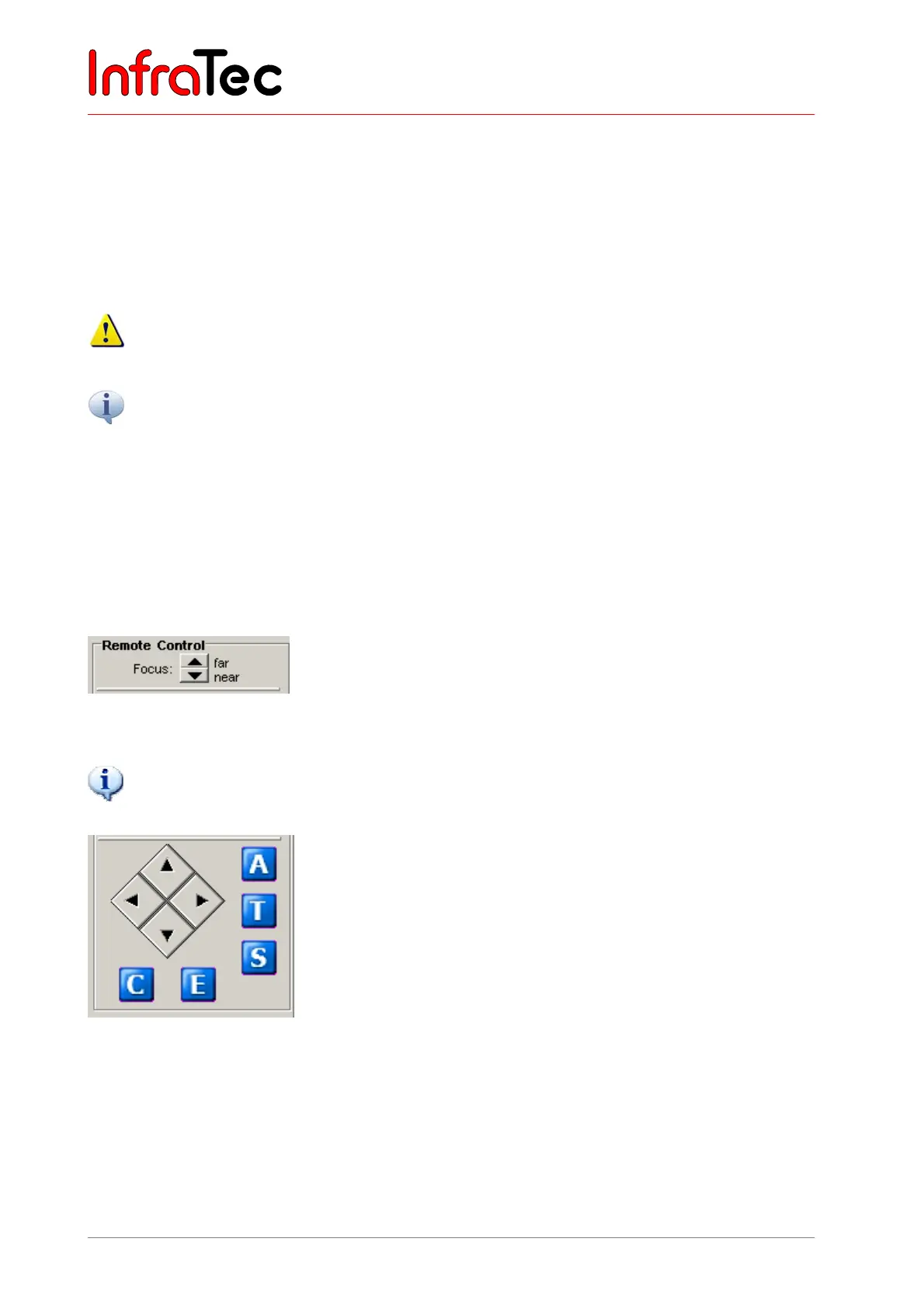
Fig. 173 Focussing the camera manually
Focussing the VarioCAM
®
hr manually can also be performed outside the “Focus” mode.
Fig. 174 Keypad for the VarioCAM
®
hr
The VarioCAM
®
hr is remote-controlled via the keypad shown in Fig. 174.
Button "E" correlates with the camera function "Press key on the joystick“.
The buttons in rhomboid arrangement are assigned with the functions of the joystick of the VarioCAM
®
hr.
Buttons "A", "T", "S", "C" and "E" correlate with the appropriate key functions on the infrared camera.



 To Next Page