User Manual for the Thermographic System VarioCAM
®
high resolution
10. Operating Software IRBIS® remote 3.0*
User Manual © InfraTec GmbH 2013 77
10.2.2 Menu Bar with Quick Keys
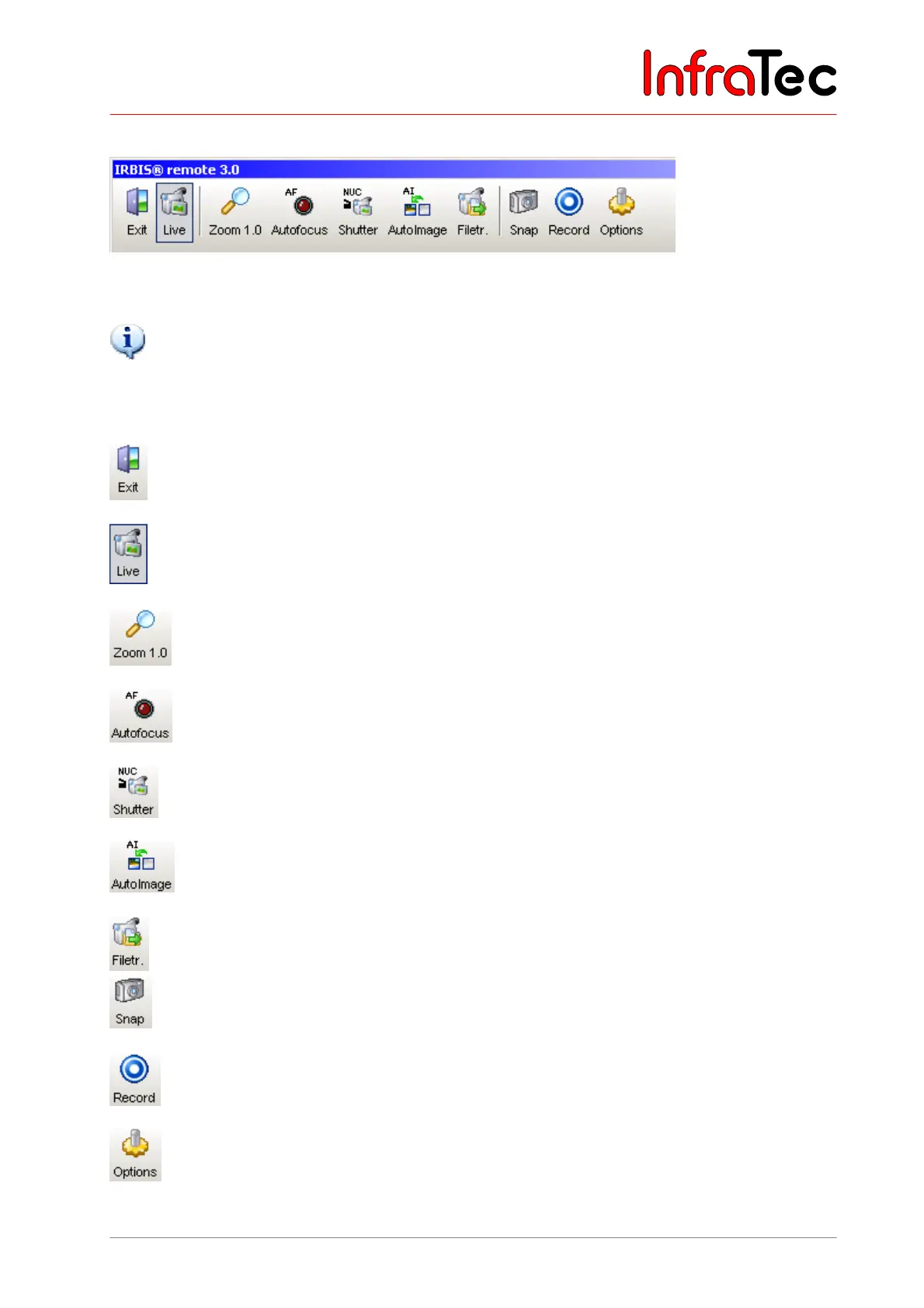
Fig. 162 Menu bar with quick keys
Please note that the active control elements are presented in a highlighting frame (see button “Live”).
Explanations for buttons
The main window as well as all opened roll-up windows below will be closed and
IRBIS
®
remote will be exited.
Activating/deactivating the screen display.
Changing the imaging size (1.0 = 100 %).
VarioCAM
hr performs the function autofocus.
VarioCAM
hr performs correction (NUC - Non Uniformity Correction).
VarioCAM
hr optimally adjusts the temperature level and range optimal to the
current scene.
Data transfer of the data from the SD card in the infrared camera to the computer.
Snapshot/saving individual images of the image currently displayed on the
computer.
Starts AVI recording on the computer.
Opens the window “Settings” where the parameters for saving single images, video
recording and voice annotation are set.



 To Next Page