User Manual for the Thermographic System VarioCAM
®
high resolution
8. Operation
User Manual © InfraTec GmbH 2013 31
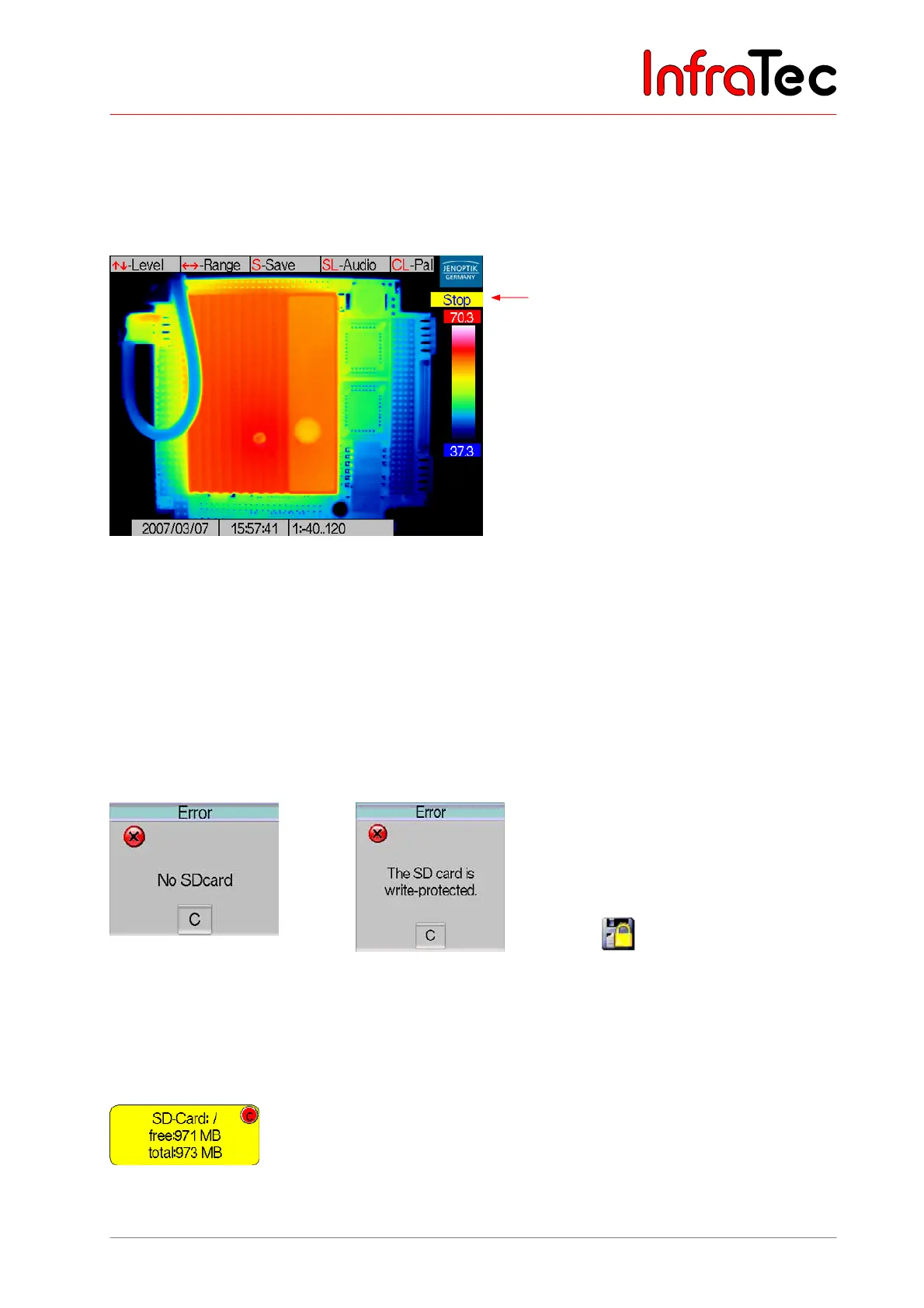
8.2.5 Stop Mode and Data Storage
The S button switches directly from the live and focus modes to the stop mode.
The stop mode freezes further image input, the image content (except date, time and info box) will not be
updated further. Using C or Enter changes from the stop mode into the live mode.
Fig. 44 Stop mode
As in the live mode, the temperature level of the displayed scale of the thermal image can be set by
joystick movements , and the temperature range by , in the stop mode.
By pressing the C button for a longer time (CL), the selection of colour palettes will circulate and can be
chosen from.
In order to save thermal images with the VarioCAM
®
hr, an SD card must have been inserted into the
card slot. Otherwise an error message will be displayed if any saving is attempted
(see Fig. 45).
Fig. 45 Message if SD card
is missing
Fig. 46 Message if SD card
in the slot is write-
protected
Fig. 47 Symbol for write-
protected SD card
Upon starting the system or with each card change, the status of the SD card will be displayed for a few
seconds:
Fig. 48 Status SD card
Stop mode



 To Next Page