User Manual for the Thermographic System VarioCAM
®
high resolution
8. Operation
32 © InfraTec GmbH 2013 User Manual
A possibly write-protected SD card will subsequently be displayed as shown in Fig. 47. In the stop mode,
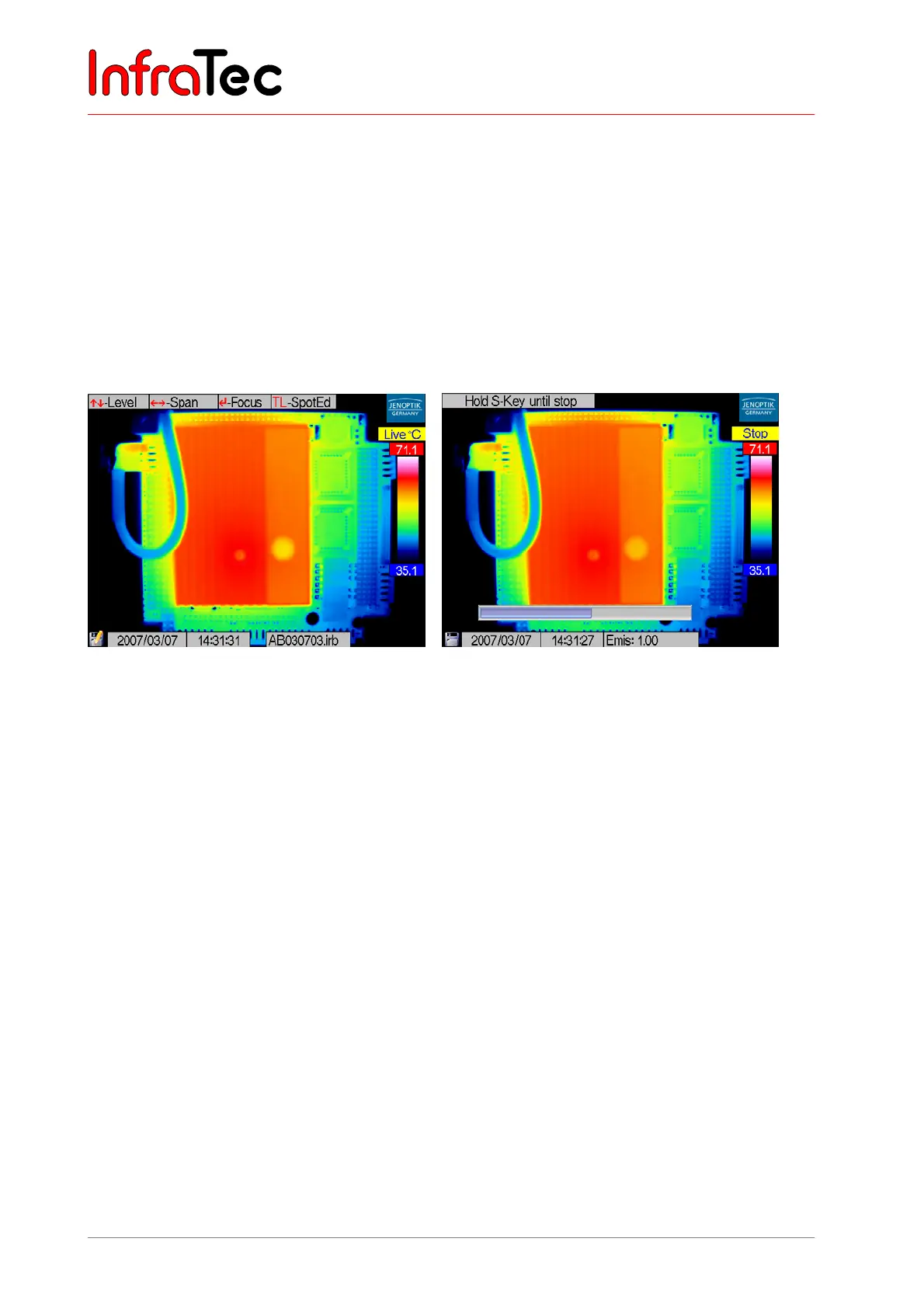
the current thermogram is saved by using the S button. Storing it directly out of live (or focus) is possible
by pressing the S button (SL) for a longer period (quick save). The saving process is displayed in the
lower left image corner (pen on SD card symbol). Simultaneously the name of the saved file is displayed
in the info box (see Fig. 49).
After the saving process, the mode automatically changes from stop into live.
Depending on the equipment, VarioCAM
®
hr can save further data (photos, voice annotations,
screenshots, ROI positions) in addition to the thermogram, to be selected from the menu (see Chapter
8.3.2, Menu "File", page 40).
Fig. 49 Data storage Fig. 50 Recording voice annotation
After selecting voice recording* from the menu (see Menu "File", 8.3.2) keep pressing the S button during
the recording process as long as the input of speech lasts. The maximum length of spoken comments is
60 seconds. Speech can thereby be recorded via the microphone* in the camera or a headset*. The
headset is to be connected at the front left of the camera. During voice recording, a blue horizontal
progress bar will be displayed at the bottom of the display.



 To Next Page