User Manual for the Thermographic System VarioCAM
®
high resolution
8. Operation
User Manual © InfraTec GmbH 2013 25
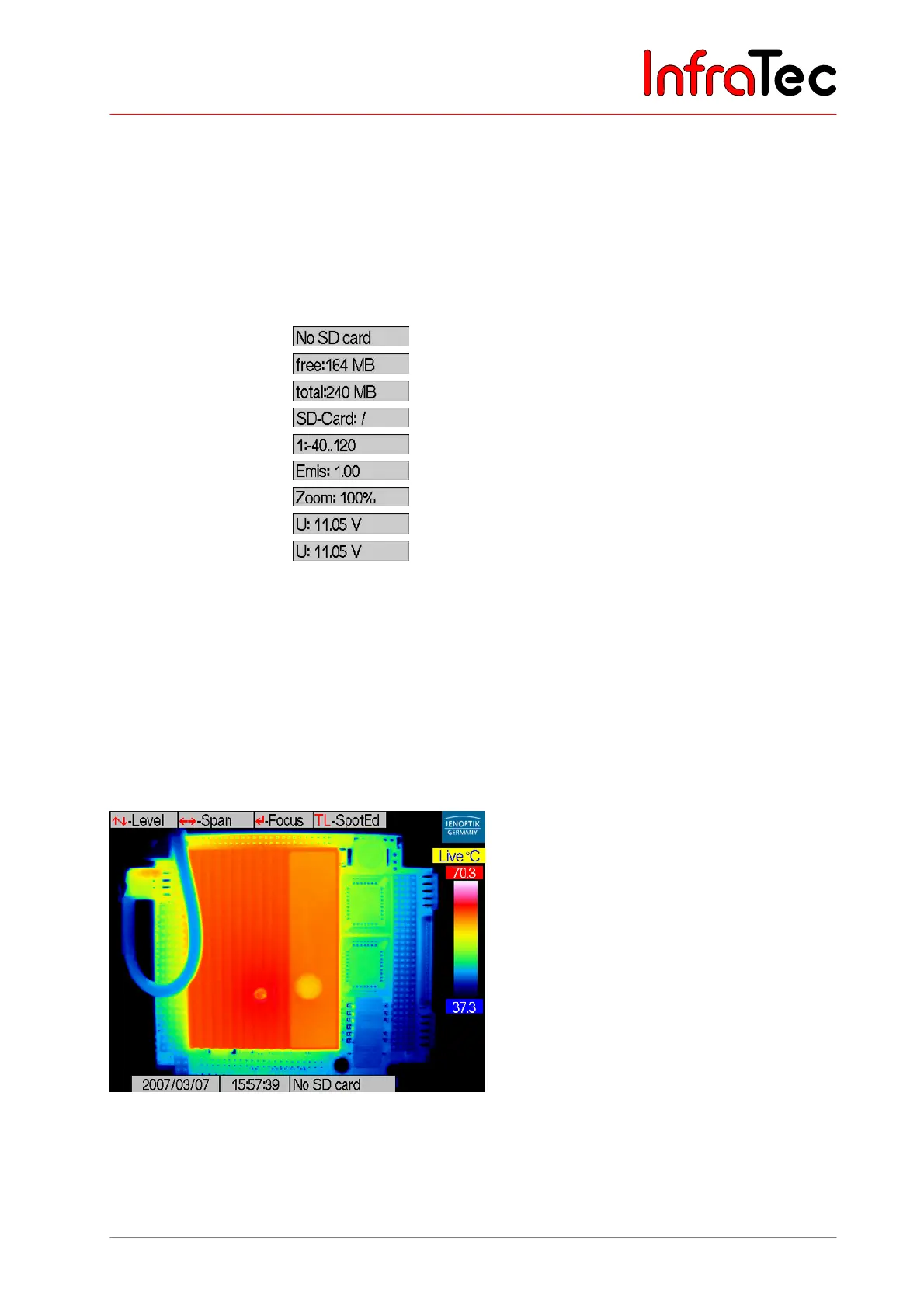
The image elements have the following functions:
■ Help display of the active key assignment (basic functions)
■ Logo manufacturerer’s logo JENOPTIK Laser, Optik, Systeme GmbH
■ Status active operating mode of thermal image system
■ Scale colour palette (colour scale) with the limits of the adjusted temperature range
■ Table display of temperatures of spots/ROI (Region Of Interest, measuring areas)
■ Card symbol status display of inserted SD card
■ Info changing info display:
■
no memory card inserted
■
free memory capacity of SD card in Megabyte
■
total memory capacity of SD card in Megabyte
■
memory card inserted
■
active calibration range in °C
■
active (global) emissivity
■
active zoom in %
■
voltage in Volt
■
emissivity of active ROI
■ Time display of date and time
8.2.2 Live Mode
In the live mode, the temperature level of the scale that the thermal image is displayed in can be
adjusted by joystick actions , and the temperature range can be adjusted by joystick actions , .
Thereby the allocation of colours and grey values of the selected colour palette to the temperatures of the
scene is changed. Each temperature of the scene is allocated a respective temperature value by
colour/grey value (false-colour imaging). The digital storage of the thermograms is irrespective of the
adjusted temperature scale so that temperatures outside the selected image range are included.
Fig. 35 Live mode



 To Next Page