User Manual for the Thermographic System VarioCAM
®
high resolution
8. Operation
26 © InfraTec GmbH 2013 User Manual
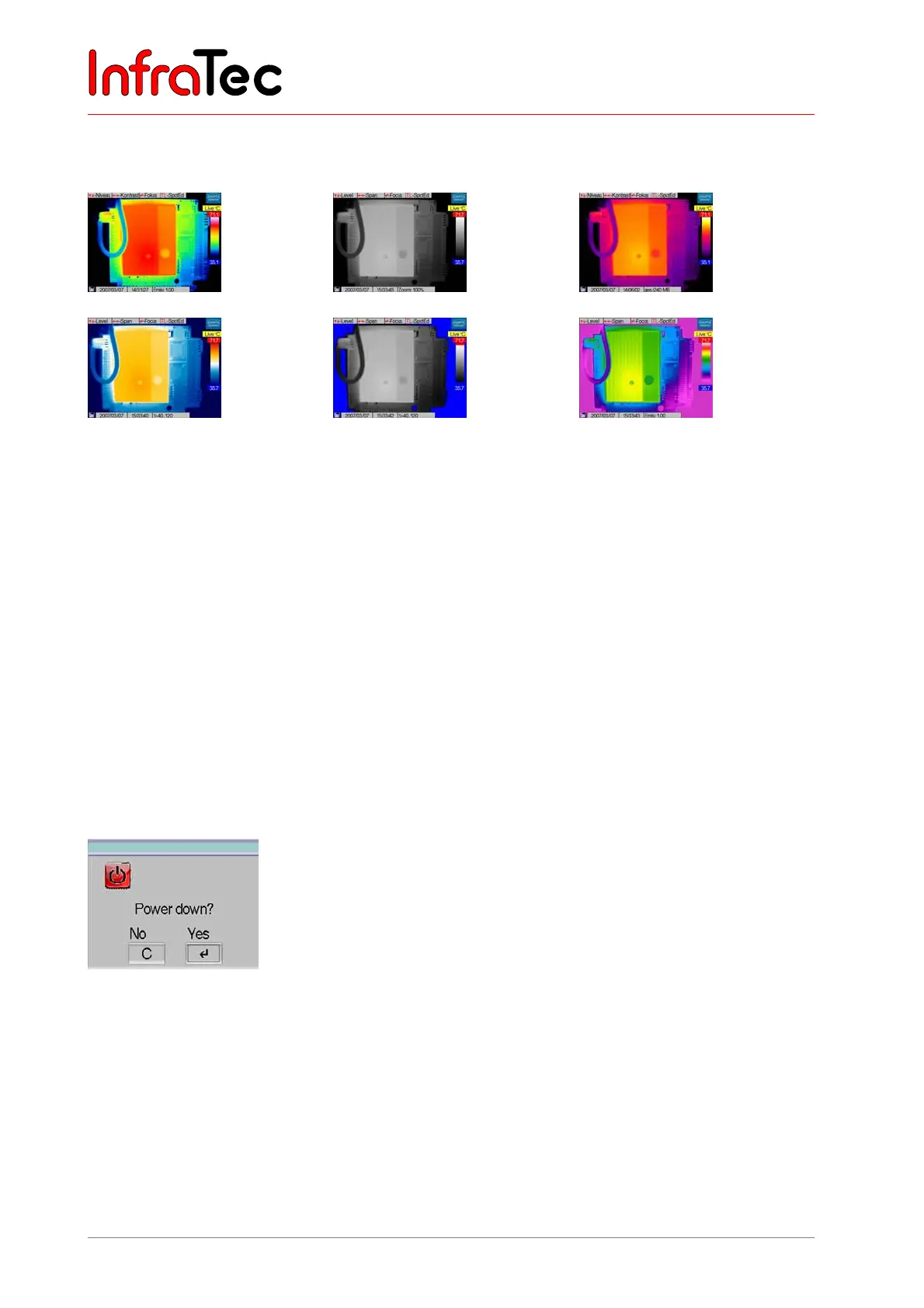
The C button is used to permanently change between the colour palettes in the live mode. The default
setting when starting the system is the VarioCAM palette.
VarioCAM
BlackWhite
Iron
BlueRed
Marked BW
Rainbow
Fig. 36 Display of the various available colour palettes
In the live mode, the A button activates the Autoimage function and the image adjustment (NUC, Non
Uniformity Correction, with internal shutter). While Autoimage is running, the temperature display is
adjusted to the current scene so that all temperatures of the scene are included. The function of the A
button can be configured in the main menu (see Chapter 8.3.4, Menu "Settings", page 53).
AL runs Autoimage, image calibration and additionally the Autofocus function.
The T button directly activates/deactivates Spots/ROI (see Chapter 8.2.4, Spot Editor*) as well as,
depending on settings, the laser pointer (option) (also see Chapter 8.3.4, Menu "Settings", page 53).
Pressing the button TL starts the spot editor - see Chapter 8.2.4, Spot Editor*, page 28.
For switching off the device, press the C button for a longer time (> 2 s, CL). A power down dialogue will
appear (see Fig. 37). By pressing Enter, the thermographic system is switched off.
Fig. 37 Dialogue for switching off the camera
Pressing Enter changes from the live mode into the focus mode (see Chapter 8.2.3, Focus Mode, page
27).



 To Next Page