User Manual for the Thermographic System VarioCAM
®
high resolution
8. Operation
24 © InfraTec GmbH 2013 User Manual
8.2 Graphical User Interface
8.2.1 Elements of the Graphical User Interface
After switching it on (longer press on the C button) and the system start, the thermographic system is in
live mode. Apart from the current temperature, information is displayed via various image elements
regarding the status of the system and regarding operation control. The VarioCAM
®
hr can be controlled
either with the help of the controls on the system or remotely via the RS232 or FireWire*.
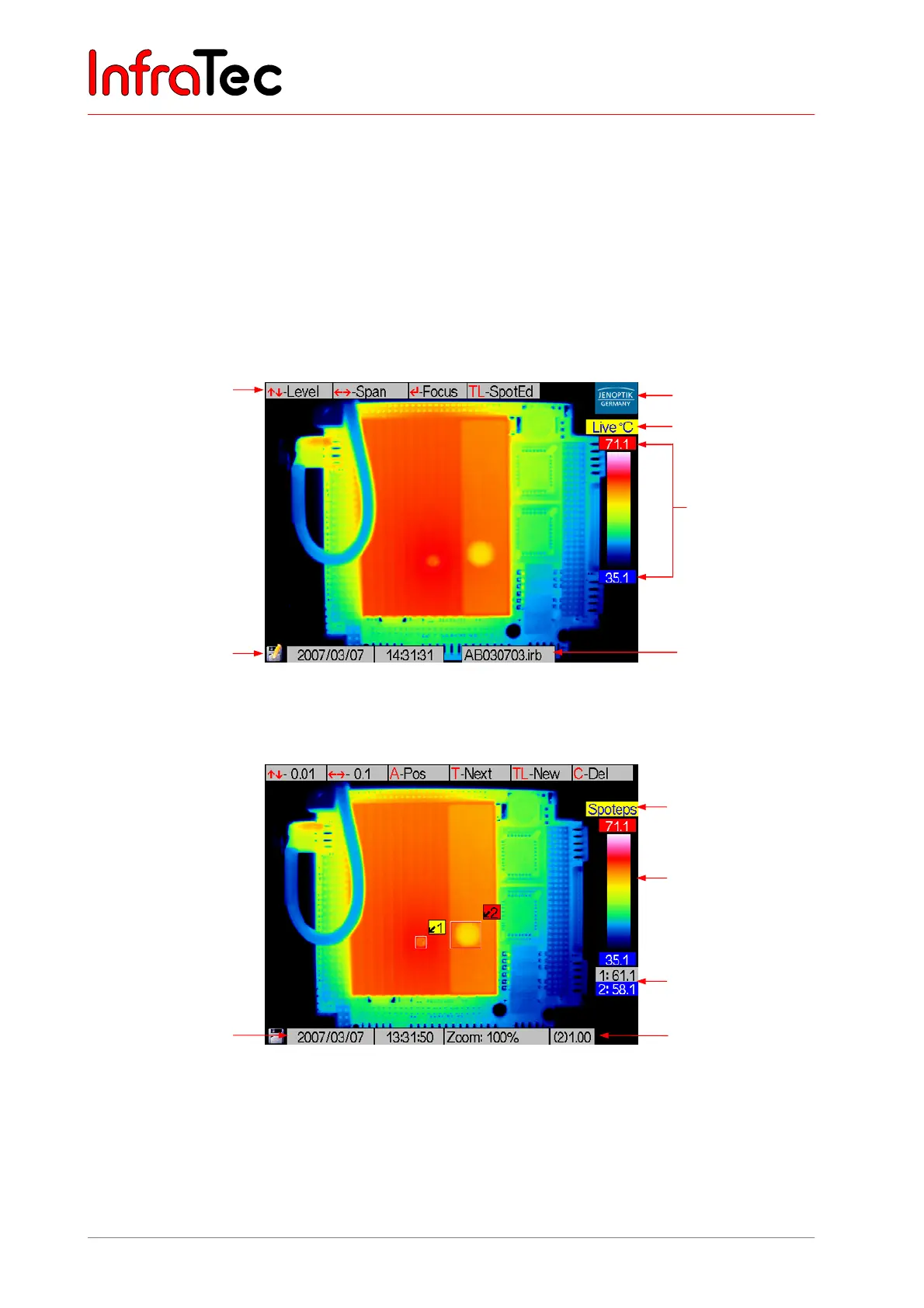
Image elements
Fig. 33 Image elements, mode: live,
thermogram is being saved
Fig. 34 Mode: spot editor, thermogram with 2 ROI
The selection of the displayed image elements can be changed in the menu item "Image elements" (see
Chapter 8.3.1, Menu "Image", page 33).
Colour palette
(“colour scale”)
Help line
Status: spot editor:
input emissivity
Emissivity value for
ROI 2
Date, time
Symbol for
SD card in
write access
Table of measured
values
Logo
“Live” mode
Colour palette
(“colour scale”) with
upper and lower limits
of the displayed
temperature range
File name of the
thermogram stored



 To Next Page