User Manual for the Thermographic System VarioCAM
®
high resolution
8. Operation
User Manual © InfraTec GmbH 2013 23
8 Operation
8.1 Control Elements
The VarioCAM
®
hr has the following control elements:
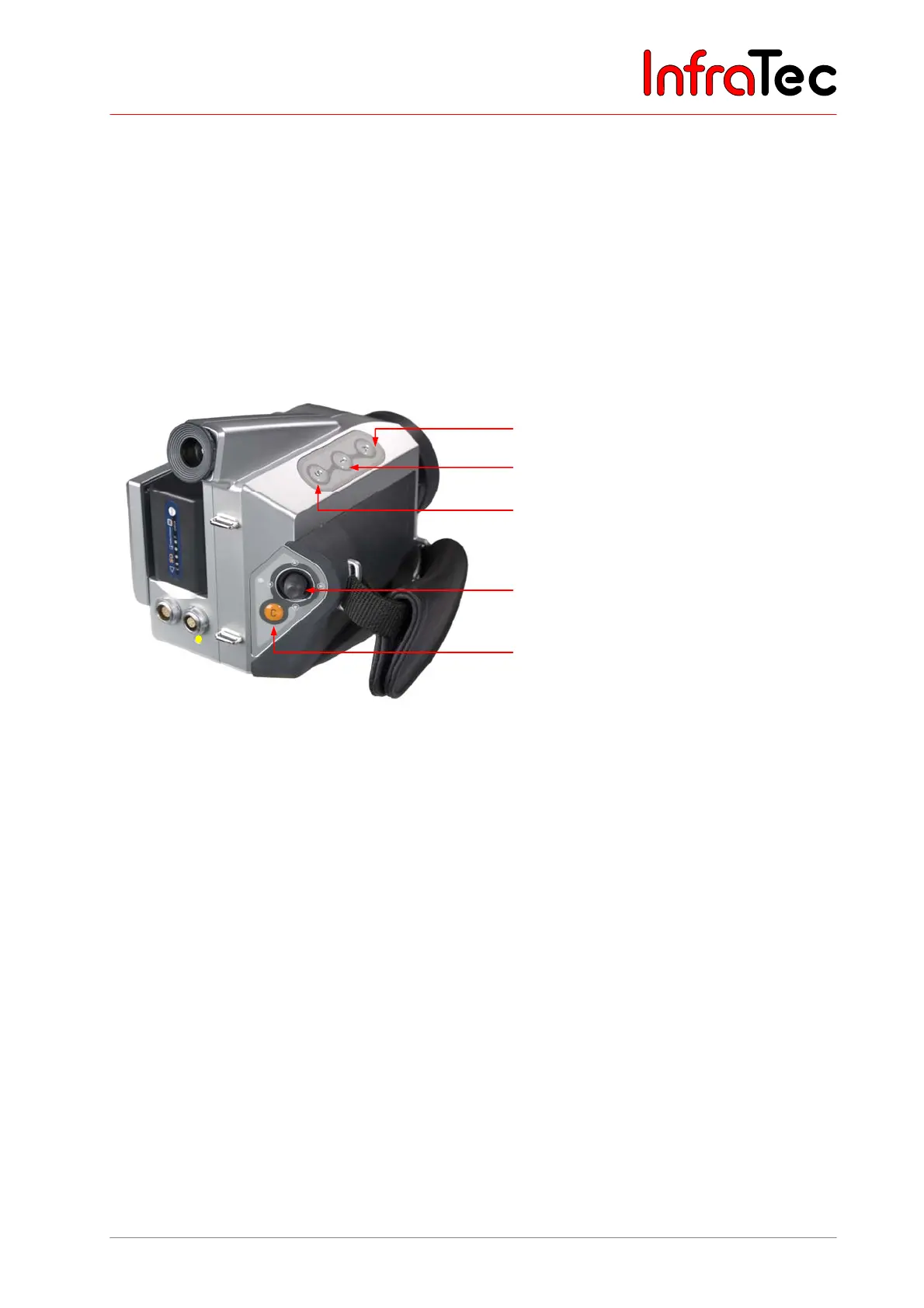
■ Membrane keypad on the right top of the camera (keys S, T and A)
■ Membrane keypad at the rear (C button)
■ Multifunctional joystick with Enter function (E)
Fig. 32 Arrangement of controls
A button (Automatic)
T button (Temperature measurement)
S button (Stop/Save)
Multifunctional joystick , ,,
with Enter function
C button (Esc/Colour), ON/OFF
All keys have double functions that can be triggered by pressing them briefly or
for a longer period (>= 1 s).
The function of keys is dependent on the current operational mode and is displayed in the help line in the
upper margin of the display.
In the following functional description, the letter L is attached to the letter for a key meaning to press that
respective button for a longer period.
Example:
T button, briefly pressed: T T button, pressed longer: TL
S button, briefly pressed: S S button, pressed longer: SL
The multifunctional joystick permits input movements , , , as well as the Enter function (to be
pressed in the centre).



 To Next Page