User Manual for the Thermographic System VarioCAM
®
high resolution
7. Starting up
User Manual © InfraTec GmbH 2013 19
When connecting the thermographic camera with the PC/notebook for the first time, automatic hardware
recognition will be activated. Further steps for installing the FireWire (IEEE1394) driver for the VarioCAM
®
hr
are described in Chapter 9.3, Installation of the FireWire Driver for the VarioCAM
®
hr, page 68.
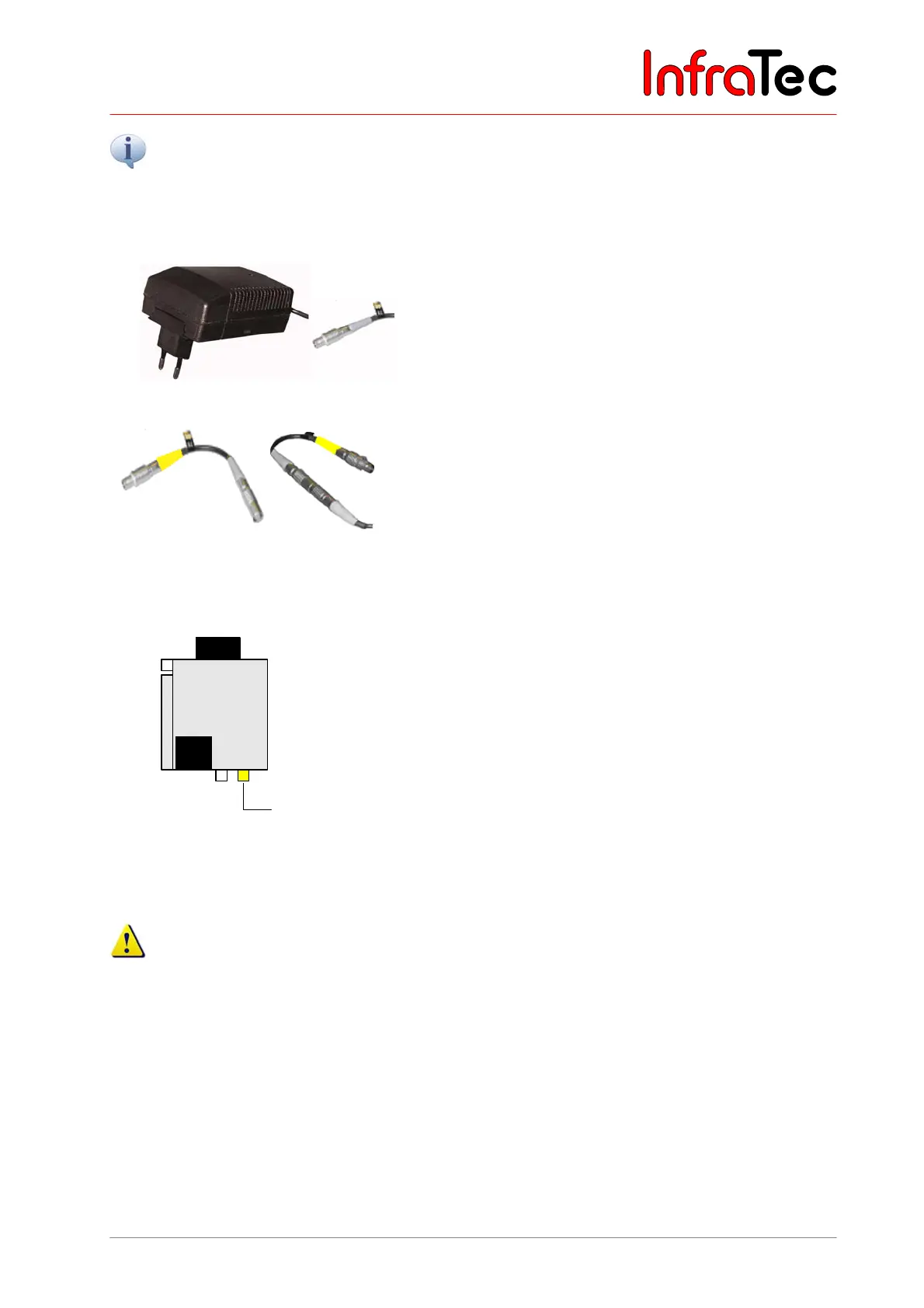
Connection with a power supply unit*
Fig. 21 Power supply unit with plug
When operating the VarioCAM
hr on a notebook
(FireWire connection without any power supply), the
thermographic system is to be connected via a power
supply unit by means of the 14-pin LEMO plug.
Fig. 22 LEMO adapter
As an alternative, power can also be supplied via the 6-
pin LEMO socket on the right at the rear of the
VarioCAM
®
hr or of the Breakout Box. For this purpose,
the LEMO adapter is connected to the power supply unit.
Connection without a power supply unit
VarioCAM®
hr
FireWire
614
LEMO
Battery
Fig. 23 VC hr with FireWire cable (and
battery)
VC hr with FireWire cable (and battery)
The VarioCAM
®
hr is connected via the FireWire cable
with the 6-pin LEMO socket on the right (each marked
yellow). The VarioCAM
®
hr is supplied with power via the
battery or the FireWire cable. An external power supply
unit is not required in this case.
Should the thermographic system VarioCAM
®
hr be operated on a PC without any power supply unit
(power supply via the FireWire interface), make sure that the FireWire cards recommended by
InfraTec are used. Otherwise InfraTec will not grant any functional guaranty.



 To Next Page