User Manual for the Thermographic System VarioCAM
®
high resolution
8. Operation
User Manual © InfraTec GmbH 2013 49
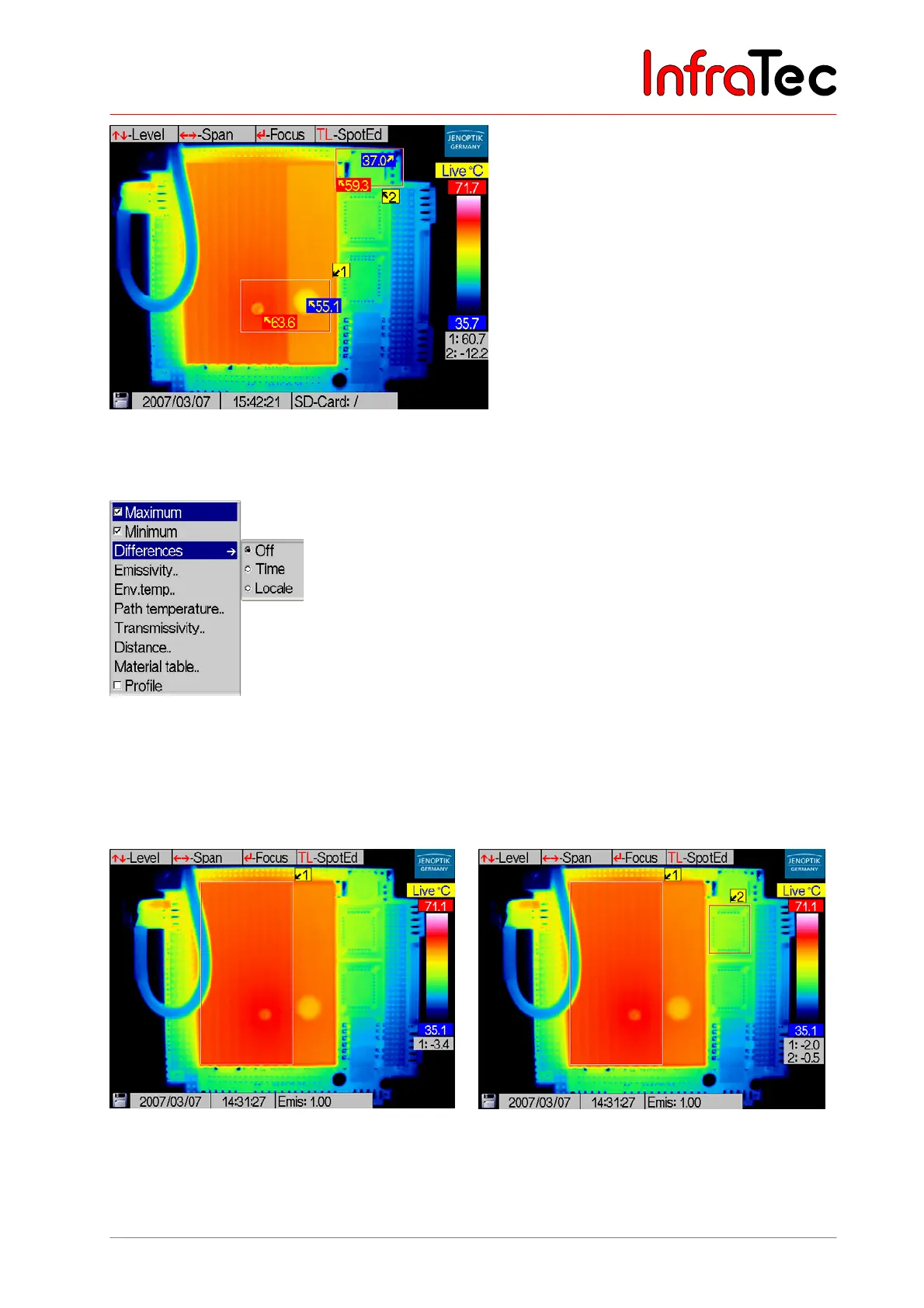
Fig. 95 Thermal image with ROIs and temperature maximum/minimum
Menu item “Differences”*
Fig. 96 Menu “Measure” – “Differences”
Item “Differences” allows to measure and display the temporal temperature changes in the ROIs or
temperature differences between various ROIs. At first, these ROIs need to be defined (see Chapter
8.2.4, Spot Editor*, page 28). The desired function Time or Locale is then to be activated in the menu
Measure →Differences by checkmarking them respectively. Button “Off” deactivates this function.
Fig. 97 Thermal image with time difference
Fig. 98 Thermal image mit local difference
Selecting the menu item “Differences” – “Time” starts measuring the temperature change for all
currently displayed ROIs (see Fig. 97). The activated function of time difference measurement is labeled



 To Next Page