User Manual for the Thermographic System VarioCAM
®
high resolution
9. Hardware and Software Installation for VarioCAM® hr*
User Manual © InfraTec GmbH 2013 71
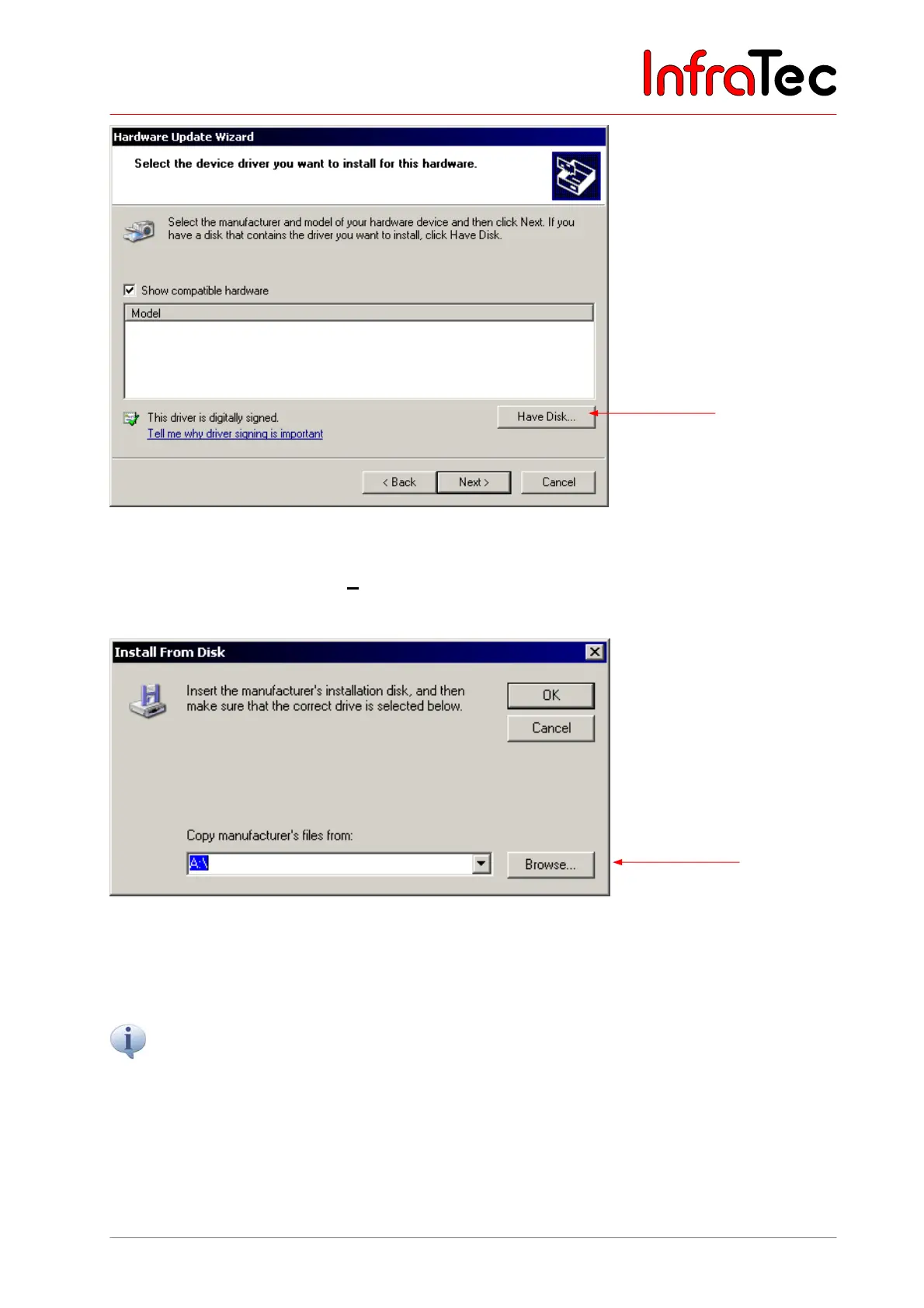
Fig. 152 Hardware wizard Windows™ - select device driver
In this part of the wizard, click on "Have Disk...".
This will open the dialogue "Install From Disk":
Fig. 153 Hardware wizard of Microsoft™ Windows™ – enter driver path
Clicking on "Browse..." will start the dialogue "Locate File".
Choose the subdirectory “Driver” on the included installation CD or from the installation inventory of the
IRBIS
®
remote software. There you will find the required device drivers for the thermographic system
VarioCAM
®
hr.



 To Next Page