InHand VG710 InVehicle Gateway User Manual
7
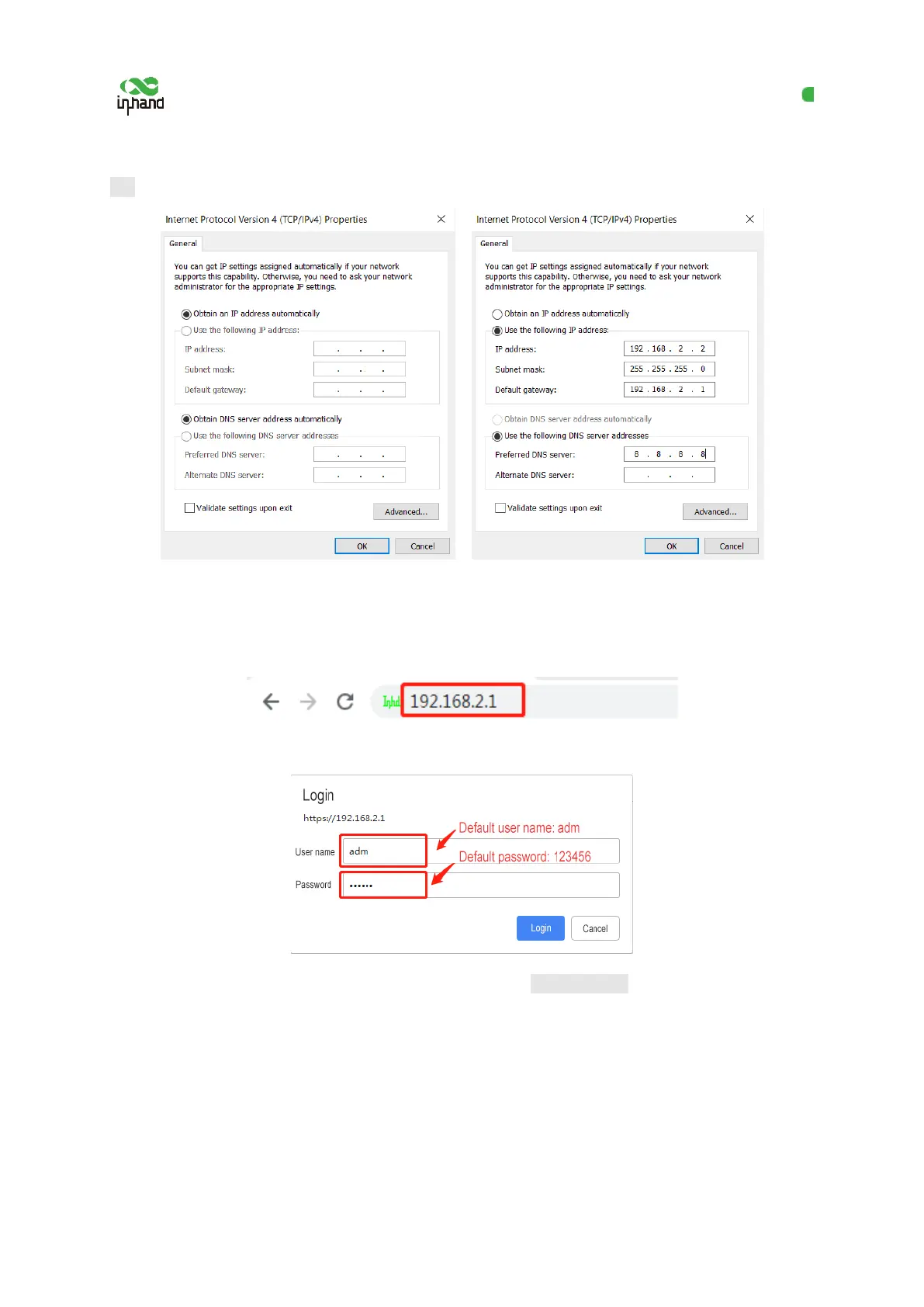
255.255.255.0, the default gateway address 192.168.2.1, and enter DNS server address, and then click
OK.
Obtain an IP address automatically Use a fixed IP address
3. Open the browser, enter the default IP address 192.168.2.1 of the gateway in the address bar, and
press Enter.
4. Log in (if a blocking prompt is displayed, click "Advanced >> Continue").
5. Click "Network >> Cellular", check "Enable", and click Apply & Save. If the network connection
status is "Connected" and an IP address has been allocated, the SIM card has been connected to
the network.
(Set the APN parameters for a private-network card.)


 To Next Page