InHand VG710 InVehicle Gateway User Manual
9
4.2 Network Access via Wi-Fi
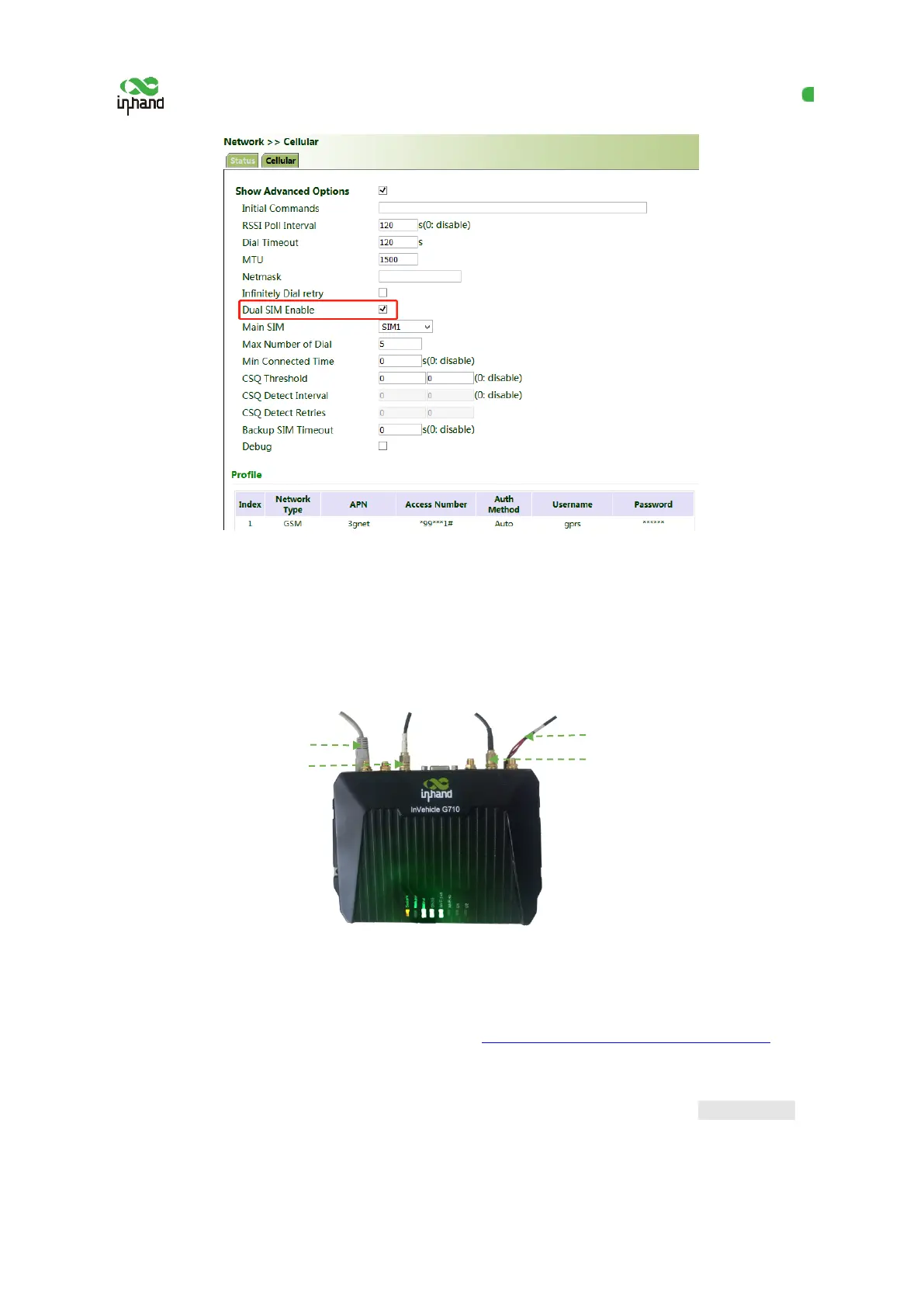
1. Complete the connection shown in the following figure.
2. Assign an IP address to the PC, which is on the same network segment as the IP address of the
gateway. Log in to the web page. For details, see 4.1 Network Access via the Dialup Card
.
3. Click " Network >> Wi-Fi" and select Wi-Fi 2.4G or Wi-Fi 5G as a client. Enter the name,
authentication method, and key of an available wireless access point (AP). Click Apply & Save.
Connect the PC


 To Next Page