InHand VG710 InVehicle Gateway User Manual
3
Wi-Fi 5G
Used as an AP:
Steady off --- The AP is disabled.
Blinking blue --- The AP operates properly.
Used as a STA:
Steady off --- The STA is disabled, or no AP is associated.
Steady blue --- Connection fails due to a wrong password after an AP is associated.
Blinking blue --- An AP is associated.
U1 and U2
U1:
Steady off --- The APP is disabled.
Steady green --- The APP is enabled.
U2:
Steady off --- The virtual private network (VPN) is disabled or abnormal.
Steady green --- The VPN operates properly.
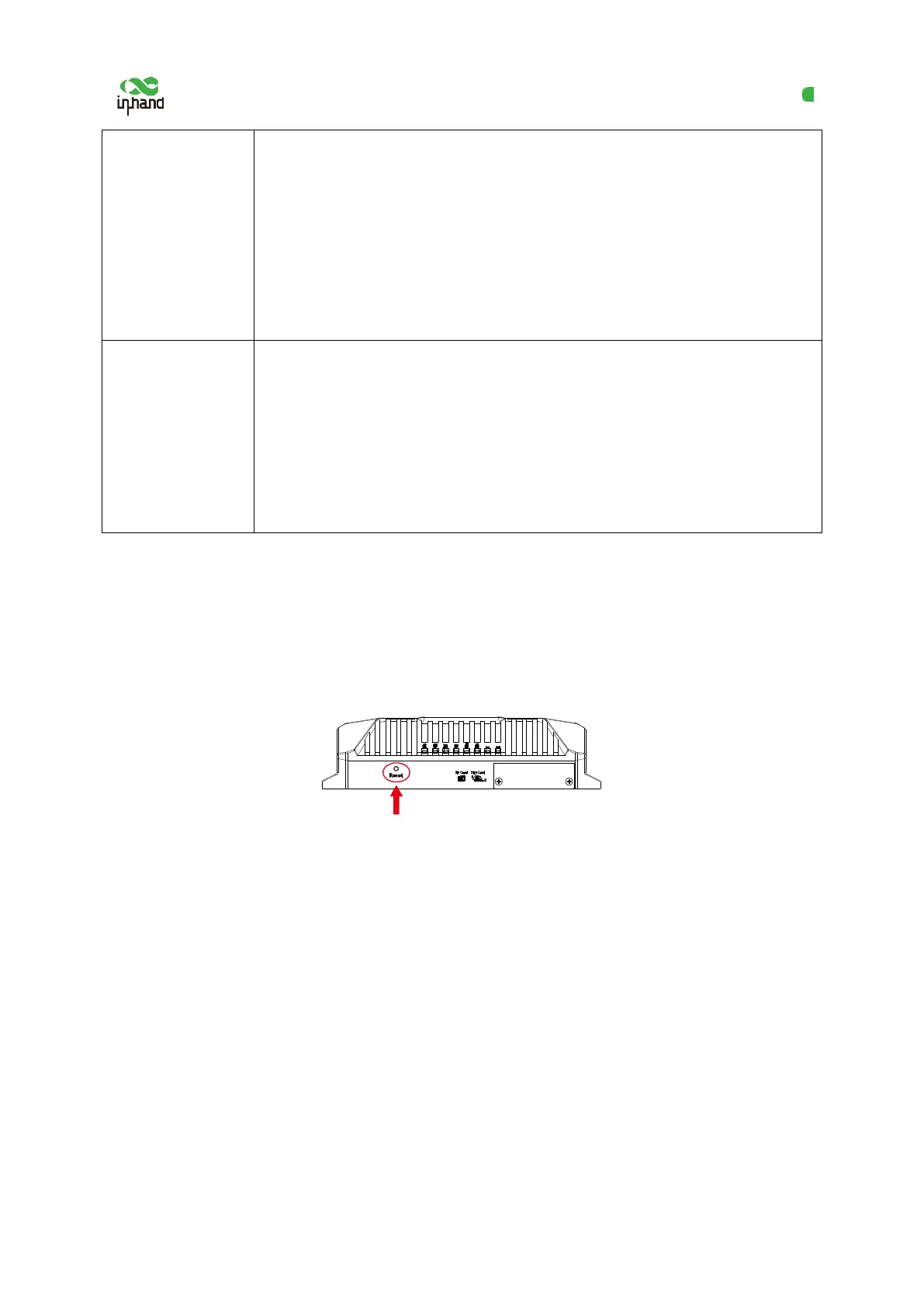
2.2 Restoring Default Settings via the Reset
Button
To restore default settings via the Reset button, perform the following steps:
1. Power on the device and immediately press and hold the Reset button. After about 15s, only
the System indicator is steady red.
2. When the System indicator turns off and becomes red again, immediately release the Reset
button.
3. When the System indicator turns off, press the Reset button (ensure that it blinks red twice)
and then release it. The device is restored to the default settings.


 To Next Page