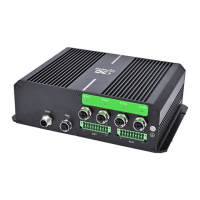
InHand VG710 InVehicle Gateway User Manual
4
3 Default Settings
No. Function Default Settings
1
cellular network
− Enabled (The Cellular indicator
is steady green after dialup
succeeds.)
By default, the dual-
SIM function is disabled, and SIM1 is
enabled.
2
Satellite
inertial navigation
service
− Enabled (The GNSS indicator is steady green after positioning
succeeds.)
− The inertial navigation function is enabled.
3
On-board
diagnostics (OBD)
− Enabled
− The CANbus baud rate is automatically detected.
− The OBD protocol is automatically detected.
− OBD data is automatically scanned.
4
Default settings of
Wi-Fi
− The Wi-Fi 2.4G AP is enabled. The SSID starts with VG710-,
followed by six digits.
− The Wi-Fi 5G AP is enabled. The SSID starts with VG710-5G-,
followed by six digits.
− WPA2-PSK is used for authentication.
− The password contains the last eight digits of the SN.
5
Default settings of
Ethernet
− Four LAN ports are enabled.
− The IP address is 192.168.2.1.
− The subnet mask is 255.255.255.0.
− The DHCP server is enabled. The IP address pool is 192.168.2.2–
192.168.2.100, and IP addresses can be automatically allocated to
downstream devices.
6
Network access
control for the
gateway
−
HTTP and HTTPS are enabled, with the port numbers of 80 and
443 respectively.


 To Next Page