MEDIAJET – Operating instructions V09 Installation
18 INTEGRA Biosciences AG
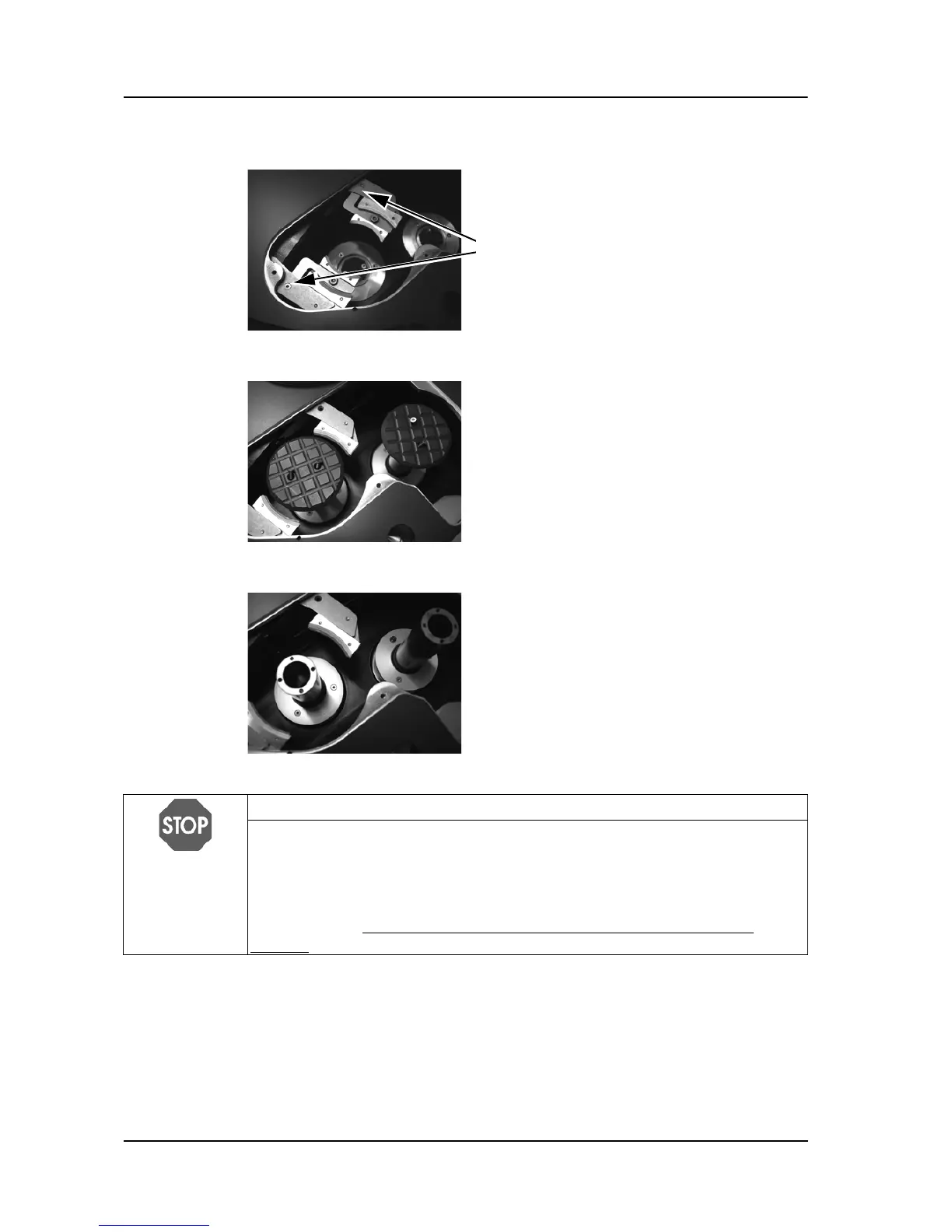
Removing or mounting the extension gripper lever
Removing the piston head plates
Removing the flanges
Applies to conversion set for
35 and 60 mm
Petri dishes only:
Unscrew the two sink screws M3x6 of the
right and left extension gripper lever for
small petri dishes.
Keep the STACKER or FEEDER keys of
the operating panel pressed and
consecutively move both pistons up to the
high of the carousel plate using the
ARROW KEYS.
If present, unscrew the four piston head
screws M3x6 of the head plates and remove
the plates.
Unscrew the six piston head screws M3x6
of the flanges.
To lift the flanges move feeder and stacker
all to the top.
Remove the two flanges.
NOTICE
For an error free performance of MEDIAJET vario with the desired Petri dish
size, make sure that the corresponding conversion set, including the
adaptation insert, extension gripper lever, head plates and flanges is
completely installed and that the correct rotor and carousel are mounted.
After every exchange of the conversion set perform the dish sensor teach-in
procedure, see “4.2.2
Dish sensor teach-in (teach-in sensors only)” on
page 27.



 To Next Page