MEDIAJET – Operating instructions V09 Installation
23
www.integra-biosciences.com
3.7 TUBEFILLER option
ASSISTANCE
In order to install and use the TUBEFILLER option, MEDIAJET has to be
equipped with the software version 1.12 or higher. In case you need to
upgrade your MEDIAJET software version please contact your local INTEGRA
BIOSCIENCES dealer for support.
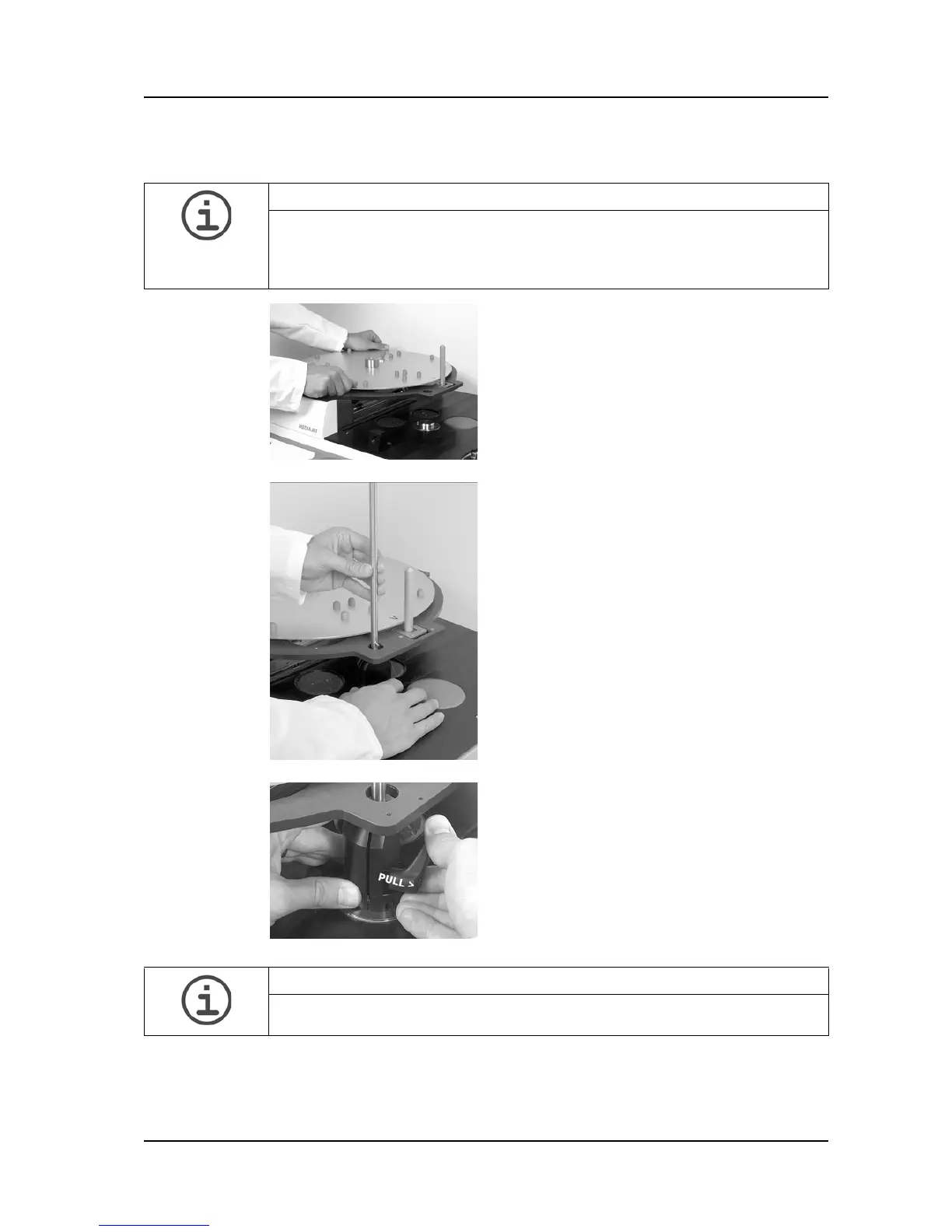
Place the support plate on the carousel axis
of MEDIAJET and turn it until the anchor
bolt locks into position.
Mount the filling arm carrier piece onto the
rotor axis inside the filling chamber.
Position the filling arm rod from the top into
the carrier piece.
Fix the carrier piece upright by tightening
the side lever.
Both levers (the one on the carrier plate and
the one on the filling arm) can be put into an
idle mode by pulling the lever outward on its
axis.
This helps to position the levers in a way
which allows to firmly tighten them.
ASSISTANCE
Check if the rod is mounted vertical in a 90° angle to the base unit in order to
guarantee a failure-free operation of the TUBEFILLER.



 To Next Page