MEDIAJET – Operating instructions V09 Operation
30 INTEGRA Biosciences AG
4.4 Adapting a dish filling program
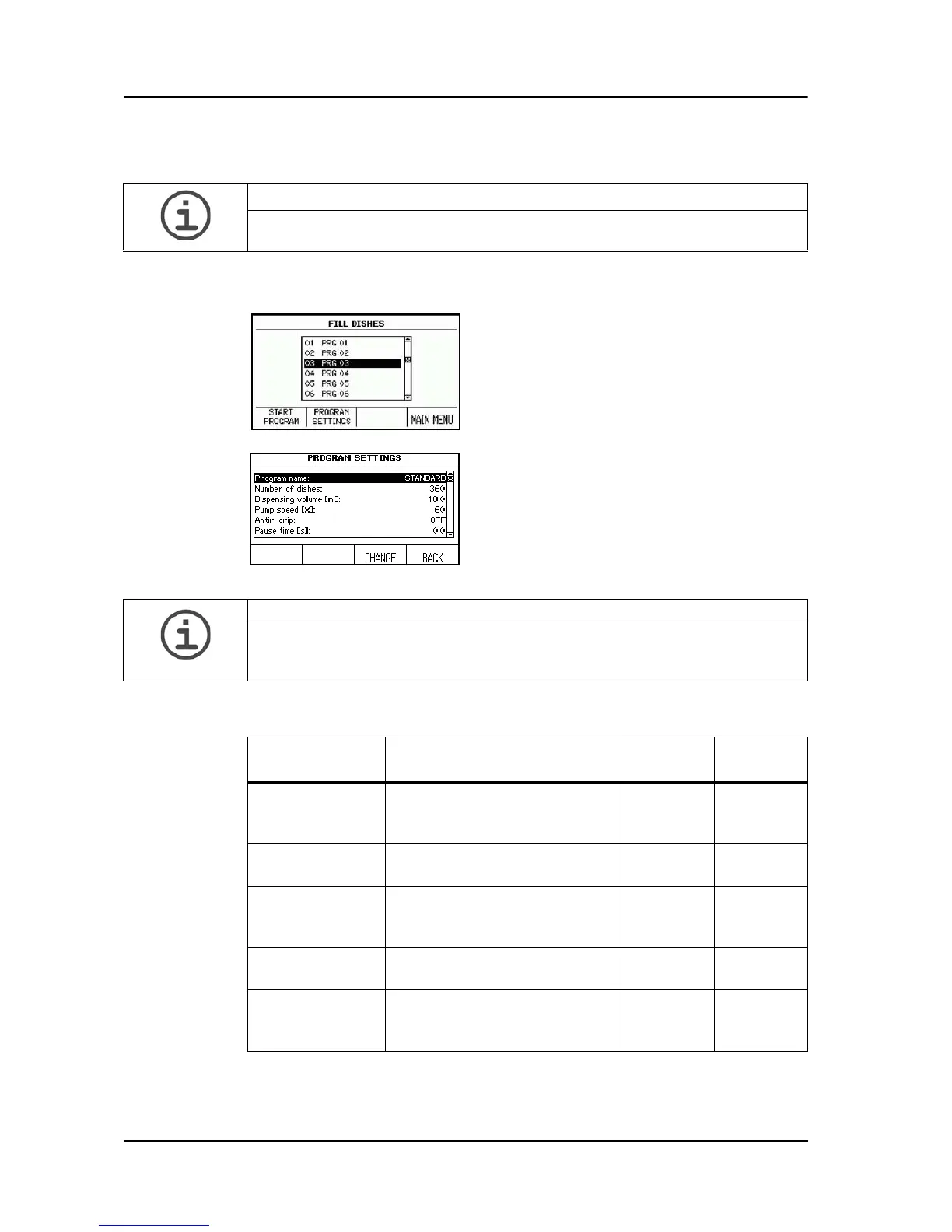
Press FILL DISHES in the MAIN MENU in order to reach the stored
programs.
The following table gives an overview about the parameters to be set:
ASSISTANCE
If you are using the MEDIAJET for the first time, please adjust the program
parameters to your requirements before starting the filling process.
Select the desired program using the arrow
keys.
Press PROGRAM SETTINGS in order to
adjust the program.
Using the arrow keys, select a parameter
that you wish to change.
Press CHANGE.
Now follow the information on the screen.
ASSISTANCE
It is recommended to define a program name that easily identifies the program
mode, e. g. Standard, Turbo mode, Batch mode or Pour plate. Alternatively,
reserve a block of numbers for the particular program modes.
Program
parameter
Description Value
range
Basic
setting
Number of
dishes
Determines the number of
dishes to be filled in the
program.
0-9999 360
Dispensing
Volume (ml)
Defines the filling volume of a
Petri dish.
1-99.9 ml 18 ml
Pump speed (%) The setting 100 %
corresponds to a flow rate of
approx. 500 ml/min.
30-100 % 60 %
Anti-drip Prevents drop formation at the
end of a dosage.
ON
OFF
OFF
Pause time (s) Selectable pause time
between the filling of two Petri
dishes.
0-9.9 s 0 s



 To Next Page