MEDIAJET – Operating instructions V09 Operation
29
www.integra-biosciences.com
Press BACK and MAIN MENU in order to return to the MAIN MENU.
The MEDIAJET is now loaded with dishes.
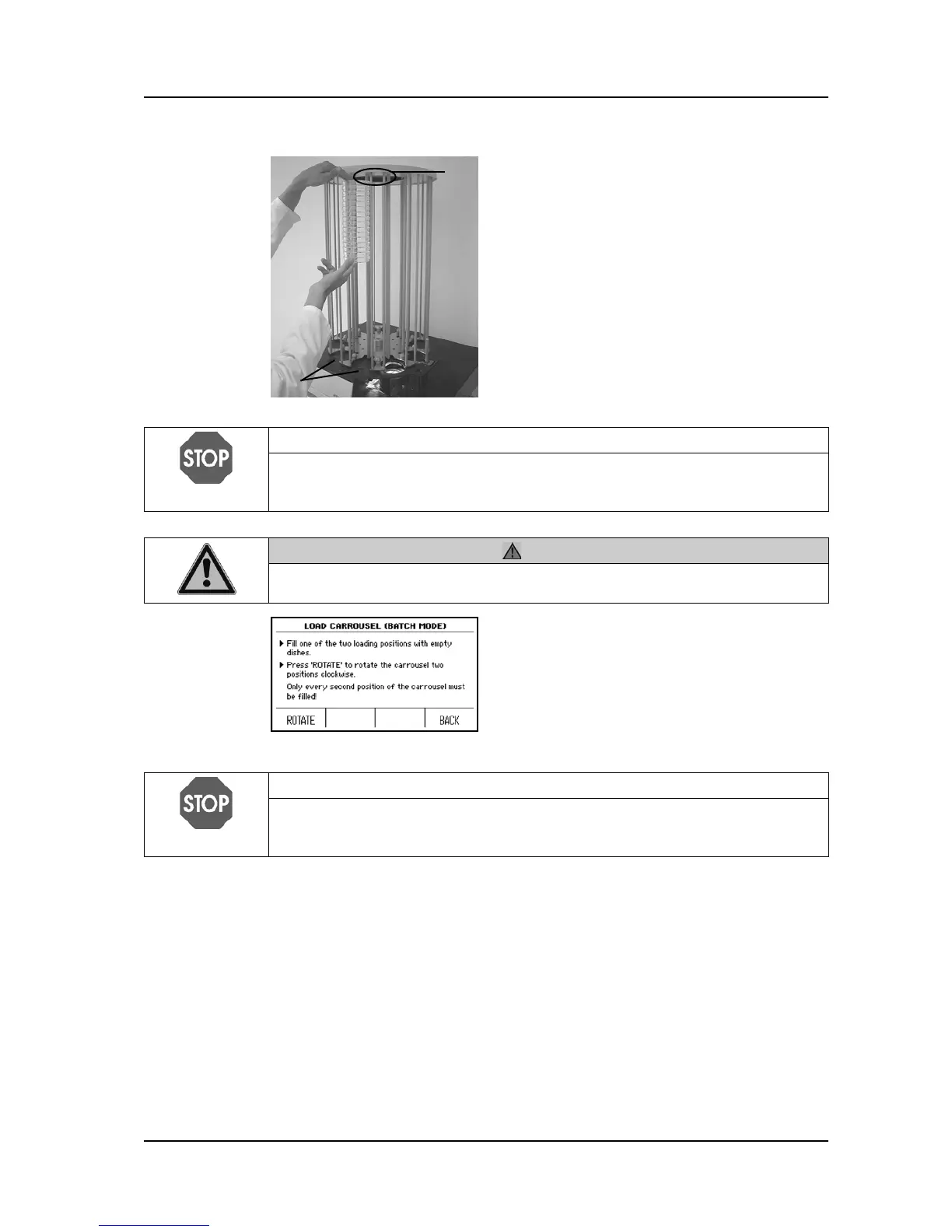
Load sterile Petri dishes stack by stack from
top to bottom into the carousel at the
loading positions 2.
Only fill the loading positions as far as the
notch 1.
NOTICE
Under no circumstances load dishes above the marked notches, as a
sufficient space between the uppermost dish of the stack and the cover of the
carousel is fundamental for error-free functioning of the device.
CAUTION
Pay attention to your fingers. There is a risk of your fingers being squeezed
when you press ROTATE.
Press ROTATE.
The carousel turns two positions in a
clockwise direction.
Repeat the procedure described above until
nine of the ten positions (Batch mode: only
every second position) have been filled with
Petri dishes.
NOTICE
Fill only nine of the ten positions in the carousel with dishes to ensure perfect
functioning of the device. If using the Batch mode, only every second position
must be filled.



 To Next Page