MEDIAJET – Operating instructions V09 Operation
34 INTEGRA Biosciences AG
4.4.4 Shaker level (pour plate)
Total viable count determination is often carried out by using the pour plate
method. The built in shaker supports the mixing of the sample with the agar
medium.
To enable this option, see “4.2 Adapt system parameter” on page 26.
Press SAVE in order to save this value.
4.5 Run dish filling program
Select the desired program under FILL DISHES.
Press START PROGRAM.
4.5.1 Connecting the tubing set
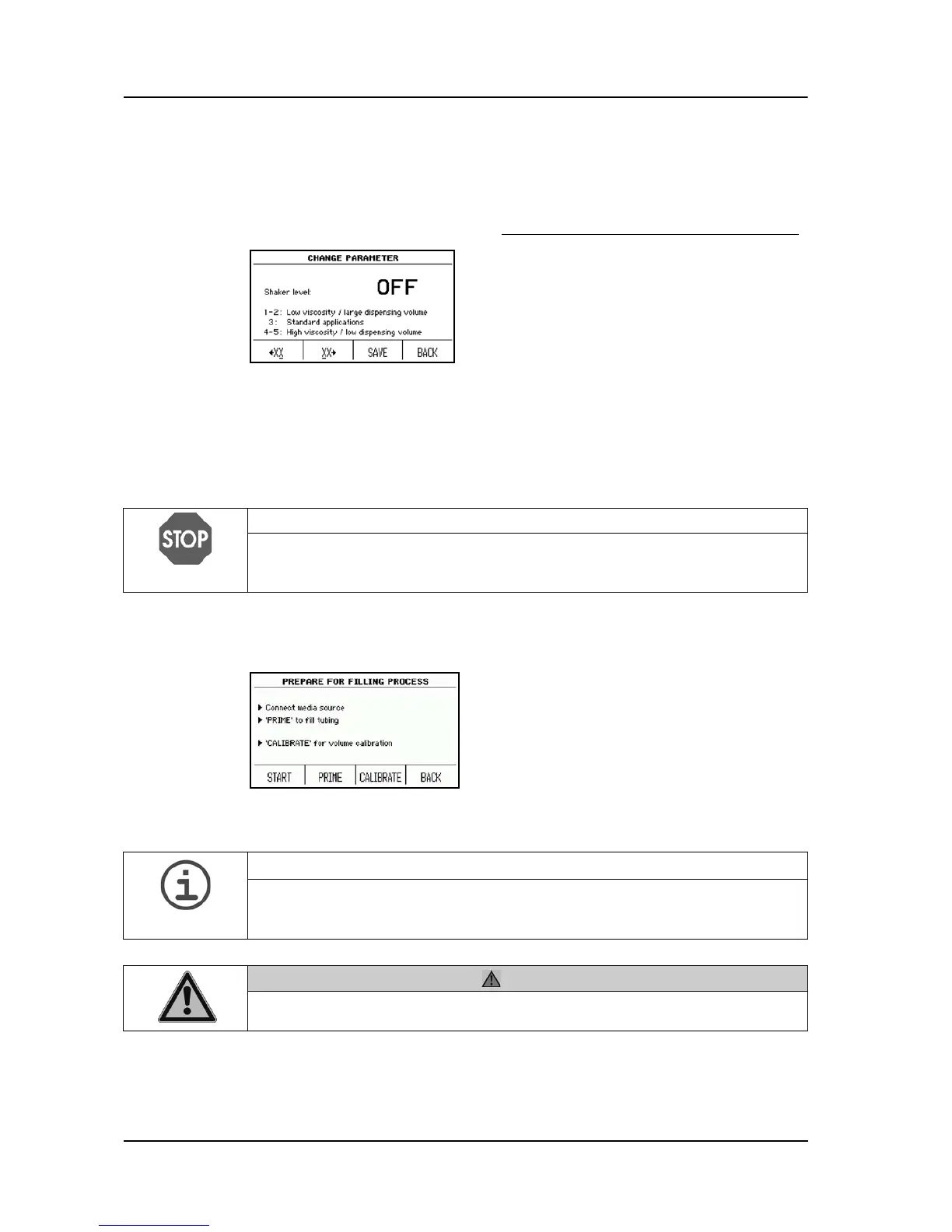
Press PROGRAM SETTINGS and choose
the parameter shaker level.
Using the arrow keys, select the shaker
level according to your needs (depending
on the filling volume and viscosity of the
culture medium).
NOTICE
Please ensure that the filling nozzle holder is correctly installed and the sensor
in front of this holder is clean when running a program with Biplate alignment
ON.
The dialogue window PREPARE FOR
FILLING PROCESS appears.
An empty Petri dish is automatically placed
in the filling position of the rotor.
ASSISTANCE
The tubing set must be autoclaved prior to use, in order to avoid contamination
during the filling process. If PUMP OPTIONS in SYSTEM PARAMETER is
enabled, press first PUMP OPTIONS to prime or to calibrate.
CAUTION
Never press PRIME if the cover of the pump head is open. Risk to squash
your fingers.



 To Next Page