MEDIAJET – Operating instructions V09 Operation
35
www.integra-biosciences.com
The tubing set is now connected.
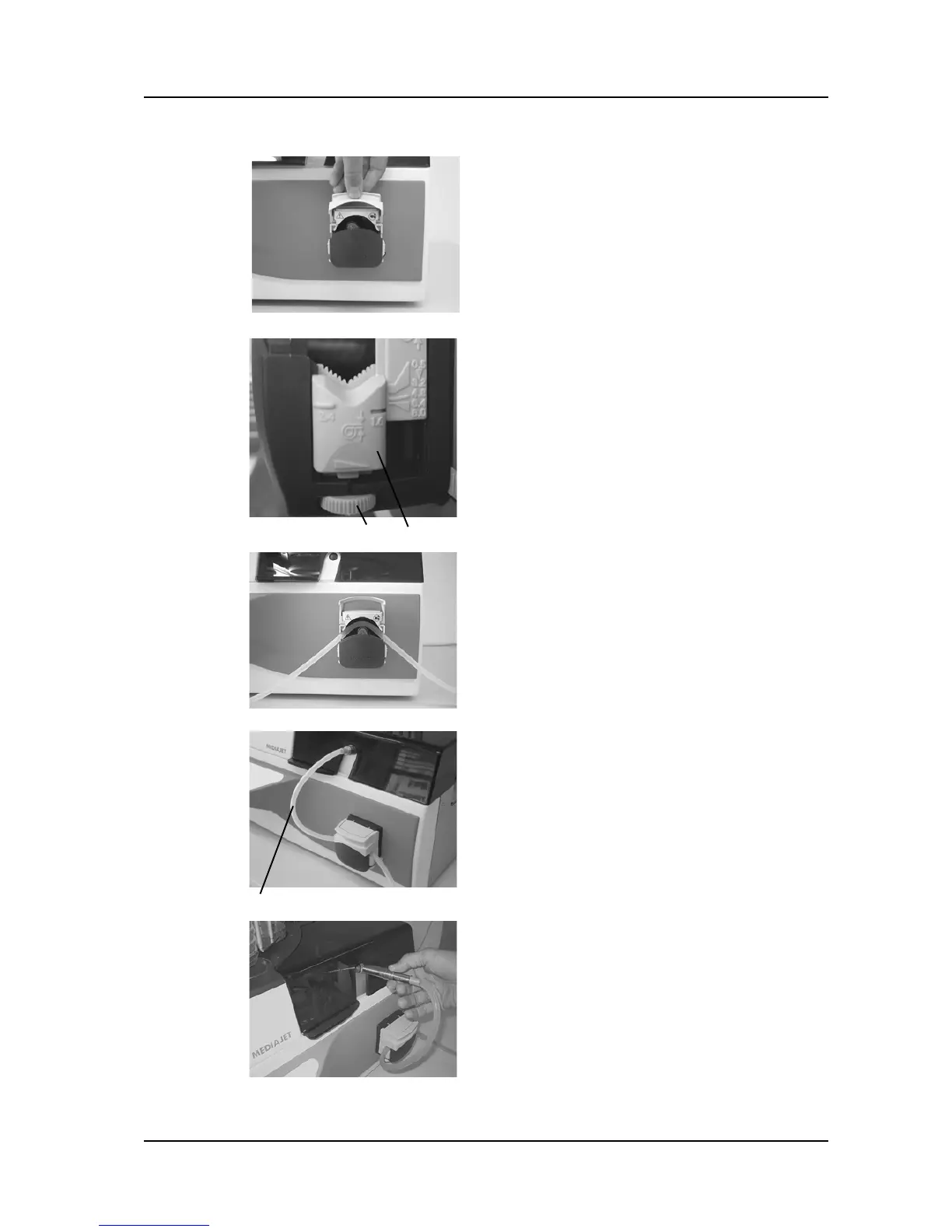
Open the cover of the pump head.
Turn the adjusting screws 1 on both sides of
the pump head as far to the right (anti-
clockwise) as possible.
The V-shaped tubing mountings 2 drop to
the lowest possible position.
Place the tubing set into the pump such that
the filling nozzle is lying on the left hand side
of the pump head.
For an optimum function of the pump, the
tubing needs to centered on the rollers leading
through the two V-shaped mountings.
You require approximately 30 cm of tubing 3
between the pump and the filling-nozzle
mountings.
Now close the pump cover and make sure
that the tubing leads correctly through the
V-shaped mountings.
Make sure that the filling nozzle is inserted
into the filling nozzle holder as far as
possible.
For programs with the parameter “Biplate
alignment ON” place a second tubing set
into the double pump head to allow the
filling of two compartments in parallel
(MEDIAJET vario with biplate option only).



 To Next Page