MEDIAJET – Operating instructions V09 Installation
20 INTEGRA Biosciences AG
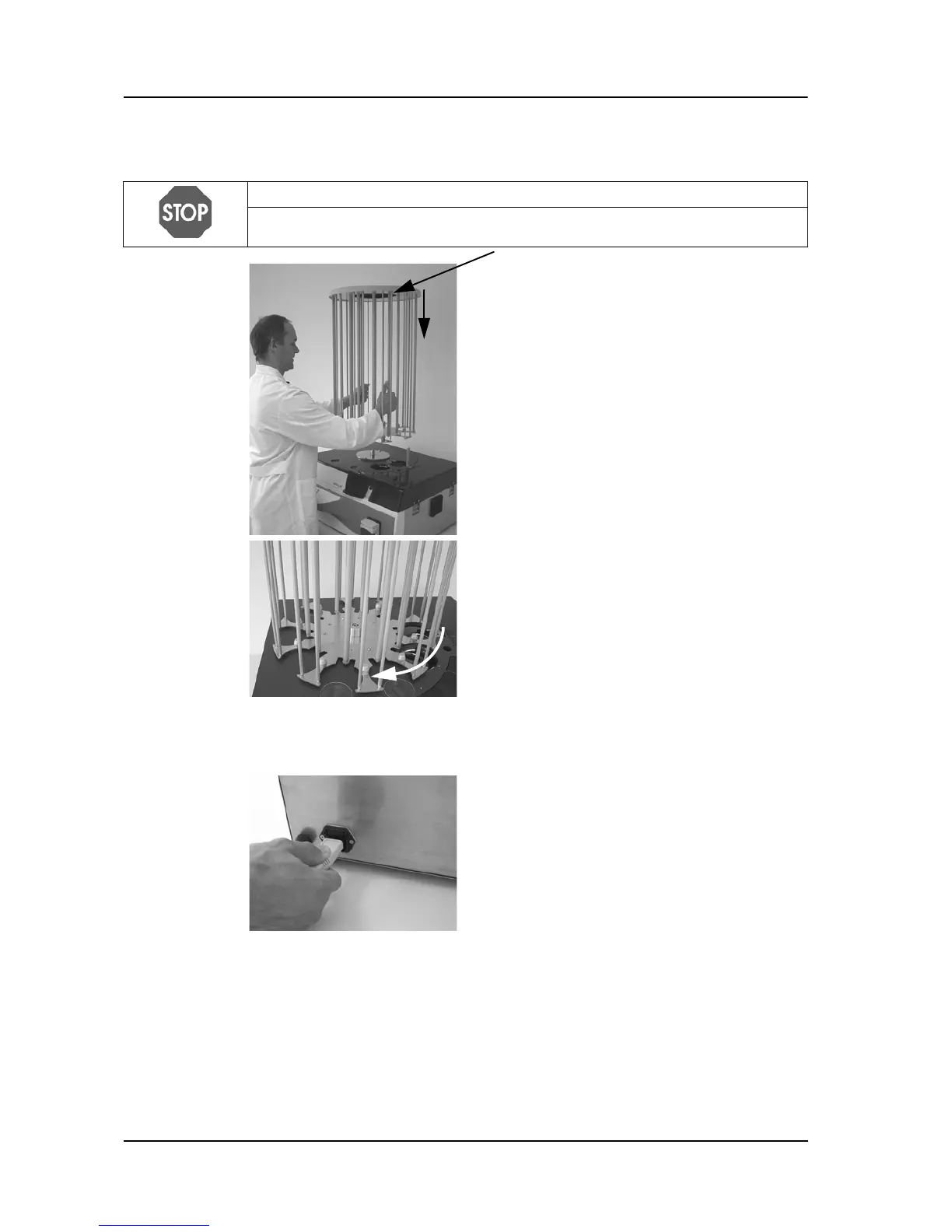
3.4.3 Carousel
3.4.4 Electricity supply
The device is now fully assembled.
Now switch on the device at the main switch.
Wait until the device has completed the automatic software initialization.
When the main menu with INTEGRA logo appears on the screen, the device
has been installed and is ready for use.
NOTICE
Always lift the carousel on the thick central rods, never on the outer, flexible
rods.
Keep the carousel vertical and place it on
the bolt in the center of the black carousel
base plate.
Turn the carousel until the anchor bolt locks
into position.
Plug the electricity cable into the socket on
the rear of the device.
Subsequently connect it to the electricity
mains.



 To Next Page