MEDIAJET – Operating instructions V09 Operation
43
www.integra-biosciences.com
4.9.4 DOSE IT settings
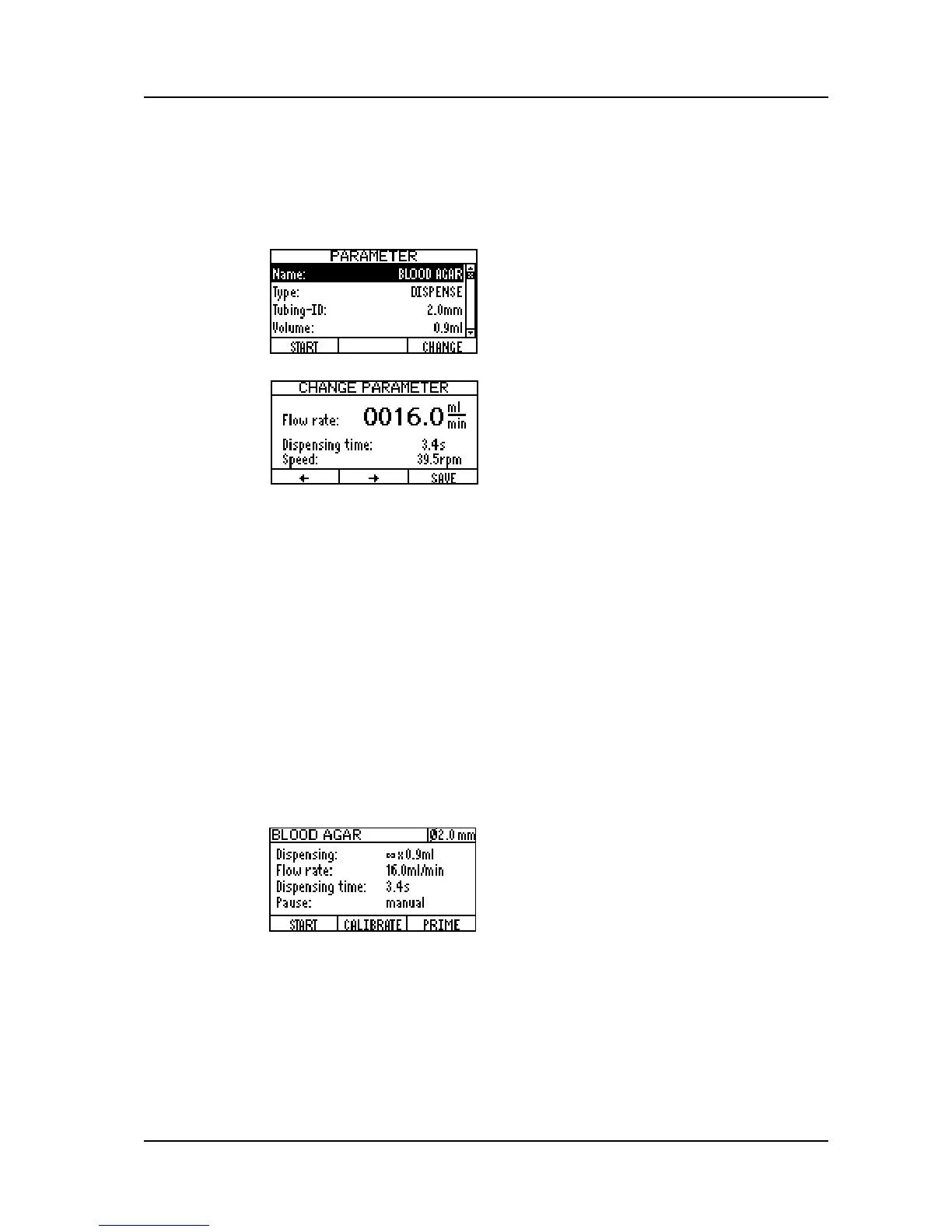
Switch on the DOSE IT, the APPLICATION window appears. Select one of the
programs listed and press PARAMETER to configure it. Use the arrow keys to
select the parameters and press CHANGE to set different values.
With these settings, an optimal mixing of additive and medium is reached.
Exit the program by pressing START.
In case you are connecting the DOSE IT and the MEDIAJET for the first time or
when working with a new Tubing set it is recommended to confirm the pump
settings again and to perform the calibration routine of the DOSE IT.
4.9.5 Operation of MEDIAJET in combination with DOSE IT
Once MEDIAJET and DOSE IT are connected and the settings are adjusted as
described above, the instruments are ready to start the dish filling process.
Consider the following important points:
Select the adjusted program in the APPLICATION window of the DOSE IT
and press START.
Then select the desired program of the MEDIAJET under FILL DISHES and
press START PROGRAM. Press PRIME until the big diameter tubing is
entirely filled with media up to the Filling nozzle.
Press START on the MEDIAJET to start the dish filling process.
Set the Type to “DISPENSE” and the
Tubing-ID to “2.0 mm”.
Enter the desired volume of the additive,
e.g. 0.9 ml.
Change the Flow rate with the arrow keys
so that the displayed ‘Dispensing time’ is
equal to or slightly shorter than the
‘Estimated dosing time’ shown in the
MEDIAJET program (see above).
Set Repetitions to ““ and Pause to
“manual”.
Press PRIME to fill the small diameter
tubing in the DOSE IT pump with the
additive up to the glass T-piece.
After priming press START. The DOSE IT is
now ready to get started by the MEDIAJET.



 To Next Page